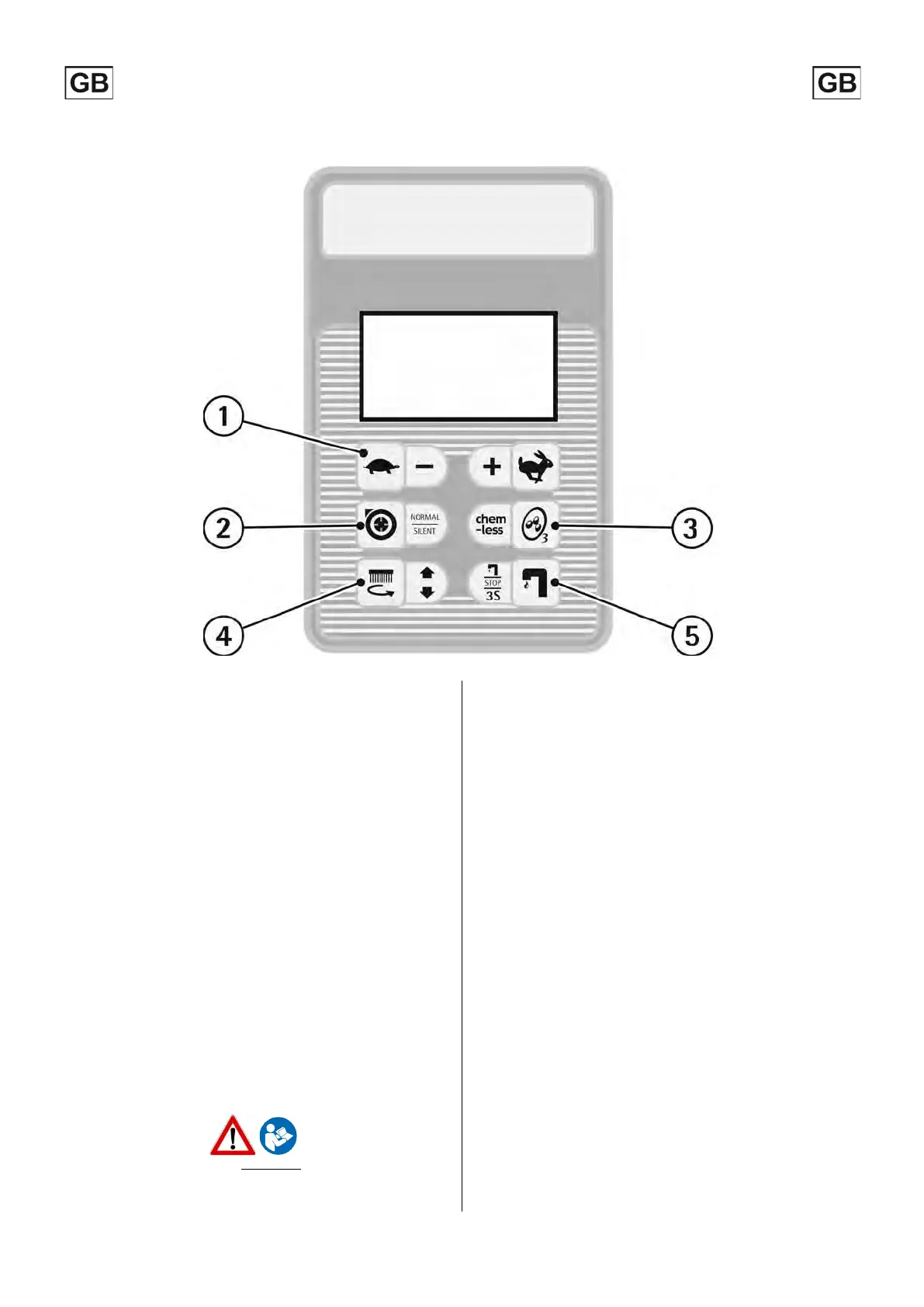
Enter Increase
Scroll down Decrease
GENERAL SETTING
To enter the menu for the setting, use the keyboard of the instrument
board and proceed as follows:
1. Keep the buttons (1) and (5) pressed simultaneously.
2. Turn the key to switch on the machine.
3. When “ID CHECK” is shown on the display, press the enter button
(2).
Once entered in GENERAL SETTING it will be possible to change the
following default settings by simply scrolling through the menu using
buttons (1) and (4).
DISPLAY LANGUAGE SELECTION
English is the default language; it is possible to change it into Italian.
To select the language just visualize first "Language",
scrolling with the buttons (3) and (5).
Once the language is chosen, confirm using button (2).
DISPLAY TUNE (DISPLAY CONTRAST)
Once entered in General Setting, it is possible
contrast using the button (3) to increase it and the button (5) to
decrease it.
Once selected the contrast, confirm using button (2).
TO CHANGE THE BATTERY SETTING
Once entered “General Setting”,
it is possible to set the machine
depending on the batteries installed (AGM / GEL / LEAD-ACID).
To select the proper setting, just visualize first "BATTERY", then select it
by scrolling with the buttons (3) and (5).
Once the setting is chosen, confirm using button (2).
An incorrect setting may damage irreparably the battery.
ALWAYS verify to have set the correct parameter.
The defined battery setting is visible when the machine is turned on
(see "BATTERY SETTING or DISPLAY READING").
Once entered in General Setting, it is possible to increase or decrease
the display brightness using buttons (3) and (5).
Once selected the brightness, confirm using button (2).
7



 To Next Page