7
SET UP
1. Open the shipping carton and carefully remove the unit. Be sure to remove all the packing mate-
rial, paying particular attention to the area around the nozzle.
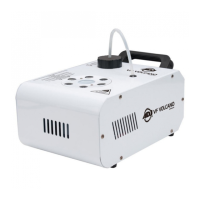
2. Set the machine on a at dry surface. Remove the included bracket from the packaging and at-
tach it to the sides of the fog machine using the supplied hardware. Please note that the bracket
is easily detachable and is not required for table-top usage. However, when the device is installed
in a suspended environment, use of the bracket is required.
3. Fill the fog uid reservoir with ADJ brand fog juice only, then replace the cap.
4. Firmly plug the remote control unit into the remote control socket located on the back of the unit.
5. Plug the unit into a power supply that meets the voltage requirements. A red LED on the remote
control will illuminate, indicating that the device is receiving power. The device will then begin
warming up, which should take about seven minutes. When warmup is complete, the uid reser-
voir will glow green, indicating that the unit is ready to emit fog.
6. Press the button on the remote to emit fog. Refer to the Remote Operation section of this man-
ual for detailed information.
Always be sure to maintain an adequate supply of ADJ® Brand Fog juice™ in the uid reser-
voir. Running the fog machine dry will cause pump failure and/or clogging. This is the most
common cause of failure in fog machines.
Remote Operation: Start by connecting the VF5PR remote to the fog machine. Once the machine
is plugged in and powered on, it will begin warming up, which should take about seven (7) minutes.
After the unit has warmed up, the uid reservoir will glow green, indicating the unit is ready to emit
fog. To emit fog, simply press and hold the button on the remote. The knob sets the amount of fog
the machine will output.
If the uid reservoir is glowing green and the unit does not emit fog after the button is pressed for 30
seconds, check that the uid tank has a sucient amount of fog uid.
Caution: Disconnect from the power supply before removing or replacing the remote control
unit.
Wireless Remote Control: The VF1300 can also be operated by wireless remote. Plug the receiver
box into the wireless input. Select one of the four dip switches on the receiver, and ip it to the ON
position, and locate the button on the remote with a number that matches the chosen dip switch.
The device will now emit fog when this button is pressed.
For example: If dip switch #3 is ipped to the ON position, button 3 on the wireless remote will con-
trol fog output.
REMOTE OPERATION


 To Next Page