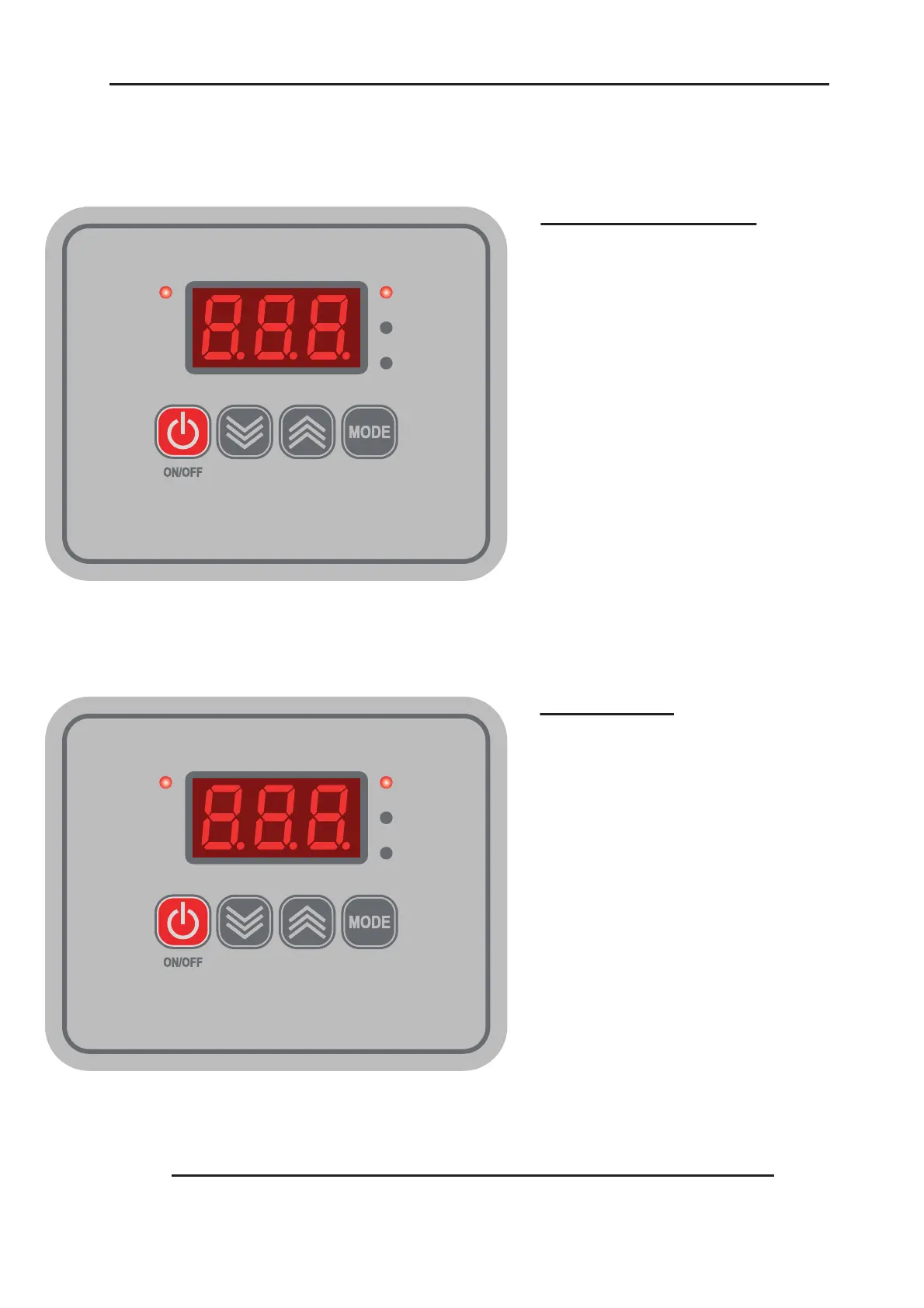
5.2 Operation Of Control Unit, Setting Time and Temperature
(The table must always be in the down position before the controller is set)
Page 15
ACT
TEMP
SET
TIME
ACT
TEMP
SET
TIME
Setting Temperature
Setting Time
1.
2.
3.
4.
5.
6.
Switch on Press; Display and
'TEMP' indicator will light up.
Press 'MODE' button to select 'Set'
on indicator.
The Display will start flashing.
Use the 'UP' and 'DOWN' arrow
buttons to set the required
temperature.
When you have set the required
temperature the Display will stop
flashing and the 'SET' indicator will
go out.
Press the 'ON/OFF' button to start
the Press heating to the selected
temperature. The 'ACT' indicator will
light up.
1.
2.
3.
4.
5.
6.
Switch on Press; Display and
'TEMP' indicator will light up.
Press 'MODE' button twice to select
'SET' and 'TIME' on indicator.
The display will start to flash.
Use the 'UP' and 'DOWN' arrow
buttons to set the required time.
When you have selected the
required time the Display will stop
flashing and the 'SET' and 'TIME'
indicators will go out.
Press the 'ON/OFF' button to start
the Press. The 'ACT' indicator will
light up.


 To Next Page