Installation 9
2 Installation
This chapter describes how to install and setup the 725X cards.
Jumper settings for the digital input channel configurations (AC-fil-
ter or Non-AC-filter) and the signal definitions of the 37-pins con-
nectors are also specified.
2.1 Unpacking Checklist
Check the shipping carton for any damage. If the shipping carton
and contents are damaged, notify the dealer for a replacement.
Retain the shipping carton and packing materials for inspection by
the dealer. Obtain authorization before returning any product to
ADLINK.
Check the following items are included in the package, if there are
any items missing, please contact your dealer:
Included Items
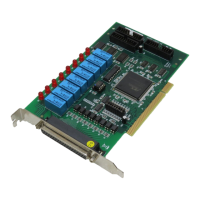
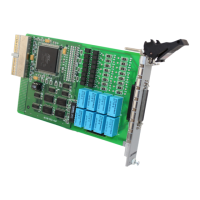
X PCI-7250 (or PCI-7251, cPCI-7252) Relay Actuator & Iso-
lated D/I Card
X ADLINK CD (for PCI-7250 and cPCI-7252 only)
X Software Installation Guide
X This User’s Manual
Note: The packaging of OEM versions with non-standard
configuration, functionality, or package may vary
according to different configuration requests.
CAUTION: The boards must be protected from static discharge
and physical shock. Never remove any of the socketed
parts except at a static-free workstation. Use the anti-
static bag shipped with the product to handle the
board. Wear a grounded wrist strap when servicing


 To Next Page
 Loading...