107
USING ACROBAT X PRO
PDF Portfolios and combined PDFs
Last updated 10/11/2011
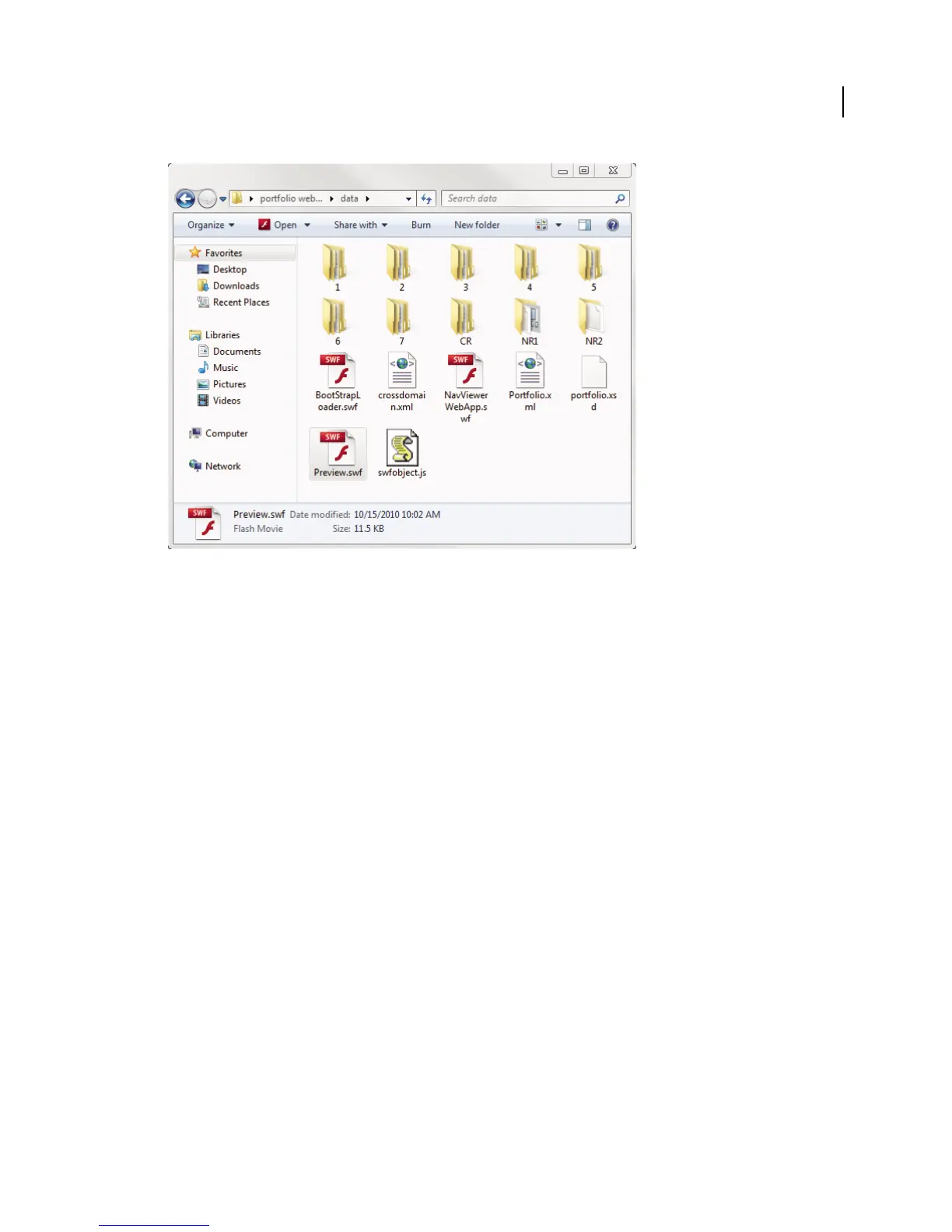
The data folder contains the structure of the website and a web player.
3 (Optional) Edit the index.html file. For example, you can match the look of an existing website, or embed the PDF
Portfolio within an existing web page.
4 Copy the entire data folder and the index.html file to a web server. To transfer the data, you can use FTP, mount
the server as a local disk, or use some other method.
5 Note the web address (URL) of the saved HTML file.
6 In a web browser, enter the URL of the HTML page, starting with http:// or https://.
Tips for successful playback
• Install Flash Player 10.1 or later. Early versions of Flash Player cannot play back a published PDF Portfolio.
• Use Acrobat X PDF Portfolios. You cannot publish Acrobat 9 PDF Portfolios to a website.
• Use only system fonts in the PDF Portfolio, not styled text, embedded fonts, or other installed fonts.
• View the index.html file from a web server (http:// or https://), not from your local computer.
• Avoid adding SWF file attachments or videos to your PDF Portfolio. Video playback and SWF file attachments are
not supported in a published PDF Portfolio.
Share PDF Portfolios
Share a PDF Portfolio with others by sending the file in an e-mail or by uploading it on Acrobat.com, a secure web
service. (See
“File sharing and real-time collaboration” on page 135.)


 To Next Page
 Loading...