420
Last updated 10/11/2011
Chapter 16: Print production tools
Whether you’re a designer working on a creative piece or a print service provider preparing an Adobe® PDF for final
output, you’ll find the print production tools essential to getting your job done.
Print production tools overview
Adobe Acrobat adds sophisticated print production tools that enable a complete PDF workflow for high-end color
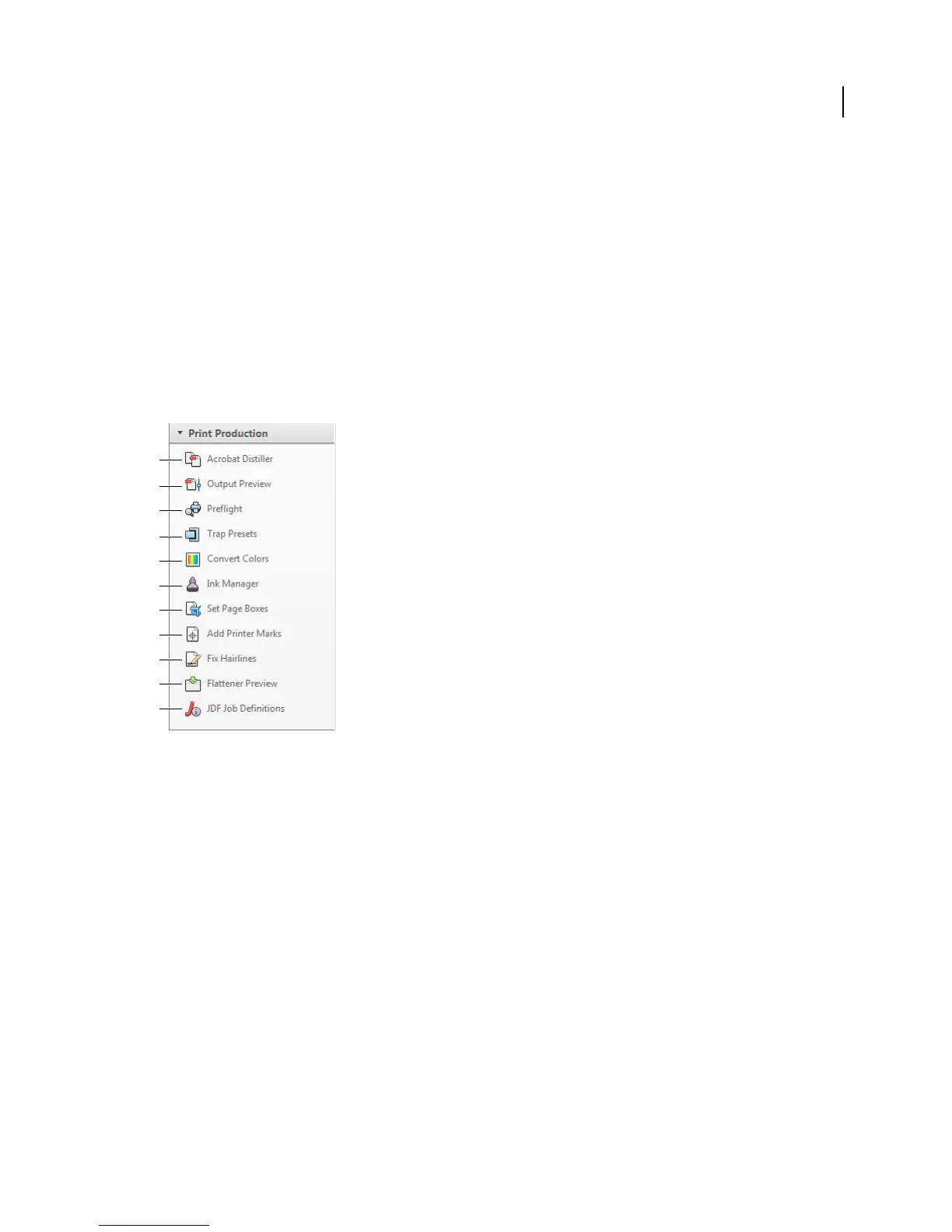
output. The print production tools are in the Print Production panel of the Tools pane.
Print Production panel
A. Acrobat Distiller B. Output Preview C. Preflight D. Trap Presets E. Convert Colors F. Ink Manager G. Set Page Boxes H. Add Printer
Marks I. Fix Hairlines J. Flattener Preview K. JDF Job Definitions
Open the Print Production panel
❖ If the Print Production panel is not visible in the Tools pane, choose View > Tools > Print Production.
Print Production tools
Acrobat Distiller Converts PostScript files to PDF.
Output Preview Combines separation preview, soft proofing, color warnings, and more in one convenient dialog box.
Preflight Allows you to perform more than 400 predefined checks for all the common output errors, and then correct
all fixable errors.
Trap Presets Allows you to create and apply trap settings for later execution by an Adobe PostScript 3 RIP that licenses
Adobe In-RIP Trapping.
Convert Colors Allows users to convert any color space in the document to the target color space, for example, spot
colors.
A
B
C
D
E
F
G
H
I
J
K



 To Next Page