490
USING ACROBAT X PRO
Keyboard shortcuts
Last updated 10/11/2011
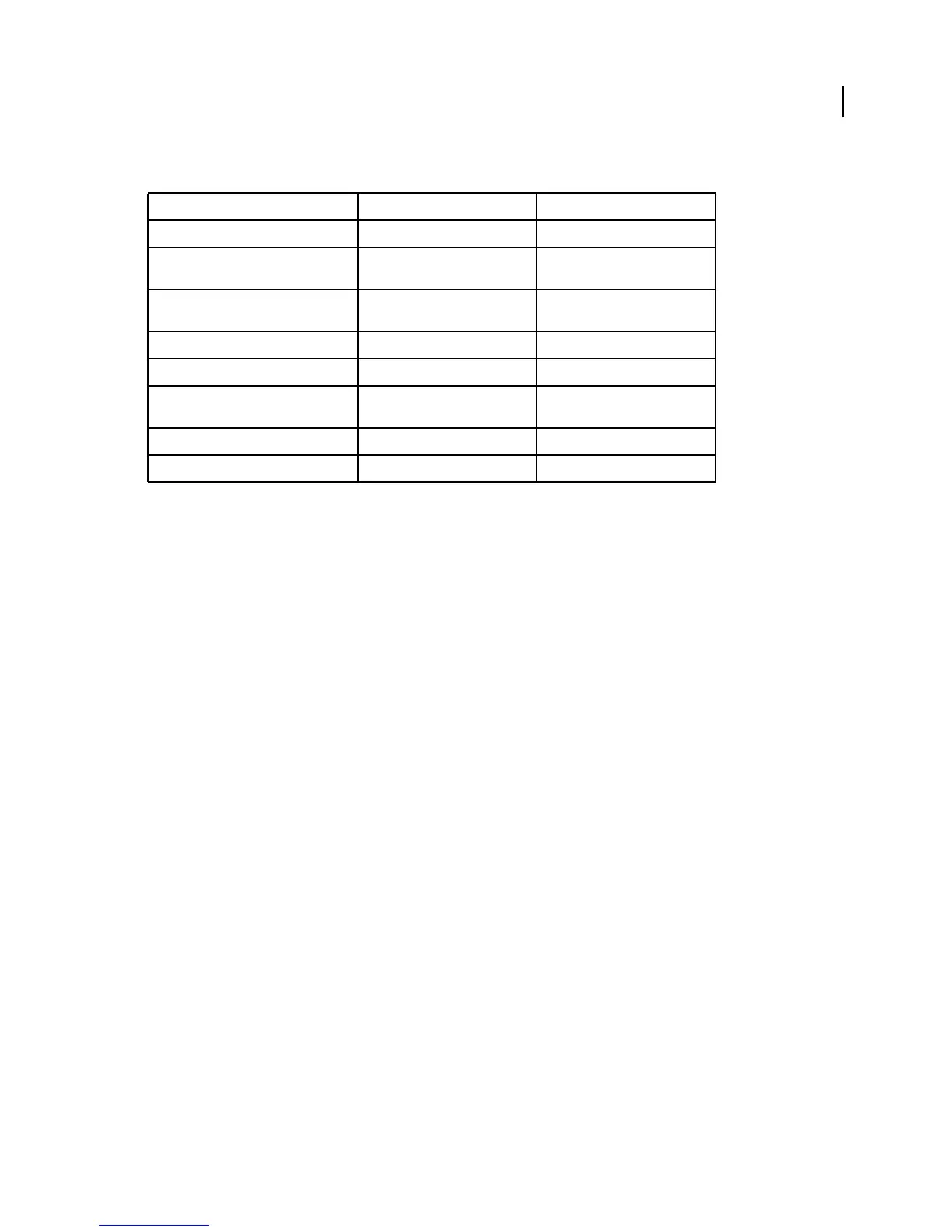
Keys for accessibility
Result Windows Action Mac OS Action
Quick Check tool Shift+Ctrl+6 Shift+Command+6
Change reading settings for the current
document
Shift+Ctrl+5 Shift+Command+5
Reflow a tagged PDF, and return to
unreflowed view
Ctrl+4 Command+4
Activate and deactivate Read Out Loud Shift+Ctrl+Y Shift+Command+Y
Read only the current page out loud Shift+Ctrl+V Shift+Command+V
Read out loud from the current page to
the end of the document
Shift+Ctrl+B Shift+Command+B
Pause reading out loud Shift+Ctrl+C Shift+Command+C
Stop reading out loud Shift+Ctrl+E Shift+Command+E



 To Previous Page