EasyManua.ls Logo

Adrenaline Amusements Fruit Ninja FX 2 - User Manual

Default Icon
33 pages
Print Icon
To Next Page IconTo Next Page
Loading...
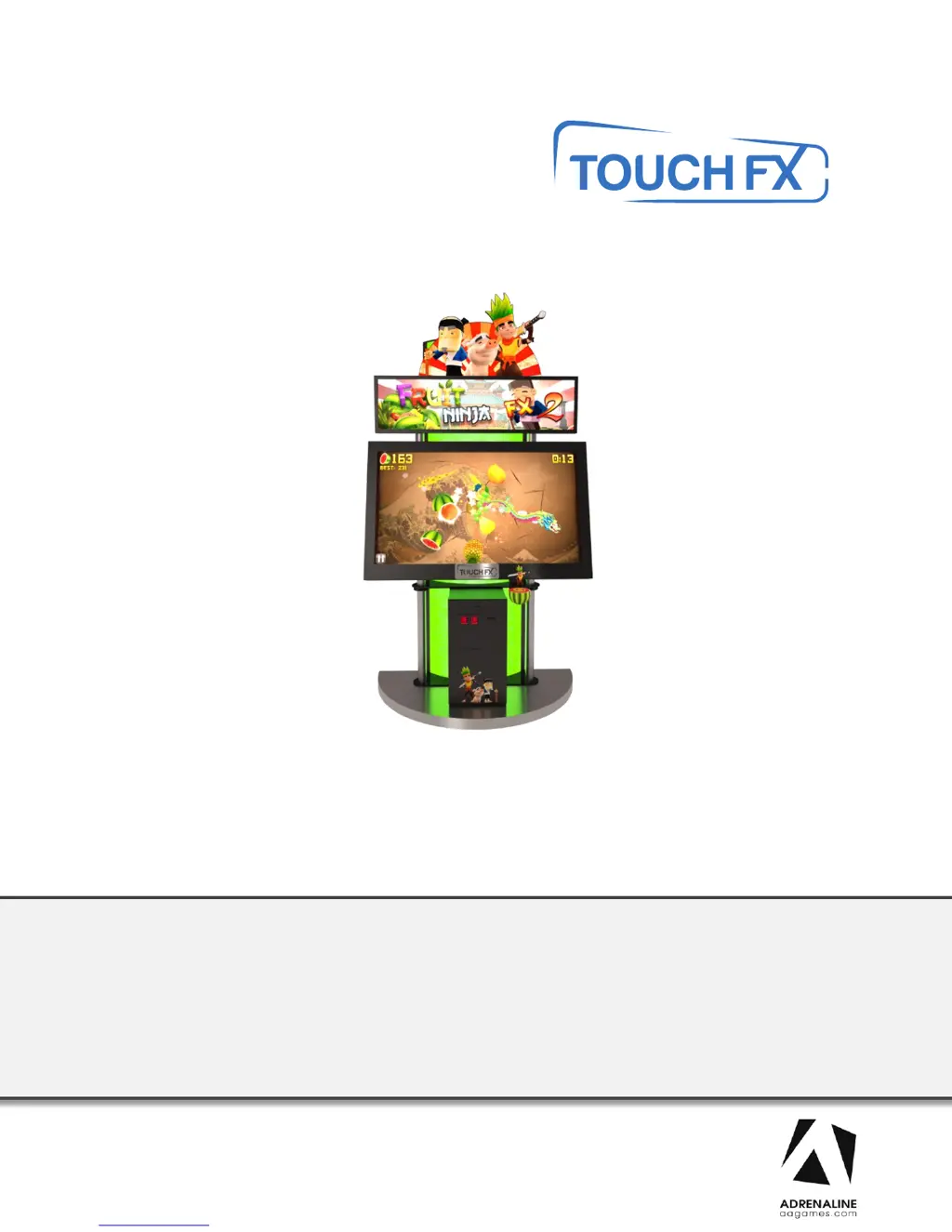
TFX1 Fruit Ninja FX 2
FN-46-1020
Operation & Service Manual
Version 1.0
* Read this manual before use

Questions and Answers

  • D
    Donna OliverAug 19, 2025
    What to do if Adrenaline Amusements Fruit Ninja FX 2 show Windows Blue Screen?
    • R
      royrogersAug 19, 2025
      If your Adrenaline Amusements Arcade Game Machine displays a Windows blue screen, you will need to restore your hard drive. Unplug the USB cable between the monitor and the cabinet and plug in a USB keyboard. Power up the unit and press “F11” when the first splash screen appears to access the boot menu. Use the arrows on the keyboard to select: USB: …, then press “Enter.” The restore process will start and will take about 20 minutes; when done, the computer will restart by itself.
  • C
    crystal87Aug 21, 2025
    Why Adrenaline Amusements Fruit Ninja FX 2 unit won’t accept credits?
    • J
      jessica18Aug 21, 2025
      If the Adrenaline Amusements Arcade Game Machine isn't accepting credits, verify if the USB cable between the cabinet and the computer is connected. If it seems well connected but you still get no response, verify your power supply inside the cash cabinet access. It needs to output 5 volts and 12 volts in the proper outputs. If everything is plugged in correctly and power is well adjusted but there are still no credits going in, try using another USB cable to connect the board straight to the computer.
  • R
    rjarvisAug 28, 2025
    Why Adrenaline Amusements Fruit Ninja FX 2 have framing problems on Samsung monitors?
    • E
      Erica TaylorAug 28, 2025
      To resolve framing problems on Samsung monitors for Adrenaline Amusements Arcade Game Machines: place your remote control straight up against the glass aiming down in the lower right hand corner of the screen, usually 6 inches from the corner. Press “Menu”, find Eco Solution under Mode or Plug and Play depending on the model you have. Reset all timers to OFF. Plug and Play / General / Game Mode / On. P.Mode on your remote / Screen Fit. If you encounter other issues with your monitor you may reset it to factory settings. Press “EXIT” for about 30 seconds then OK your monitor will shut OFF. Turn it on set Language to English, Home Use, D, D, D (blue button on remote) then OK. Set to HDMI4 then set to required settings on top of this page.
  • S
    Samantha GregoryAug 31, 2025
    What to do if Adrenaline Amusements Fruit Ninja FX 2 picture shutters?
    • J
      Joel WilliamsonAug 31, 2025
      If the picture shutters or freezes momentarily on your Adrenaline Amusements Arcade Game Machines, try disconnecting both USB cables from the computer itself and restart the unit. If the shuttering went away just plug back the USB cables one at a time and restart the computer every single time. If the USB cables get pulled or squeezed, bypassing the USB cable using another one to test your issue will tell you which one to replace. The hard drive is usually the cause of this issue.
  • J
    Julie GrahamSep 2, 2025
    How to fix Windows Boot Manager on Adrenaline Amusements Arcade Game Machines?
    • L
      larryrosalesSep 2, 2025
      If you encounter the Windows Boot Manager screen on your Adrenaline Amusements Arcade Game Machines, it may be because a required device is inaccessible. Disconnect the usb cable between the cabinet and the screen then, connect a keyboard. Disconnect power and reconnect it to restart the computer. Press F8 repeatedly until you get to the windows boot selection. If you get to a blue boot disk selection press Enter then press again on F8 repeatedly until you get to the windows boot selection. Select Normal boot then press Enter. Disconnect the keyboard and reconnect the cabinet and the screen.
  • R
    rachelrodriguezSep 6, 2025
    What to do if Adrenaline Amusements Fruit Ninja FX 2 have low volume?
    • S
      Sandra RiveraSep 6, 2025
      To address low volume or no sound on Adrenaline Amusements Arcade Game Machines: Increase the volume in the game by pressing the Operator Button and adjusting the volume options in the Operator Menu. Increase the monitor’s volume by using the monitor’s remote control. Verify that the 1/8’’ plug is plugged in the computer’s green sound input jack and that the other end is plugged inside the monitor. If you hear a grounding sound it is connected.
  • A
    Andrew PearsonSep 9, 2025
    What to do if Adrenaline Amusements Fruit Ninja FX 2 Arcade Game Machines display error when opening serial port?
    • S
      susan28Sep 9, 2025
      If you receive an error when opening the serial port on your Adrenaline Amusements Arcade Game Machines, make sure that a USB cable is connected from the computer to the I/O board.
  • D
    David ArellanoSep 12, 2025
    What to do if Adrenaline Amusements Arcade Game Machines dongle is not found?
    • K
      kimberly27Sep 12, 2025
      If the dongle is not found on your Adrenaline Amusements Arcade Game Machines, make sure that the USB Dongle is connected to the computer in the right USB port.
  • D
    diana42Nov 15, 2025
    What to do if Adrenaline Amusements Arcade Game Machines have no picture and sound?
    • J
      james79Nov 15, 2025
      If your Adrenaline Amusements Arcade Game Machine has no picture and sound, there might be a power issue with the monitor. Ensure the HDMI cable is properly connected to both the computer and the LCD monitor. Verify the computer is ON. Remove the computer's bottom cover and press the RED or WHITE power button. Also, ensure the power plug is well connected. If the Bios settings have changed, remove the computer bottom cover and plug a USB keyboard in one of the remaining USB ports. Press and hold the “Delete” key on the keyboard and then turn the computer on. Using the arrows, select the “Advanced” tab. Using the arrows, scroll down to the ACPI Configuration option and press the “Enter” key. Using the arrows, scroll down to the Restore on AC/Power Loss option and press the “Enter” key. Usin...
  • D
    Dawn CarterNov 24, 2025
    What to do if Adrenaline Amusements Fruit Ninja FX 2 touchscreen is irresponsive?
    • R
      Robert ColeNov 24, 2025
      If the Adrenaline Amusements Arcade Game Machines touchscreen is irresponsive: * Plug in a USB keyboard using the USB connector between the cabinet and the monitor. * Press the letter 'Q' if in the game, to quit the game. * Swap the keyboard for a mouse. * Double click on the Multitouch Platform icon. When the window opens up, verify if you see the serial number of the touchscreen appearing in the upper right corner of the window. If it does not appear, verify if your USB connector is still plugged in to your computer. You can try and swap it with another USB connection on the computer. If it’s well inserted and there is still no response, you will have to remove the monitor cover to expose the touchscreen and verify the USB connection at that end along with the 12 volt connecto...

Summary

Chapter 01 - Preface

Safety

Essential safety precautions for electrical shock and unit damage.

Chapter 04 - Unit Installation

Chapter 05 - Wireless Setup, Operator Menu

The Operator Menu

Explains how to navigate and configure settings via the operator menu.

Chapter 06 - Service & Repair

Computer Connections, ADR-11-1002

Details connection points for the computer unit and its peripherals.

Video Troubleshooting

Addresses issues related to video display, power, and connections.

No Picture and Sound

Provides steps to resolve lack of video or audio output.

Monitor Troubleshooting

Diagnosing and fixing display problems specific to the monitor.

Audio Troubleshooting

Steps to resolve audio playback issues.

Windows Blue Screen

Procedures for restoring the hard drive after a blue screen error.

I;O Board Troubleshooting

Diagnosing and fixing I/O board issues, including credit acceptance.

Touchscreen Troubleshooting

Steps to fix touchscreen responsiveness and functionality issues.

Chapter 07 - Parts

Chapter 08 - Diagrams & Schematics

Adrenaline Amusements Fruit Ninja FX 2 Specifications

General IconGeneral
BrandAdrenaline Amusements
ModelFruit Ninja FX 2
CategoryArcade Game Machines
LanguageEnglish

Related product manuals