Need help?
Do you have a question about the Adrenaline Amusements NFS-75-1001 and is the answer not in the manual?
Contact details and methods for obtaining support for the arcade unit.
Essential safety instructions for system protection and personal safety.
Operator awareness of health conditions that may affect players.
Guidelines for cabinet environment, power requirements, and electrical safety.
Instructions on controlling the vehicle, using nitrous, and interacting with game elements.
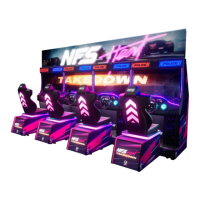
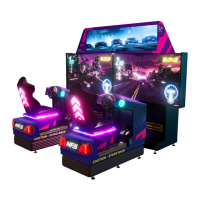
Details on the physical components and capabilities of the arcade unit.
Physical dimensions and specifications for the single-player cabinet configuration.
Physical dimensions and specifications for the two-player cabinet configuration.
Step-by-step guide for the initial assembly of the NFS Heat Takedown motion unit.
Procedure for cloning settings using external storage for the arcade unit.
Instructions for placing and connecting two NFS Heat Takedown motion units.
Using the operator menu to assign unique IDs to each machine.
Method to access the operator menu via a button behind the coin door.
Detailed explanation of various settings available in the operator menu.
Settings related to game pricing and payment methods (coins or card).
Overview of network status for multiplayer and system updates.
Information on multiplayer status indicators and connecting to Wi-Fi networks.
List and diagrams of parts specific to the motion cabinet.
List and diagrams of parts specific to the seat cabinet.
List and diagrams of parts specific to the screen cabinet.
List and diagrams of parts for the seat assembly.
Detailed list and diagrams of parts for the seat assembly.
Identification and part numbers for plastic components.
Identification and part numbers for metal components.
Identification and part numbers for header components.
Identification and part numbers for header screen frame components.
List and diagrams of parts for the pneumatic system.
Identification and part numbers for mechanical components.
List and diagrams of components for the sound system.
Identification and part numbers for electronic boards.
Identification and part numbers for computer system components.
Identification and part numbers for various electronic components.
List and diagrams of parts for the steering wheel assembly.
Detailed list of parts for the steering mechanism assembly.
Identification and part numbers for door assemblies.
Identification and part numbers for wiring harnesses.
List and diagrams of components included in the hardware kit.
Diagram illustrating the interconnection of computer components.
Diagram showing the ports and connections on the rear of the computer.
Diagram showing the 12V/24V power distribution to various components.
Diagram illustrating connections to the I/O board.
Diagrams and pin definitions for I/O board connectors.
Detailed pin definitions for various I/O board connectors.
Diagram and chart detailing the coin door harness wiring.
Diagram illustrating the audio system connections.
Pin definitions for the audio amplifier connectors.
Configuration settings for dip-switches on the unit.
Diagram illustrating LED controller connections.
Pin definitions for the LED controller connectors.
Instructions for restoring the unit's software to its original state.
Settings and procedures for configuring the Embed system for card reading.
Steps to resolve issues related to picture or display problems.
Steps to resolve issues with low volume or no sound.
Detailed steps for troubleshooting audio playback issues in Windows.
Configuring the audio device to the correct speaker output channels.
Customizing the speaker setup by selecting available audio channels.
Selecting full-range speakers for optimal audio performance.
Steps to diagnose and resolve issues with the computer not powering on.
Configuring BIOS settings to manage power state after an outage.
Procedure for saving changes made within the BIOS settings.
Details on the warranty period, coverage, and how to file a claim.
 General
| Brand | Adrenaline Amusements |
|---|---|
| Model | NFS-75-1001 |
| Category | Arcade Game Machines |
| Language | English |

 To Next Page