EasyManua.ls Logo

Adrenaline RAM-65-1001 - User Manual

Adrenaline RAM-65-1001
44 pages
Print Icon
To Next Page IconTo Next Page
Loading...
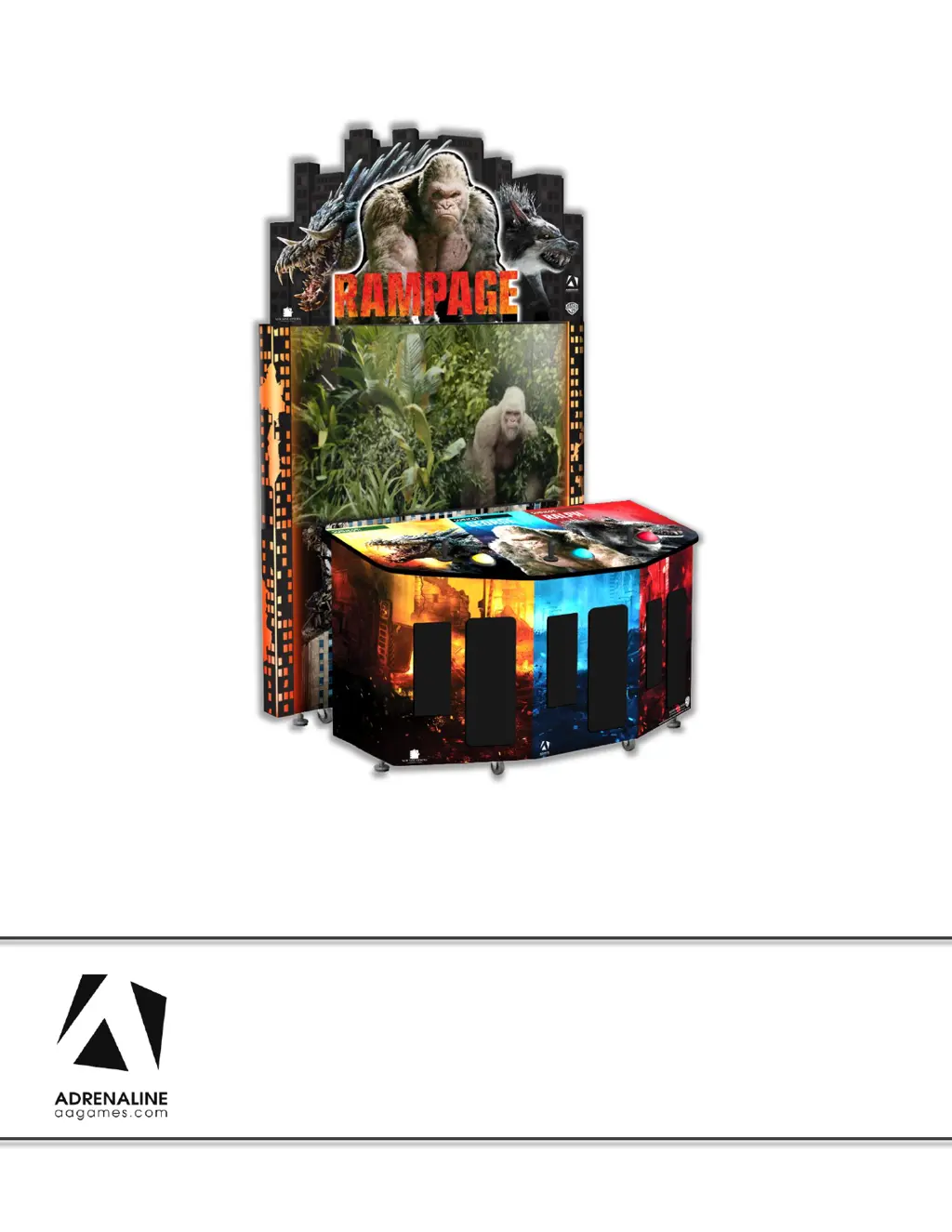
RAMPAGE
RAM-65-1001
Operation & Service Manual
Version 1.0
* Read this manual before use

Questions and Answers

  • E
    Earl HernandezAug 2, 2025
    How to troubleshoot no picture or display problems on Adrenaline RAM-65-1001?
    • K
      Kenneth EllisonAug 2, 2025
      If your Adrenaline Arcade Game Machine shows no picture or has display problems, first ensure the DVI cable is properly connected to both the computer and the monitor. Also, check that the computer is powered on; the fan on the side of the computer case should be spinning. If it's not, press the power button on the front of the computer.
  • P
    Peter GibsonAug 19, 2025
    What to do if there is low volume or no sound on Adrenaline RAM-65-1001 Arcade Game Machines?
    • K
      Kelly MartinAug 19, 2025
      If you experience low volume or no sound on your Adrenaline Arcade Game Machine, try the following: * Increase the volume in the game by pressing the Operator Button and adjusting the volume options in the Operator Menu. * Quit the game to the Windows desktop and increase the volume via the Speaker icon on the bottom right of your screen. * If the sound comes from the projector integrated speaker, quit the game to the Windows desktop, right-click on the speaker icon, select Playback Devices, select the Speakers, choose 'Set default', and click OK. Also, verify the wirings behind the speakers and the amplifier. Ensure that the 1/8’’ audio jack is plugged into the computer’s sound input jack and that the other end RCA’s is plugged into the sound amplifier.

Summary

General Remark

Chapter 01 - Preface

Precaution for Game Operation

Safety guidelines for operating the game.

Safety Warnings

General safety instructions and warnings for operation.

Environmental and Operating Conditions

Guidelines for operating temperature and voltage.

Chapter 02 - Unit Features

Hardware Specifications

Lists the main hardware specifications of the unit.

Cabinet Dimensions and Shipping

Provides cabinet dimensions and shipping details.

Chapter 03 - Unit Installation

Assembling the Rampage Unit

Instructions for assembling the main unit components.

Screen Module Removal

Steps to safely remove the screen module.

Header Assembly

Guide to attaching the header unit.

Accessing the Dash Board

Procedure to access internal components via the dash.

Chapter 04 - Operator Menu

Operator Menu Navigation

Explains how to access and navigate the operator menu.

Chapter 05 - Service & Repair

Computer Component Connections

Details on connecting computer components.

Video Troubleshooting

Steps to fix video display problems.

Audio Troubleshooting

Steps to fix audio output problems.

RGB LED Lighting Troubleshooting

Steps to troubleshoot RGB LED functionality.

Replacing RGB LED PCBs

Instructions for replacing RGB LED circuit boards.

Wireless Network Configuration

Steps to connect the unit to a wireless network.

Chapter 06 - Parts Identification

Cabinet Component Parts

Diagram and list of external cabinet components.

Internal Computer and Electronics

Diagram and list of internal electronic components.

Header and LED Components

List of parts related to the header and LED lighting.

Cabling and Wiring Harnesses

Lists various cables and wiring harnesses used in the unit.

Chapter 07 - Diagrams & Schematics

I;O Board Layout

Detailed diagram of the I/O board and its connectors.

Player 1 Wiring Diagram

Wiring diagram for Player 1 controls and inputs.

Player 2 Wiring Diagram

Wiring diagram for Player 2 controls and inputs.

Player 3 Wiring Diagram

Wiring diagram for Player 3 controls and inputs.

Ticket Dispenser Wiring

Wiring details for ticket dispensers.

Meters, Button & LED Power

Schematics for meters, operator button, and header LEDs.

Power Distribution Schematics

Overview of how power is distributed throughout the unit.

RGB LED Lighting Schematics

Schematics for the RGB LED lighting system.

Chapter 08 - Software Recovery

Chapter 09 - Card Reader System

Embed System Configuration

Settings and configurations for the Embed system.

Limited Warranty Policies

Adrenaline RAM-65-1001 Specifications

General IconGeneral
BrandAdrenaline
ModelRAM-65-1001
CategoryArcade Game Machines
LanguageEnglish

Related product manuals