EasyManua.ls Logo

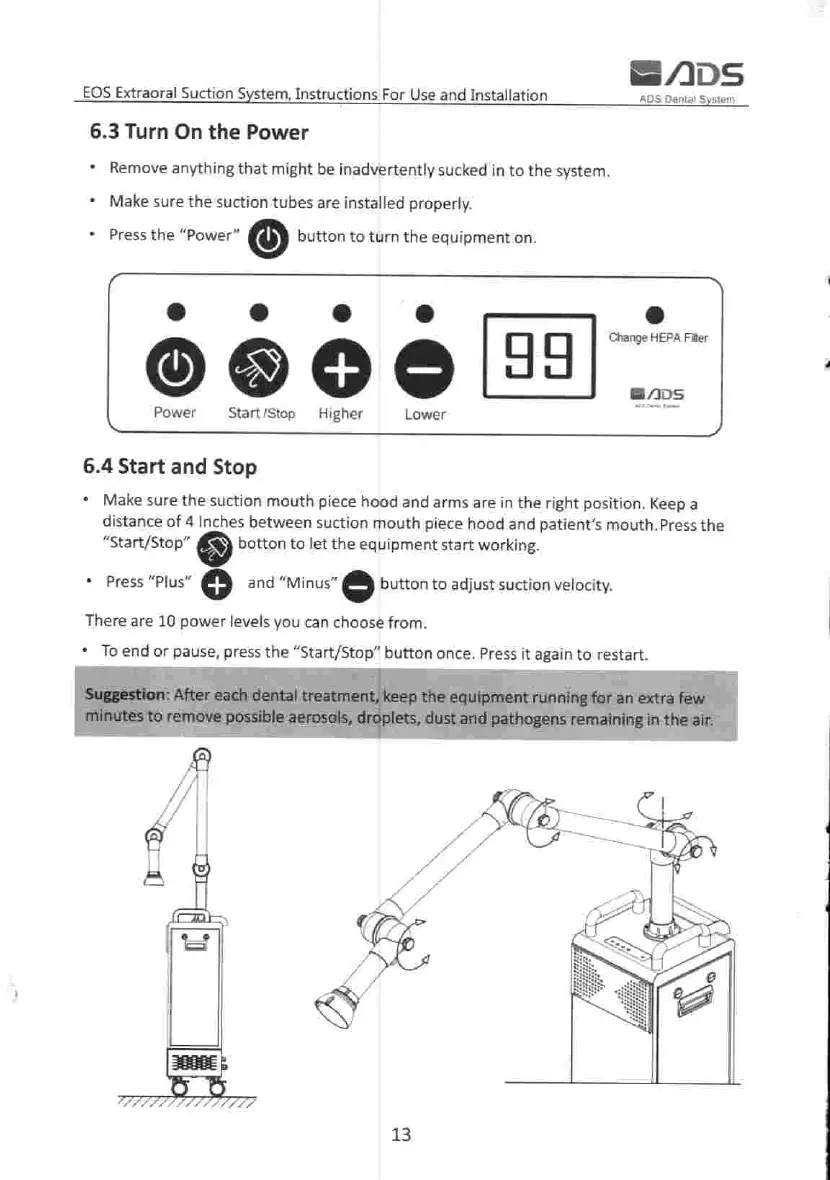
ADS EOS - Powering and Operation Control; Turning On the Equipment; Start, Stop, and Velocity Adjustment

Default Icon
32 pages
Print Icon
To Next Page IconTo Next Page
To Previous Page IconTo Previous Page
Loading...
SADS
ADS
Dental
System
EOS
Extraoral
Suction
System
,
Instructions
For
Use
and
Installation
6.3
Turn
On
the
Power
Remove
anything
that
might
be
inadvertently
sucked
in
to
the
system
.
Make
sure
the
suction
tubes
are
installed
properly
.
Press
the
"
Power
"
button
to
turn
the
equipment
on
.
Change
HEPA
Filter
(
1
)
99
+
GADS
Power
Start
/
Stop
Higher
Lower
6.4
Start
and
Stop
Make
sure
the
suction
mouth
piece
hood
and
arms
are
in
the
right
position
.
Keep
a
distance
of
4
Inches
between
suction
mouth
piece
hood
and
patient's
mouth
.
Press
the
"
Start
/
Stop
"
botton
to
let
the
equipment
start
working
.
Press
"
Plus
"
+
and
"
Minus
"
button
to
adjust
suction
velocity
.
There
are
10
power
levels
you
can
choose
from
.
To
end
or
pause
,
press
the
Start
/
Stop
"
button
once
.
Press
it
again
to
restart
.
Suggestion
:
After
each
dental
treatment
,
keep
the
equipment
running
for
an
extra
few
minutes
to
remove
possible
aerosols
,
droplets
,
dust
and
pathogens
remaining
in
the
air
.
SIC
13