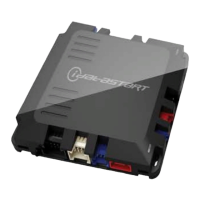
FLRSBA
2021-10-31 © Automotive Data Solutions Inc. 5/7
To ensure safety during vehicle servicing, the remote starter must be placed in ‘Valet Mode’. The ‘Valet Mode’
will disable remote start functionality. To activate or deactivate the ‘Valet Mode’, follow the instructions below:
USING THE VEHICLE KEY
1. Cycle ignition OFF/ON twice (2x) rapidly
2. Press the brake pedal three times (3x)
3. If the parking lights flash once (1x), the valet mode is ON. If the parking lights flash twice (2x), the valet
mode is OFF.
ALARM FEATURES
Your FLRSBA system features one of the following security options. Each security option enables one or multiple
alarm triggers and notifications based on the installed accessories and configuration of the system.
SECURITY OPTIONS DEFINITION
☐ Soft Alarm Activates the vehicle’s horn and the parking lights.
☐ BASEC Advanced Alarm Activates a siren and the parking lights.
ALARM TRIGGERS
☐ Door open
☐ Hood open
☐ Trunk open
☐ Vehicle motion
☐ Vehicle vibration
☐ Glass break detection
NOTIFICATIONS
☐ None
☐ Remote notification
☐ Smartphone notification
NOTE: Long Range Transmitters and/or Carlink Telematics control is available. See your authorized Flashlogic
Dealer for more details.



 To Next Page