Quick Start Guide
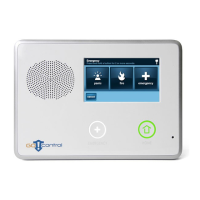
Lay the panel face down and remove the battery cover. Plug the battery cable into the BATTERY port. Plug the
power cable into the DC port.
Follow The On-screen Setup Wizard to Connect Your System to Wi-Fi and Add Devices.
From the Start-Up screen, click ‘Start’
Select a location for your System
Select the Wi-Fi network and enter the
password
Create a 4-digit Master Passcode
Select the Device you would like to
add
Follow the on-screen instructions to
add the Device to your System
Power Up Your SyberSense Security System to Begin the Set-up.
1
2

 Need help?
 General

 To Next Page