6304W Installation Guide 5
CHAPTER 3 Buttons and Interfaces
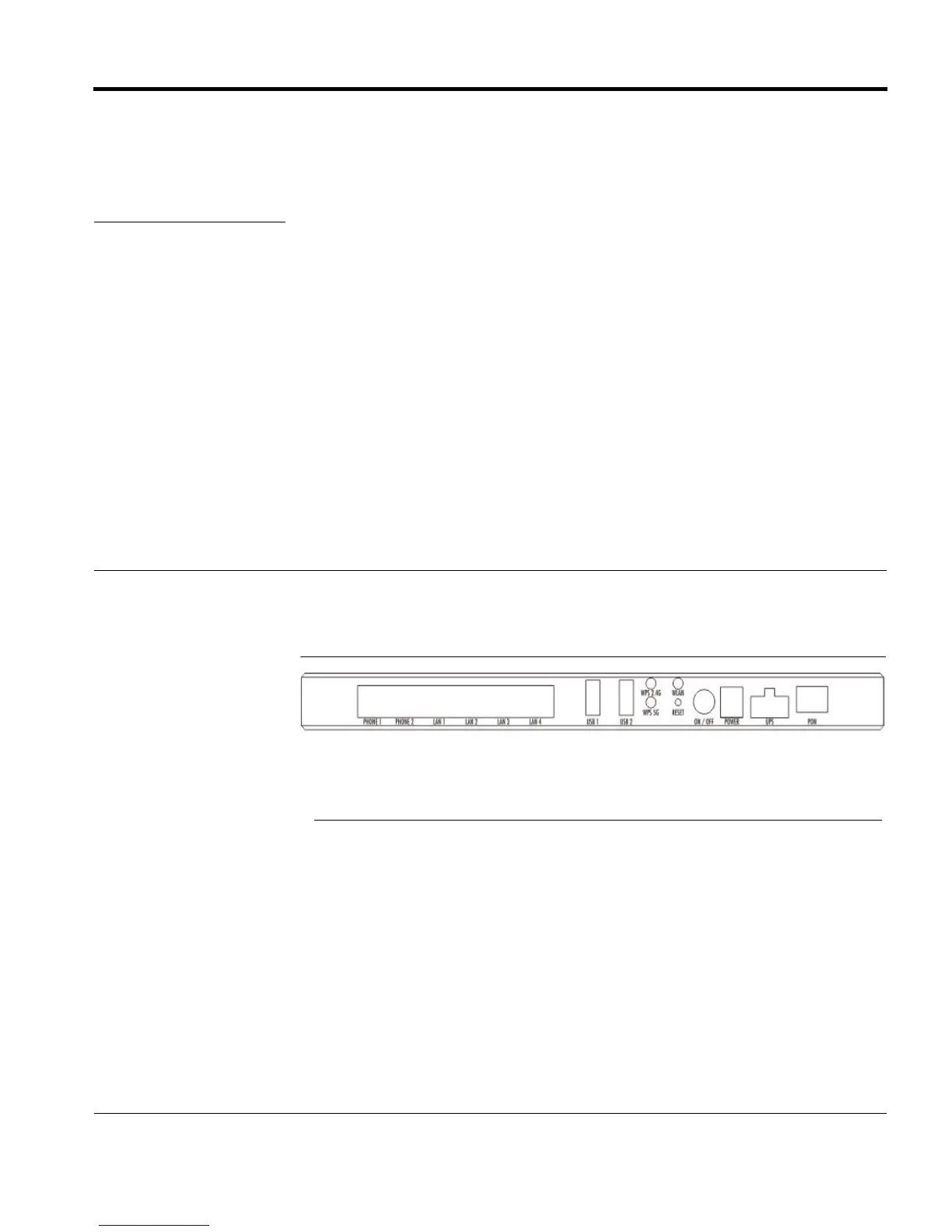
This chapter describes the buttons and interfaces on the rear panel of the ONU.
FIGURE 3-1. Rear Panel
TABLE 3-1. LED Descriptions
Interface/Button Description
PON Fiber port.
RESET Reboots ONU and restores factory default configuration.
POWER DC power connector.
ON/OFF Switch Turns power supply on/off.
POTS 1-2 Telephone interface.
GE 1-4 Ethernet interface.
WLAN Turns WLAN on/off.
WPS-2.4G Connects to Wi-Fi.





 To Next Page