Installation and Operation Manual S400 series 3
Thank you for choosing an AdvanSea product. We are convinced your S400 instrument
will provide you with many safe and happy years of navigation. This manual describes
how to install and operate the Depth S400 AdvanSea.
1.1. General presentation
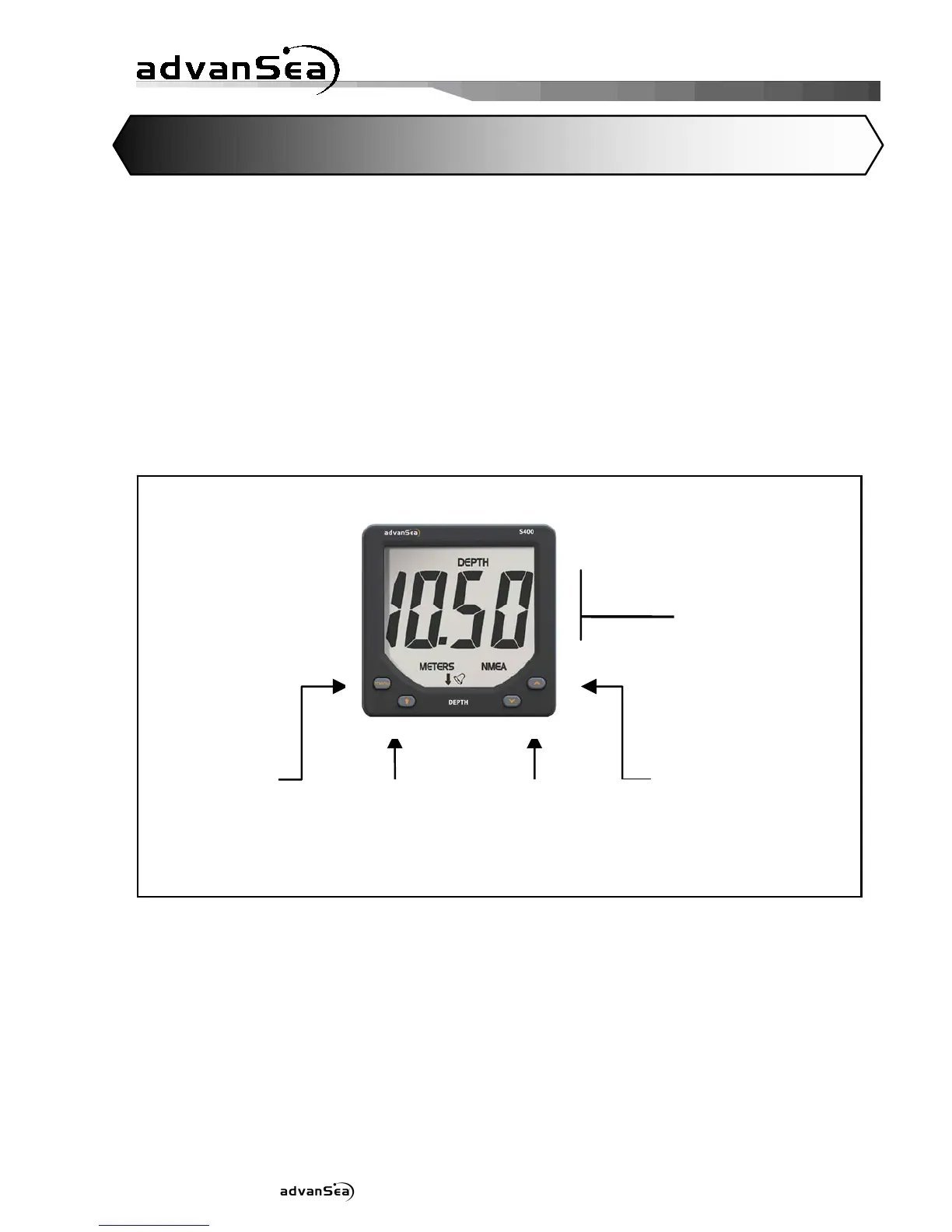
Description of the display:
The S400 unit is equipped with a large screen, and large characters for optimum
readability from all angles of vision. The screen is treated against condensation to
prevent the formation of mist. The screen and its keys are backlit with adjustable level.
The LCD screen on your Depth S400 is designed to:
• display the depth
• display the battery voltage
• acquire data through its NMEA input
• send data via its NMEA output
• exchange data on the AS-1 AdvanSea bus
• activate external lights and buzzers
- Backlighting
setup
- Validation
- Standb


 To Next Page