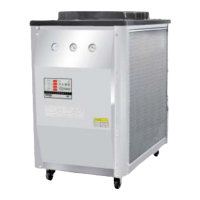
MK Series Portable Chiller : Air-Cooled : HE INSTRUMENT
Page: 57
ADVANTAGE ENGINEERING, INC.
525 East Stop 18 Road Greenwood, Indiana 46142
317-887-0729 Fax: 317-881-1277
Service Department Fax: 317-885-8683
Email: service@AdvantageEngineering.com
5.9 DISPLAY / KEYBOARD OPERATION
A. When the instrument powers up, the display will go through a
“WOW” mode where ALL LEDs are turned ON for approximately 4
seconds. The version # of the instrument will scroll from right to left
in the first (top) and second display windows. The display will then
go into a STOP mode where all displays are OFF, except the Flow,
Water Level, Probe, Phase and Power LEDs. When the START key is
pressed, the instrument will enter the NORMAL RUN mode display
as described below:
RUN mode display:
1. “TTT” - TO process temperature
2. “SSS” - SETPOINT temperature
3. “FFF” - FLOW
4. “CCC” - CAPACITY, TONS and/or PERCENT
B. When the SELECT key is pressed, the 1 and 2 displays will cycle
through the following combinations. Display 3 and 4 will remain
FLOW and CAPACITY as above. Where indicated with “ + - “, the
value of the Display 2 can be modified by pressing the UP and
DOWN ARROW keys. If no keys are pressed within 10 seconds, the
display will return back to the NORMAL, TO process display:
NORMAL DISPLAY MODE:
1. “TTT” - TO process temperature
+ - 2. “SSS” - SETPOINT temperature adjust
1. “FFF” - FROM process temperature
+ - 2. “SSS” - SETPOINT temperature adjust
1. “SP “ - Setpoint
+ - 2. “SSS” - SETPOINT temperature adjust
1. “Hi “ - High temperature deviation limit
+ - 2. “HHH” - limit adjust
1. “Lo “ - Low temperature deviation limit
+ - 2. “LLL” - limit adjust
1. “LoF “ - Low flow limit
+ - 2. “FFF” - limit adjust


 To Next Page