PPC-MB-8260AE Startup Manual 7
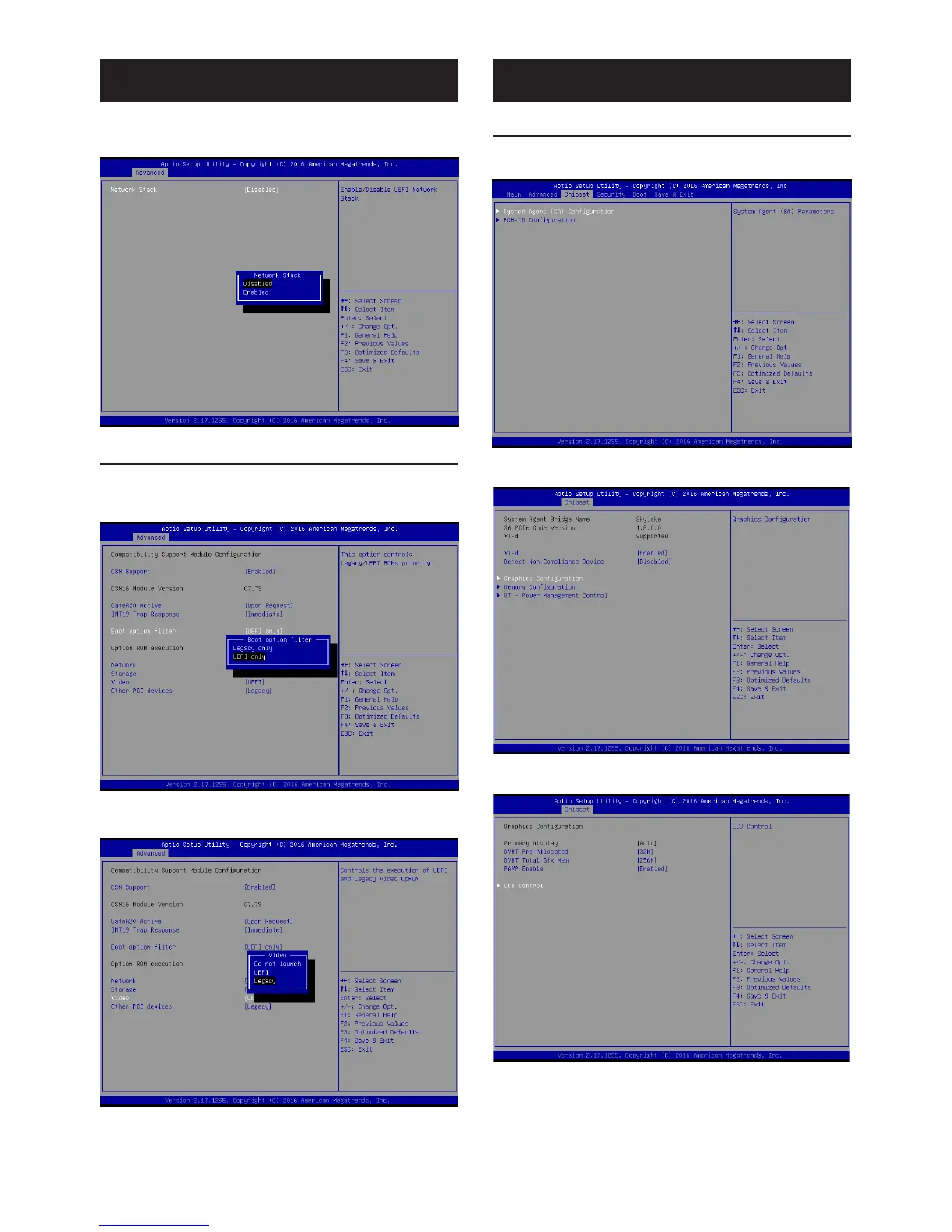
2. Select the “Enabled” option for the “Network Stack”
item.
1.5 Boot Option Filter
1. Access the “CSM Configuration” items from the
“Advanced” tab. Users can select “UEFI only” or
“Legacy only” for “Boot Option Filter” configuration.
2. Configure the Video and Storage item settings to match
with the Boot Option Filter configuration.
BIOS Setup Program (Cont.)
BIOS Setup Program (Cont.)
1.6 Graphics Configuration
1. Access the “System Agent (SA) Configuration” item
from the “Chipset” tab.
2. Click on the “Graphics Configuration” item.
3. Select the “LCD Control” item.






 To Next Page