12
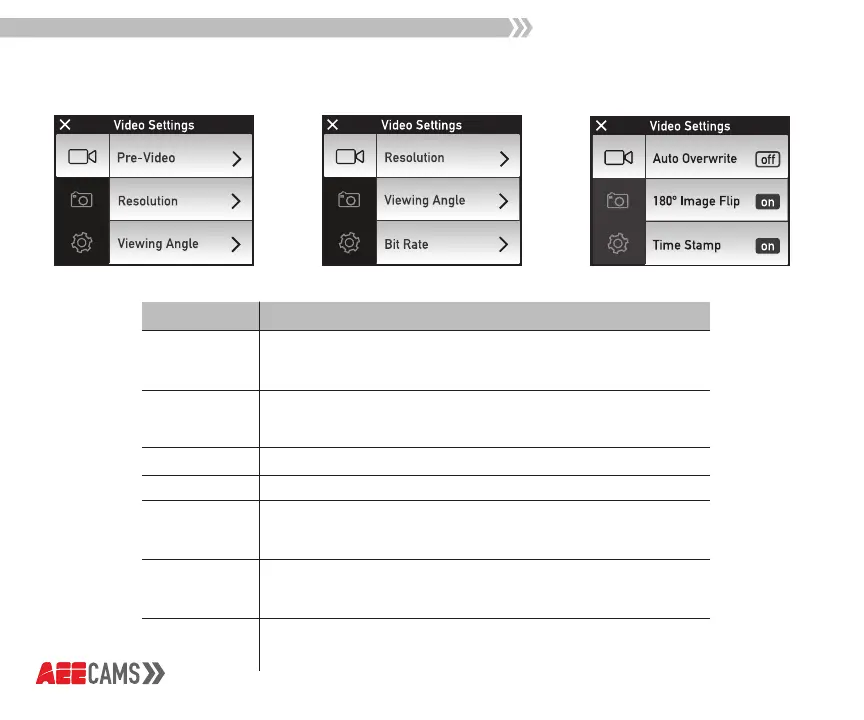
Video Mode
Function
Resolution
Pre-Video
Select Video Resolution: 4k@30fps, 1440P@60fps/30fps,
1080P@100fps/60fps/30fps, 960P@60fps,
720P@200fps/120fps/60fps
In this mode, press the Record Button to prerecord the video without
saving it; press the Record Button again to record video using the
last 10 seconds of prerecording as the starting part.
Select Viewing Angle: Ultra Wide, Wide, Medium, Narrow
Select Bit Rate: High, Normal
Turn Auto Overwrite: On/O
When Auto Overwrite is turned on, it will record over
existing files when microSD card is full
Turn Auto Image Rotation: On/O
Turn Auto Image Rotation on to have the camera automati-
cally adjust right side up when mounted upside down
Turn Time Stamp: On/O
Turn Time Stamp on to show the current day,
month, year, and time in the recorded file
Viewing Angle
Bit Rate
Auto
Overwrite
180º Image Flip
Time Stamp
Description



 To Next Page