15
Function
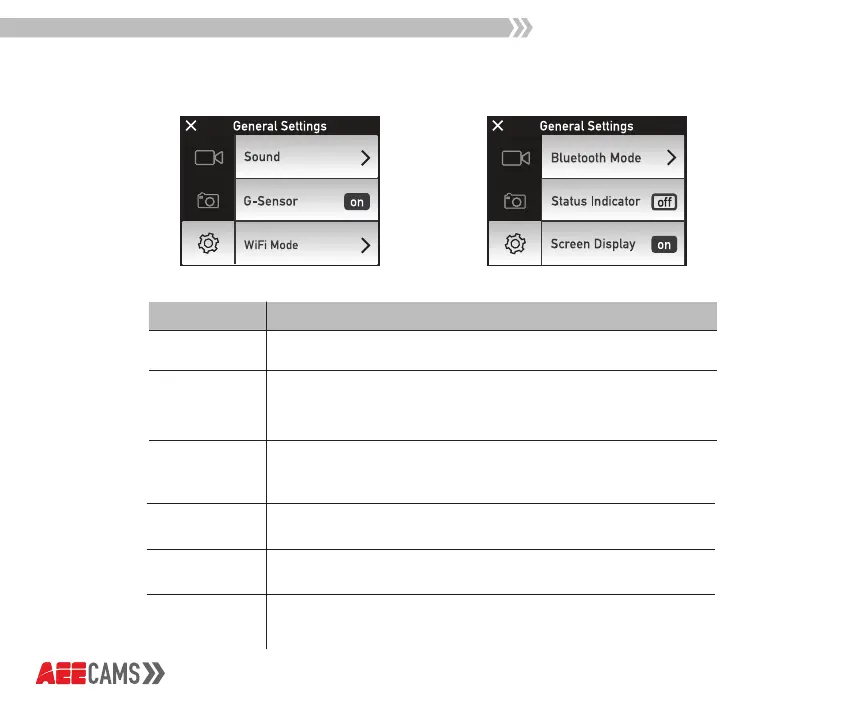
Sound
Turn Sound on to hear beeping indicators
Turn G-Sensor on to start recording (in video mode) when
camera moves. Camera will stop recording when moving
stops after 3 minutes
Turn WiFi on to connect to APP ZONE on the Lyfe Titan
network, select AP Mode for smartphone devices, select
STA for remote controls
G-Sensor
WiFi Mode
Bluetooth
Mode
Select Master Mode to connect with the selfie stick
Turn on to see camera status functions
Turn on to see Camera Mode, Record Time, Power Level,
Resolution, Viewing Angle, Menu Button, and Remaining
Record Time.
Status
Indicator
Screen
Display
Description
Settings Mode



 To Next Page