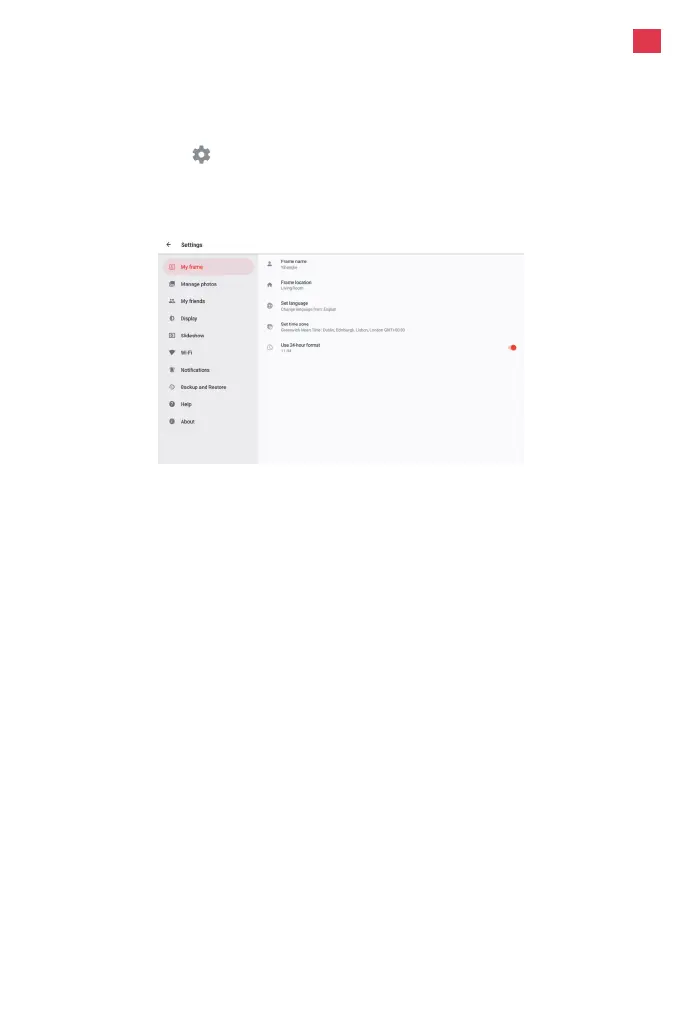
Tap the screen to access the quick menu, then tap the
Settings icon to view detailed settings and options for the
frame. In settings, you can personalize your frame to meet your
needs.
Detailed Settings Menu
Set language
Sets the system language used throughout your frame.
Set time zone
8
Detailed Settings Menu
My frame
Frame name
Changes the name of your frame. This name will also be seen
by friends and family in their list of connected frames in the
Frameo app.
Frame location
Changes the listed location of your frame. This location is
displayed on your friends' and family's list of connected frames
to help distinguish them from each other.
En
Sets the time zone that will be used on your frame for features
like sleep mode.


 To Next Page