Operating Instructions
20
Opening and closing the door
0 Open: Pull the handle on the door.
0 Close: Press the door firmly closed.
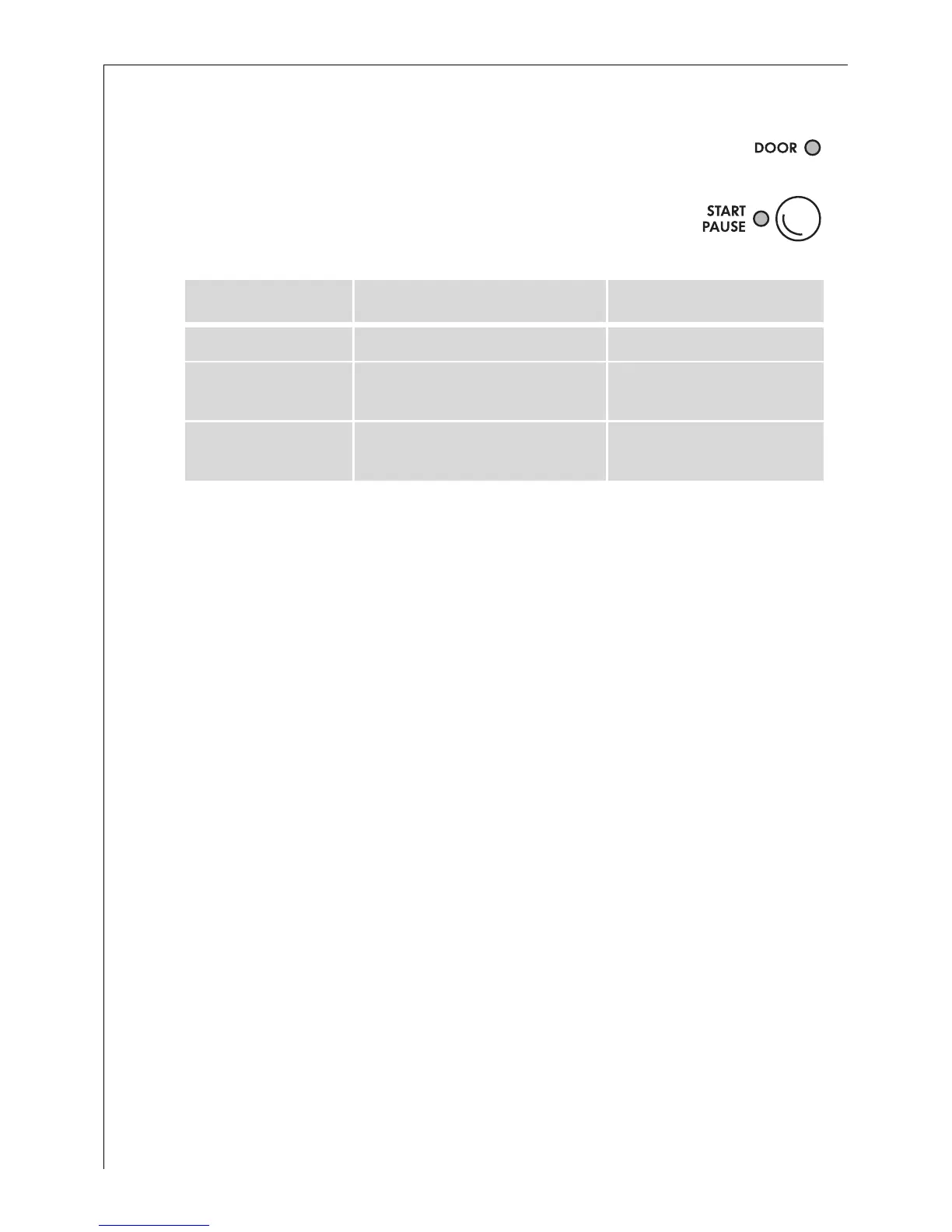
The displays DOOR and START/PAUSE
show when the appliance is switched
on whether the door can be opened:
3
If
– the display DOOR flashes red,
– then the error code E40 flashes in the multi display,
– and the MAIN WASH display flashes,
an attempt was made to start a washing program without the door
being correctly closed. In this case, press the door firmly closed and
start the washing program again.
Loading the washing
3
See "Program Tables" for maximum loads.
For information about the correct preparation of the washing see "Sort
and prepare washing".
0 1. Sort and prepare the washing according to type.
2. Open the door: Pull the handle on the door.
3. Load the washing.
Important! Do not trap washing when closing the door. The fabrics and
the machine could be damaged.
4. Close the door firmly.
DOOR Indicator Display START/PAUSE Door opening possible?
lights up green flashes red yes
lights up green lights up red
yes, after the START/PAUSE
key is pressed
is off
flashes red
or lights up red
no
1)
1) The door is locked because of a high water level or high temperature





 To Next Page