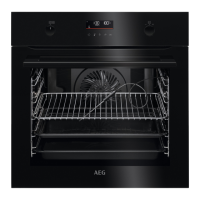
1. PRODUCT DESCRIPTION
1.1 General overview
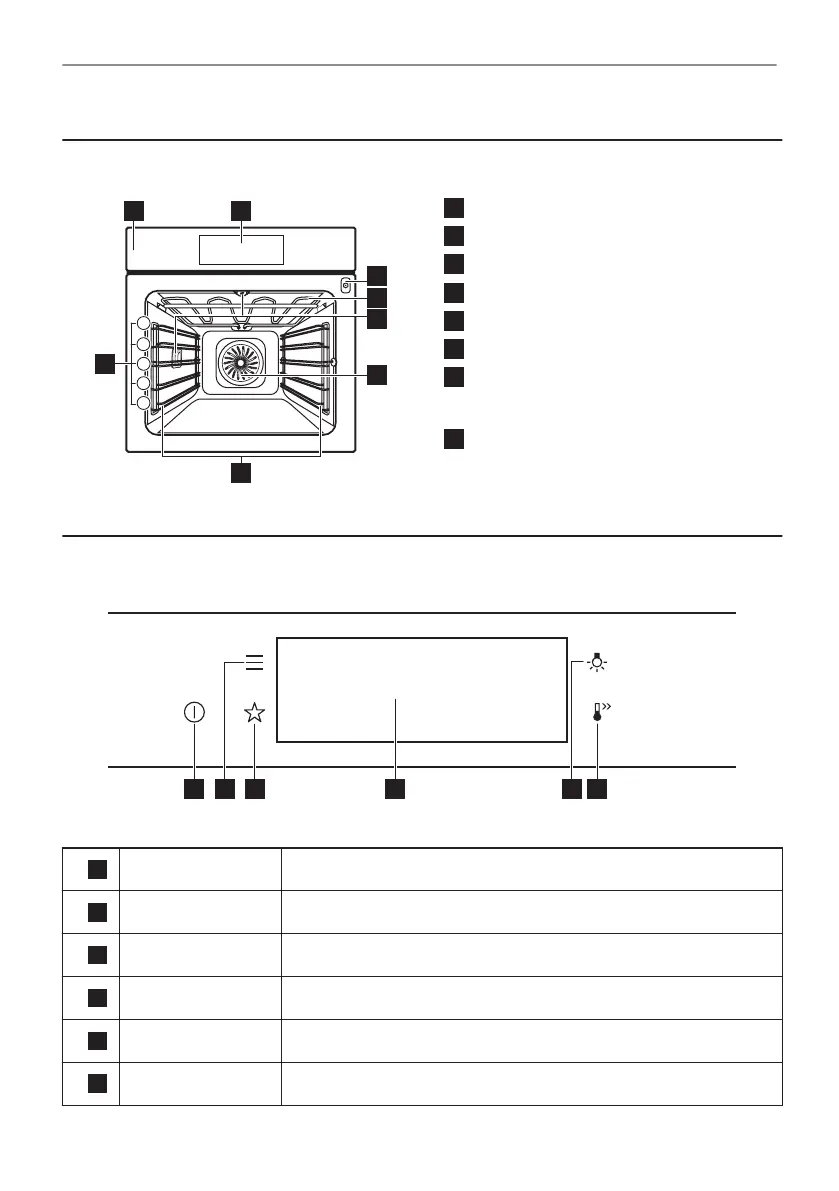
Control panel
Display
Socket for the food sensor
Heating element
Lamp
Fan
Shelf support, removable
Shelf positions
2. HOW TO TURN OVEN ON AND OFF
2.1 Control panel
1
ON / OFF Press and hold to turn the oven on and off.
2
Menu Lists the oven functions.
3
Favourites Lists the favourite settings.
4
Display Shows the current settings of the oven.
5
Lamp switch To turn the lamp on and off.
6
Fast Heat Up To turn on and off the function: Fast Heat Up.
3/24
PRODUCT DESCRIPTION


 To Next Page