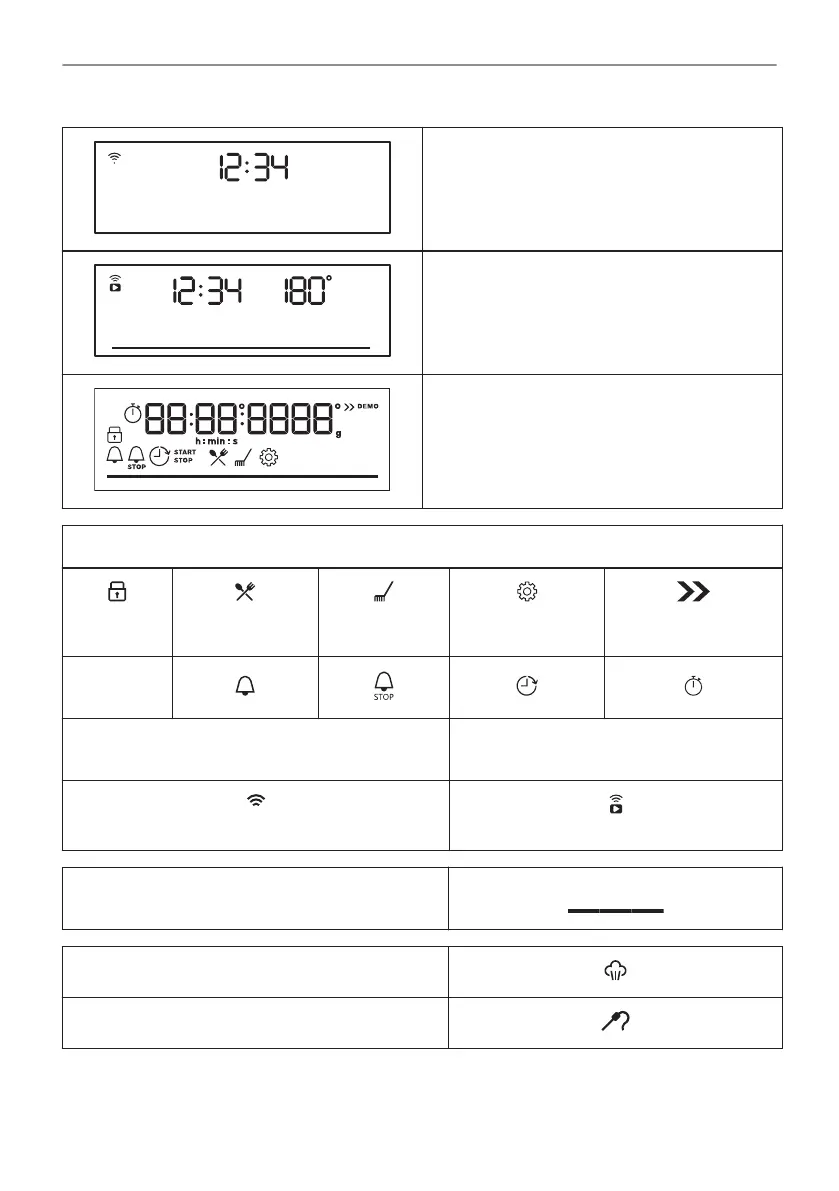
When the knob for the heating functions is in
the off position, the display goes to standby.
When you cook, the display shows the set tem‐
perature, time of day and other available op‐
tions.
The display with the maximum number of func‐
tions set.
Display indicators
Lock
Assisted Cook‐
ing
Cleaning
Settings
Fast Heat Up
Timer indi‐
cators:
Wi-Fi indicator - flashes when the oven can be
connected to Wi-Fi.
Remote operation indicator - the oven
can be controlled remotely.
Wi-Fi connection is turned on.
Remote operation is turned on.
Progress bar - for temperature or time.
Steam cooking indicator
Food sensor indicator
50/196
BEFORE FIRST USE



 To Next Page