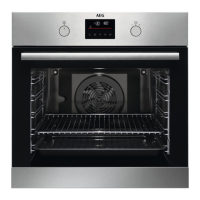
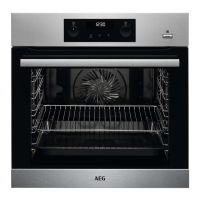
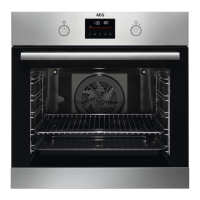
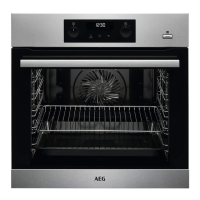
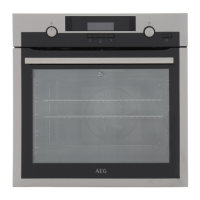
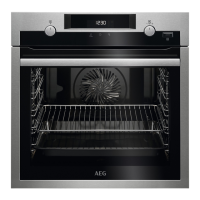
The AEG BPS33102ZM is a built-in oven designed for cooking, baking, and grilling various foods. It features a range of functions and safety measures to ensure efficient and secure operation.
Function Description
The oven offers multiple cooking functions, including:
- Conventional Cooking (Top / Bottom Heat): Ideal for baking and roasting food on one shelf position.
- Pizza Setting: Designed for baking pizza, providing intensive browning and a crispy bottom.
- Meat: Prepares very tender and juicy roasts.
- Moist Fan Baking: A function designed to save energy during cooking. It uses the fan to circulate heat, ensuring even cooking and reducing energy consumption. This function is particularly useful for dishes that benefit from a moist environment.
- Keep Warm: Keeps food warm.
- Defrost: Defrosts food (vegetables and fruit) based on time and the amount/size of the frozen food.
- Pyrolysis: A self-cleaning function that burns off residual dirt in the oven.
- Fast Grilling: For grilling flat food in large quantities and toasting bread.
- Turbo Grilling: For roasting larger meat joints or poultry with bones on one shelf position, and for gratins and browning.
- Bottom Heat: For baking cakes with a crispy bottom and for preserving food.
- True Fan Cooking: For baking on up to three shelf positions at the same time and to dry food. This function sets the temperature 20-40 °C lower than for Conventional Cooking.
- Moist Fan Baking: This function is developed to save energy during the cooking process. The cooking instructions can be found in the "Hints and Tips" chapter, "Moist Fan Baking." The oven door should be closed during cooking so that the function is not interrupted and to ensure that the oven operates with the highest energy efficiency possible. When using this function, the temperature in the cavity may differ from the set temperature. The residual heat is used. The heating power may be reduced. For general energy-saving recommendations, refer to the "Energy Efficiency" chapter, "Energy Saving." This function was used to comply with the energy efficiency class according to EN 60350-1. When you use this function, the lamp automatically turns off after 30 seconds.
The oven also includes a control panel with a knob for heating functions, a display, a control knob for temperature, a heating element, a lamp, a fan, and removable shelf supports and shelf positions.
Important Technical Specifications
- Model Identification: BPS33102ZM
- Energy Efficiency Index: 81.2
- Energy Efficiency Class: A+
- Energy Consumption (Standard Load, Conventional Mode): 0.93 kWh/cycle
- Energy Consumption (Standard Load, Fan-Forced Mode): 0.69 kWh/cycle
- Number of Cavities: 1
- Heat Source: Electricity
- Volume: 72 l
- Type of Oven: Built-In Oven
- Mass: 29.4 kg
- Total Power (W): Maximum 3680 W
- Section of the Cable (mm²): 3 x 1.5 mm² (for maximum 3680 W), 3 x 1 mm² (for maximum 2300 W), 3 x 0.75 mm² (for maximum 1380 W). The earth cord (green/yellow cable) must be 2 cm longer than phase and neutral cables (blue and brown cables).
- Dimensions for Building In: The manual provides detailed diagrams for building in the oven, including minimum and maximum dimensions for width, height, and depth, as well as clearances for ventilation. For example, the minimum width for installation is 550 mm, and the height is 589-594 mm.
Usage Features
Control Panel and Display:
The oven features a user-friendly control panel with buttons and a display. The display shows the time, temperature, and various function indicators.
- Sensor Field / Button Functions:
- Minus (-): To set the time.
- Clock (Time of Day): To set a clock function.
- Plus (+): To set the time.
- Display Indicators: Timer/Temperature, Heat-up and residual heat indicator, Core temperature sensor (selected models only), Door lock (selected models only), Hours/minutes, Demo mode (selected models only), Clock functions.
Setting Functions:
- Setting the Time: The time can be set using the Minus and Plus buttons.
- Setting Clock Functions: The oven offers various clock functions, including TIME OF DAY, DURATION, END, MINUTE MINDER, and COUNT UP TIMER. These functions allow users to program cooking times, start/end times, and set a minute minder.
- Setting a Heating Function: To set a heating function, the user turns the control knob to select the desired temperature. The lamp turns on when the oven operates.
- Preheating: The oven needs to be preheated before first use. The preheating process involves setting the function and maximum temperature, then letting the oven operate for 1 hour. For subsequent uses, the oven can be preheated for 15 minutes.
- Child Lock: When the Child Lock is on, the oven cannot be turned on accidentally. To activate/deactivate, press and hold the SAFE and SAFE buttons simultaneously for 2 seconds.
- Residual Heat Indicator: The display shows the residual heat indicator if the temperature in the oven is more than 40 °C. This helps save energy by utilizing the remaining heat.
- Automatic Switch-off: For safety reasons, the oven turns off automatically after some time if a heating function operates and no temperature change is made.
Cooking Recommendations:
The manual provides extensive cooking recommendations for various food types, including cakes, bread, flans, meat, and fish. These recommendations include:
- Food Type: e.g., Whisked recipes, Shortbread dough, Apple pie, Beef, Pork, Chicken, Fish fillet.
- Top/Bottom Heat Temperature (°C): Recommended temperatures for conventional cooking.
- Shelf Position: Recommended shelf positions for optimal results.
- True Fan Cooking Temperature (°C): Recommended temperatures for fan-assisted cooking.
- Time (min): Recommended cooking durations.
- Comments: Additional tips, such as using a baking tray or wire shelf, and specific instructions for different dishes.
Grilling and Turbo Grilling:
The manual includes tables for grilling various meats (fillet steaks, beef steaks, sausages, pork chops, chicken, kebabs, breast of chicken, hamburger, fish fillet, toasted sandwiches, toast) and provides quantities, weights, and cooking times for 1st and 2nd sides. For Turbo Grilling, recommendations are given for pork, beef, and veal, including shoulder, neck, ham joint, chop, spare rib, meatloaf, pork knuckle, roast beef, and roast veal, with corresponding temperatures and times.
Moist Fan Baking:
Recommendations for moist fan baking are provided for various dishes like sweet rolls, rolls, pizza, swiss roll, brownie, soufflé, sponge flan base, and Victoria sandwich, including accessories, temperature, shelf position, and time.
Defrost:
Defrosting times are given for chicken, meat, trout, strawberries, butter, cream, and gateau, with quantities, defrosting time, and further defrosting time.
Drying - True Fan Cooking:
Recommendations for drying fruits and vegetables (beans, peppers, mushrooms, herbs, plums, apricots, apple slices, pears) are provided with temperatures, times, and shelf positions (1 position or 2 positions).
Maintenance Features
Care and Cleaning:
- General Cleaning: The oven should be cleaned regularly to prevent the deterioration of the surface material. Use a soft cloth with warm water and a mild cleaning agent. Do not use abrasive cleaners, sharp metal scrapers, or harsh abrasive cleaners, as they can scratch the glass door or damage the surface.
- Cleaning Accessories: All accessories should be cleaned after each use. They can be washed with warm water and a cleaning agent or in a dishwasher.
- Removing Stubborn Dirt: For stubborn dirt, a special oven cleaner can be used.
- Stainless Steel or Aluminium Ovens: Clean the oven door with a damp cloth or sponge only. Do not use steel wool, acids, or abrasive materials.
- Removing the Shelf Supports: The shelf supports can be removed for easier cleaning.
- Pyrolysis Self-Cleaning: The oven features a pyrolytic self-cleaning function. This function heats the oven to a very high temperature (approximately 500 °C), burning off food residue and grease. The display shows "C3" during pyrolysis. The duration of the pyrolysis can be set (Light cleaning: 1 hour; Normal cleaning: 1 hour 30 minutes). After pyrolysis, the oven should be wiped clean with a damp cloth.
- Safety during Pyrolysis: The oven door locks automatically during pyrolysis. The oven becomes very hot, so there is a risk of burns. Ensure no other appliances are in adjacent cabinets.
- Cleaning Reminder: The display shows "PYR" flashes for 10 seconds after each activation and deactivation of the oven, reminding the user to clean the oven.
- Removing and Installing the Oven Door: The oven door has three glass panels that can be removed for thorough cleaning. The manual provides detailed instructions with illustrations on how to remove the door, disassemble the glass panels, clean them, and reassemble the door.
- Replacing the Lamp: The oven lamp is a suitable 300 °C heat-resistant lamp. The manual provides instructions on how to turn off the oven, disconnect it from the mains, and replace the lamp and its glass cover.
Troubleshooting:
The manual includes a troubleshooting section that lists common problems, possible causes, and remedies.
- Oven does not heat up: Possible causes include the oven not being connected to an electrical supply, being deactivated, the clock not being set, or incorrect settings. Remedies include checking the electrical supply, activating the oven, setting the clock, or correcting settings.
- Lamp does not operate: The lamp may be defective and needs to be replaced.
- Steam and condensation: This can occur if a dish is left in the oven for too long after cooking. Remedy is to remove dishes earlier.
- Display shows "C3": This indicates that the cleaning function did not operate correctly, or the door lock is defective. Remedy is to fully close the door or contact customer service.
- Display shows "F102": This indicates a door not fully closed or a defective door lock. Remedy is to fully close the door, deactivate the oven, or contact customer service.
- Display shows an error code not in the table: This indicates an electrical fault. Remedy is to deactivate the oven or contact customer service.
- Appliance activated, fan does not operate, display shows "Demo": This indicates the demo mode is activated. Remedy is to deactivate demo mode by entering a specific code.
- Display shows "12.00" and there was a power cut: Remedy is to reset the clock.
Service Data:
In case of problems, users are advised to contact their dealer or an Authorised Service Centre. The manual requests users to note down the model, product number (PNC), and serial number (S.N.) from the rating plate for service purposes.
Installation:
The manual provides detailed instructions and diagrams for building in the oven, securing it to the cabinet, and electrical installation. It specifies cable types and cross-sections based on total power. The manufacturer is not responsible for damages due to incorrect installation. The appliance is supplied with a main plug and a main cable.
Environmental Concerns:
The appliance is designed for energy efficiency. Users are encouraged to recycle materials and dispose of the appliance responsibly at local recycling facilities. Tips for energy saving include cooking with residual heat, using moist fan baking, and keeping food warm.

 Need help?

 To Next Page
 General