33
MAIN OVEN KEEP WARM
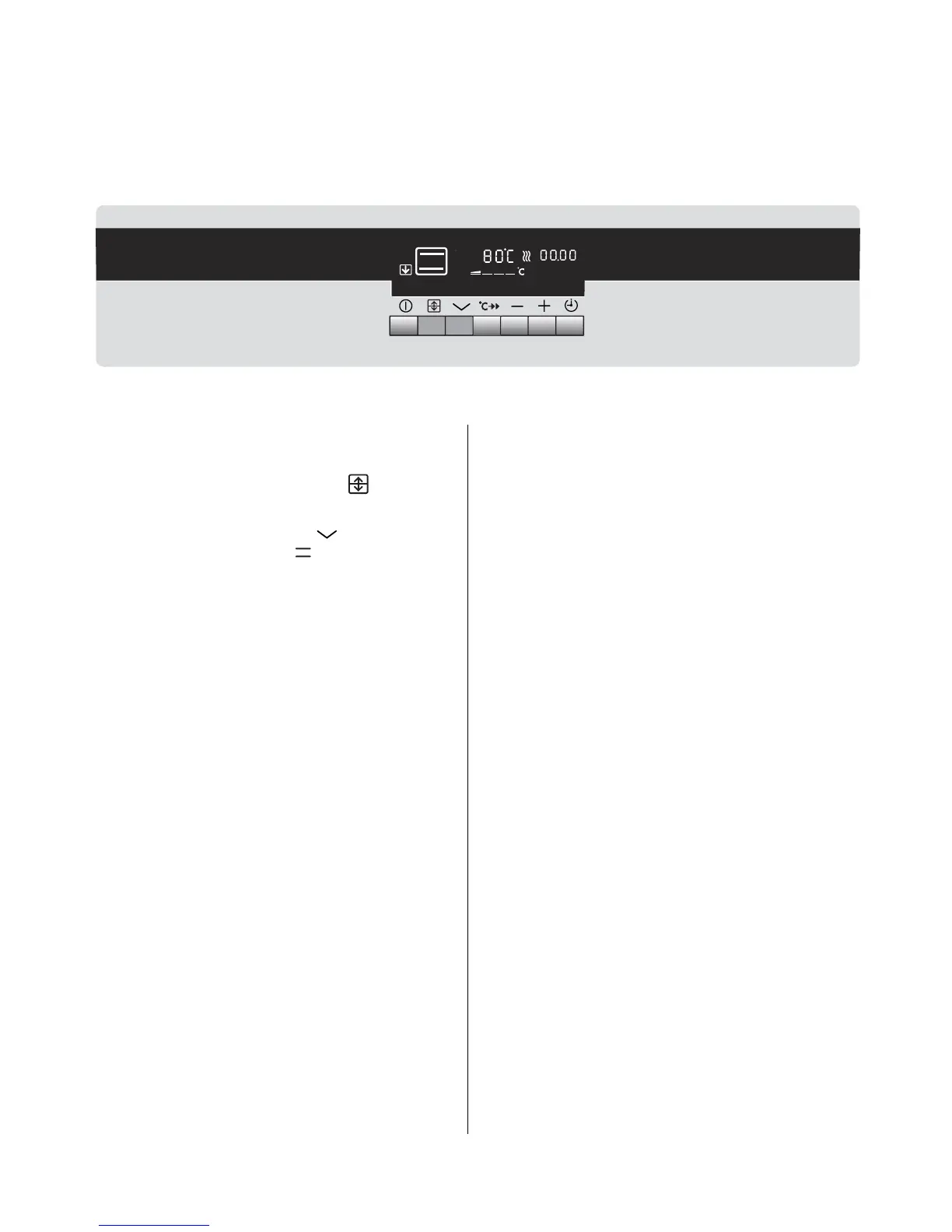
This setting allows you to warm plates or keep warm pre-cooked dishes prior to serving.
USING KEEP WARM
• The oven must be switched on before setting any
cooking function or programme.
• Press the Oven Cavity selector until the
main oven cavity is illuminated.
• Press the Function selector until the Keep
Warm neon is illuminated.
• Wait 5 seconds until your choice is confirmed.
The temperature will automatically set to 80°C.
• To switch off a function simply press the Function
selector once. The function neon will go out and
the display will return to the time of day.
THINGS TO NOTE
• The oven light will illuminate.
• The heat indicator neons will flash until the oven
has reached the desired temperature and then
stop, an audible signal will sound. When the
oven has been switched off the bars that are still
lit indicate the remaining residual heat in the
oven.
• The cooling fan for the controls may operate after
a time.
• If an automatic programme has been set, the
light does not come on until cooking begins.
• Some internal noise may be heard during
operation. This is quite normal.
~
~
~





 To Next Page