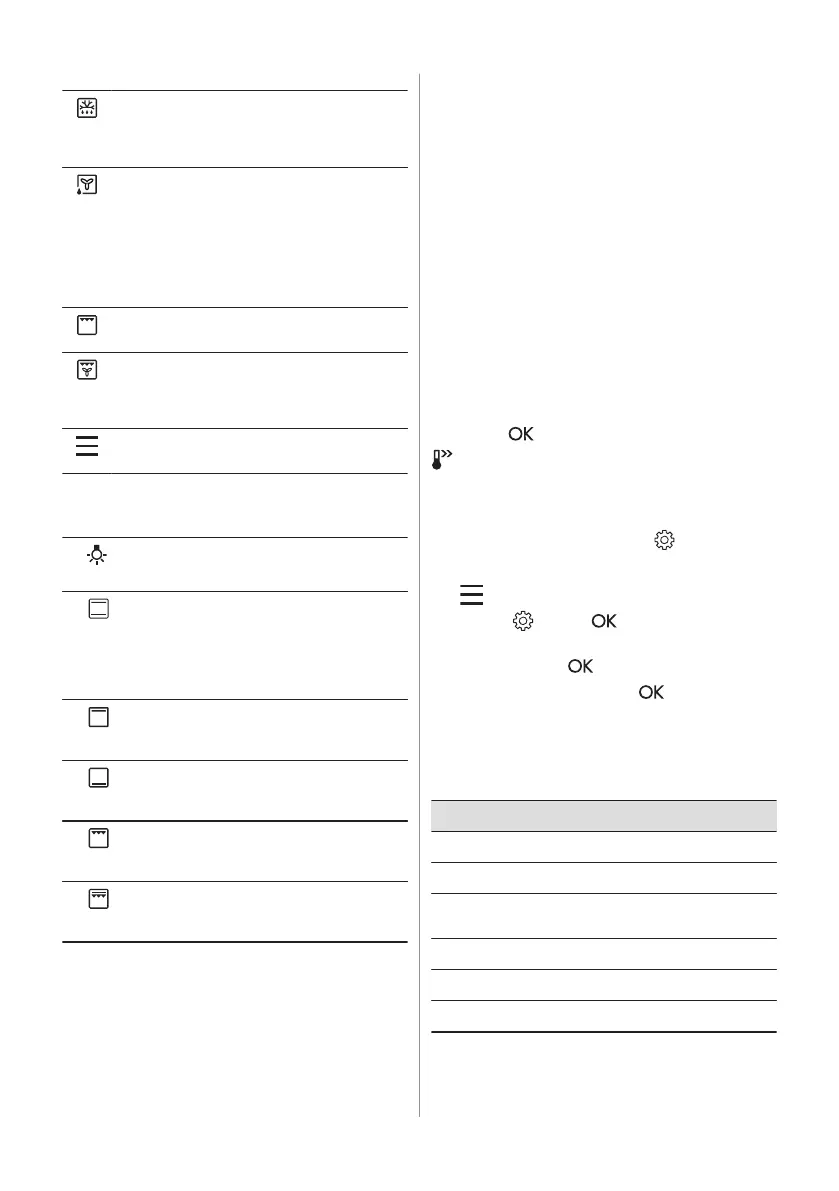
Defrost
To defrost food (vegetables and fruit). The
defrosting time depends on the amount and
size of the frozen food.
Moist Fan Baking
This function is designed to save energy dur‐
ing cooking. When you use this function, the
temperature inside the appliance may differ
from the set temperature. The residual heat is
used. The heating power may be reduced.
For more information refer to "Daily Use"
chapter, Notes on: Moist Fan Baking.
Grill
To grill thin pieces of food and to toast bread.
Turbo Grilling
To roast large meat joints or poultry with
bones on one shelf position. To bake gratins
and to brown.
Menu
To enter the Menu: Cleaning, Settings.
6.2 Top oven functions
Light
Light
To turn on the lamp.
Conventional Cooking / Cleaning
To bake and roast food on one shelf posi‐
tion.
Refer to "Care and Cleaning" chapter for
more information about Catalytic clean‐
ing.
Top Heat
To brown bread, cakes and pastries. To
finish cooked dishes.
Bottom Heat
To bake cakes with crispy bottom and to
preserve food.
Grill
To grill thin pieces of food and to toast
bread.
Fast Grilling
To grill thin pieces of food in large quanti‐
ties and to toast bread.
6.3 Notes on: Moist Fan Baking
This function was used to comply with the
energy efficiency class and ecodesign
requirements (according to EU 65/2014 and
EU 66/2014). Tests according to: IEC/EN
60350-1.
The oven door should be closed during
cooking so that the function is not interrupted
and the oven operates with the highest
energy efficiency possible.
When you use this function the lamp
automatically turns off.
For the cooking instructions refer to "Hints
and tips" chapter, Moist Fan Baking. For
general energy saving recommendations
refer to "Energy Efficiency" chapter, Energy
saving tips.
6.4 Setting: Heating functions
1. Turn the knob for the heating functions to
select a heating function.
2. Turn the control knob to set the
temperature.
3. Press
.
- press and hold to turn on the function:
Fast Heat Up. It is available for some oven
functions.
6.5 Changing: Settings
1. Turn the knob for the heating functions to
to enter Menu.
2. Select . Press .
3. Turn the control knob to select the
setting. Press
.
4. Adjust the value. Press .
Turn the knob for the heating functions to the
off position to exit Menu.
Menu: Settings
Setting Value
01
Time of day Change
02
Display brightness 1 - 5
03
Key tones 1 - Beep, 2 - Click,
3 - Sound off
04
Buzzer volume 1 - 4
05
Uptimer On / Off
06
Light On / Off
ENGLISH 9



 To Next Page