EasyManua.ls Logo

AEG DCE731110M - User Manual

AEG DCE731110M
32 pages
Print Icon
To Next Page IconTo Next Page
Loading...
USER
MANUAL
EN User Manual
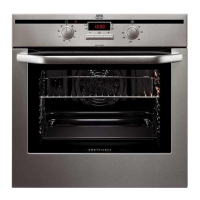
Built-In Double Oven
DCE731110M
Question and Answer IconNeed help?

Do you have a question about the AEG DCE731110M and is the answer not in the manual?

Summary

Safety Information

Children and Vulnerable People Safety

Guidance on safe use by children and vulnerable individuals, including age restrictions and supervision.

General Safety

Essential safety precautions for installation, operation, and maintenance, including heat hazards and electrical safety.

Safety Instructions

Installation

Instructions for safe and correct installation of the appliance, including electrical connections and clearances.

Electrical Connection

Guidelines for safe electrical connection, emphasizing qualified electricians and proper earthing.

Use

Safe usage practices, including household use only, ventilation, unattended operation, and handling hot air.

Care and Cleaning

Warnings and general advice regarding cleaning the appliance safely, preventing damage to surfaces.

Internal Lighting

Safety precautions related to the oven's internal lighting, including bulb replacement.

Service

Guidance on obtaining repair services and the importance of using original spare parts.

Disposal

Instructions and warnings concerning the safe disposal of the appliance, focusing on preventing entrapment.

Product Description

General Overview

An overview of the oven's components, with a diagram identifying parts like the control panel and heating elements.

Accessories

Description of included accessories like wire shelves and roasting pans, with their uses.

Control Panel

Electronic Programmer

Detailed explanation of the electronic programmer's sensor fields, functions, and descriptions for operating the appliance.

Display

Explanation of the oven's display indicators, symbols, and their meanings for various functions and settings.

Heat Up Indicator

How the heat-up indicator works on the display to show temperature changes during oven operation.

Before First Use

Initial Cleaning

Instructions for cleaning the oven and accessories before the first use to remove residual grease and manufacturing residues.

Preheating

Guidance on preheating the empty oven to burn off any remaining grease, noting potential smoke and odor.

Daily Use

Selecting an Oven

Steps to turn on the oven and select the desired cavity (top or main oven) for operation.

Top Oven Functions

Details on various functions available for the top oven, with applications for different cooking needs.

Main Oven Functions

Description of functions available for the main oven, including True Fan Cooking, Pizza Setting, and grilling.

Setting the Heating Function

Step-by-step guide on how to select and set a heating function and temperature for the oven.

Changing the Temperature

How to adjust the oven temperature during operation and what indicators to expect.

Checking the Temperature

Method to check the current oven temperature while a function is active.

Fast Heat Up

Information on the Fast Heat Up function, its availability, and how to activate it.

Clock Functions

Clock Functions Table

A table outlining various clock functions like Time of Day, Duration, End, and Minute Minder, with their applications.

Setting and Changing the Time

Detailed instructions on how to set and change the time of day on the oven's display.

Setting the Duration

Step-by-step guide to setting the cooking duration, including minutes and hours.

Setting the End

Instructions for setting the time at which the oven should automatically turn off.

Setting the Time Delay Function

How to combine DURATION and END functions to set a delayed start for cooking.

Setting the SET+GO

Guide to using the SET+GO function, which allows pre-setting cooking functions and starting them later.

Setting: Minute Minder

Instructions for setting the Minute Minder function, which acts as a countdown timer without affecting oven operation.

Count Up Timer

How to reset and use the Count Up Timer to track cooking time.

Using the Accessories

Inserting the Accessories

Instructions on how to correctly insert accessories like wire shelves and deep pans into the oven.

Telescopic Runners - Inserting the Accessories

Guidance on inserting accessories onto telescopic runners, including important cautions.

Trivet and Grill-; Roasting Pan

Information on using the trivet with the grill/roasting pan for cooking meat and poultry.

Additional Functions

Using the Child Lock

How to activate and deactivate the Child Lock feature to prevent accidental oven operation.

Using the Function Lock

Instructions for activating the Function Lock to prevent accidental changes to oven settings.

Using the Settings Menu

How to access and use the settings menu to customize various functions like Key Tone and Brightness.

Automatic Switch-off

Explanation of the automatic switch-off feature and its limitations with certain functions.

Brightness of the Display

Details on the display's brightness modes (Night and Day) and how they adjust.

Cooling Fan

Information about the cooling fan's operation during and after cooking.

Hints and Tips

Double Oven

Description of the top and main ovens, their sizes, and typical uses.

Baking

General tips for baking, including temperature guidance, shelf positions, and browning observations.

Tips on Baking

A troubleshooting guide for common baking problems like uneven browning or sinking cakes, with remedies.

Baking

Detailed baking tables for the top oven, listing food items, temperatures, times, and shelf positions.

Moist Fan Baking

Specific recommendations for Moist Fan Baking to achieve optimal results, including temperature and time settings.

Slow Cooking

Guidance on using the Slow Cooking function for tenderizing meat and fish, including preparation steps.

Pizza Setting

Recommended settings for using the Pizza Setting function in both the top and main ovens.

Roasting

Advice on roasting techniques, including ovenware, water in trays, and turning the roast.

Roasting Tables - Main Oven

Tables with recommended temperatures, times, and shelf positions for roasting various types of meat in the main oven.

Grilling

Instructions for grilling, including maximum temperature, preheating, and shelf positions for different foods.

Defrost - Main Oven

Guidelines for defrosting food in the main oven, including packaging removal and plate placement.

Care and Cleaning

Notes on Cleaning

General advice and warnings for cleaning the oven interior, exterior, and accessories safely.

Stainless Steel or Aluminium Ovens

Specific cleaning instructions for stainless steel or aluminium surfaces and control panels.

Removing the Shelf Supports

Step-by-step guide on how to remove shelf supports for cleaning, with cautionary notes.

Catalytic Cleaning

Instructions for activating and performing catalytic cleaning, including preparation and post-cleaning steps.

Removing and Installing the Door

Detailed procedure for removing and reinstalling the oven door for cleaning, with safety warnings.

Replacing the Lamp

Instructions for safely replacing the oven lamp, including precautions for hot lamps and electrical safety.

Troubleshooting

What to do if...

A guide to common problems, their possible causes, and recommended remedies for oven malfunctions.

Service Data

Information on where to find service data and whom to contact if problems cannot be resolved.

Energy Efficiency

Product Fiche and Information According to EU 65-66;2014

Product fiche details, including energy efficiency index, class, and consumption data as per EU regulations.

Energy Saving

Tips and features to help save energy during everyday cooking, including door closure and residual heat usage.

Environmental Concerns

Summary

Safety Information

Children and Vulnerable People Safety

Guidance on safe use by children and vulnerable individuals, including age restrictions and supervision.

General Safety

Essential safety precautions for installation, operation, and maintenance, including heat hazards and electrical safety.

Safety Instructions

Installation

Instructions for safe and correct installation of the appliance, including electrical connections and clearances.

Electrical Connection

Guidelines for safe electrical connection, emphasizing qualified electricians and proper earthing.

Use

Safe usage practices, including household use only, ventilation, unattended operation, and handling hot air.

Care and Cleaning

Warnings and general advice regarding cleaning the appliance safely, preventing damage to surfaces.

Internal Lighting

Safety precautions related to the oven's internal lighting, including bulb replacement.

Service

Guidance on obtaining repair services and the importance of using original spare parts.

Disposal

Instructions and warnings concerning the safe disposal of the appliance, focusing on preventing entrapment.

Product Description

General Overview

An overview of the oven's components, with a diagram identifying parts like the control panel and heating elements.

Accessories

Description of included accessories like wire shelves and roasting pans, with their uses.

Control Panel

Electronic Programmer

Detailed explanation of the electronic programmer's sensor fields, functions, and descriptions for operating the appliance.

Display

Explanation of the oven's display indicators, symbols, and their meanings for various functions and settings.

Heat Up Indicator

How the heat-up indicator works on the display to show temperature changes during oven operation.

Before First Use

Initial Cleaning

Instructions for cleaning the oven and accessories before the first use to remove residual grease and manufacturing residues.

Preheating

Guidance on preheating the empty oven to burn off any remaining grease, noting potential smoke and odor.

Daily Use

Selecting an Oven

Steps to turn on the oven and select the desired cavity (top or main oven) for operation.

Top Oven Functions

Details on various functions available for the top oven, with applications for different cooking needs.

Main Oven Functions

Description of functions available for the main oven, including True Fan Cooking, Pizza Setting, and grilling.

Setting the Heating Function

Step-by-step guide on how to select and set a heating function and temperature for the oven.

Changing the Temperature

How to adjust the oven temperature during operation and what indicators to expect.

Checking the Temperature

Method to check the current oven temperature while a function is active.

Fast Heat Up

Information on the Fast Heat Up function, its availability, and how to activate it.

Clock Functions

Clock Functions Table

A table outlining various clock functions like Time of Day, Duration, End, and Minute Minder, with their applications.

Setting and Changing the Time

Detailed instructions on how to set and change the time of day on the oven's display.

Setting the Duration

Step-by-step guide to setting the cooking duration, including minutes and hours.

Setting the End

Instructions for setting the time at which the oven should automatically turn off.

Setting the Time Delay Function

How to combine DURATION and END functions to set a delayed start for cooking.

Setting the SET+GO

Guide to using the SET+GO function, which allows pre-setting cooking functions and starting them later.

Setting: Minute Minder

Instructions for setting the Minute Minder function, which acts as a countdown timer without affecting oven operation.

Count Up Timer

How to reset and use the Count Up Timer to track cooking time.

Using the Accessories

Inserting the Accessories

Instructions on how to correctly insert accessories like wire shelves and deep pans into the oven.

Telescopic Runners - Inserting the Accessories

Guidance on inserting accessories onto telescopic runners, including important cautions.

Trivet and Grill-; Roasting Pan

Information on using the trivet with the grill/roasting pan for cooking meat and poultry.

Additional Functions

Using the Child Lock

How to activate and deactivate the Child Lock feature to prevent accidental oven operation.

Using the Function Lock

Instructions for activating the Function Lock to prevent accidental changes to oven settings.

Using the Settings Menu

How to access and use the settings menu to customize various functions like Key Tone and Brightness.

Automatic Switch-off

Explanation of the automatic switch-off feature and its limitations with certain functions.

Brightness of the Display

Details on the display's brightness modes (Night and Day) and how they adjust.

Cooling Fan

Information about the cooling fan's operation during and after cooking.

Hints and Tips

Double Oven

Description of the top and main ovens, their sizes, and typical uses.

Baking

General tips for baking, including temperature guidance, shelf positions, and browning observations.

Tips on Baking

A troubleshooting guide for common baking problems like uneven browning or sinking cakes, with remedies.

Baking

Detailed baking tables for the top oven, listing food items, temperatures, times, and shelf positions.

Moist Fan Baking

Specific recommendations for Moist Fan Baking to achieve optimal results, including temperature and time settings.

Slow Cooking

Guidance on using the Slow Cooking function for tenderizing meat and fish, including preparation steps.

Pizza Setting

Recommended settings for using the Pizza Setting function in both the top and main ovens.

Roasting

Advice on roasting techniques, including ovenware, water in trays, and turning the roast.

Roasting Tables - Main Oven

Tables with recommended temperatures, times, and shelf positions for roasting various types of meat in the main oven.

Grilling

Instructions for grilling, including maximum temperature, preheating, and shelf positions for different foods.

Defrost - Main Oven

Guidelines for defrosting food in the main oven, including packaging removal and plate placement.

Care and Cleaning

Notes on Cleaning

General advice and warnings for cleaning the oven interior, exterior, and accessories safely.

Stainless Steel or Aluminium Ovens

Specific cleaning instructions for stainless steel or aluminium surfaces and control panels.

Removing the Shelf Supports

Step-by-step guide on how to remove shelf supports for cleaning, with cautionary notes.

Catalytic Cleaning

Instructions for activating and performing catalytic cleaning, including preparation and post-cleaning steps.

Removing and Installing the Door

Detailed procedure for removing and reinstalling the oven door for cleaning, with safety warnings.

Replacing the Lamp

Instructions for safely replacing the oven lamp, including precautions for hot lamps and electrical safety.

Troubleshooting

What to do if...

A guide to common problems, their possible causes, and recommended remedies for oven malfunctions.

Service Data

Information on where to find service data and whom to contact if problems cannot be resolved.

Energy Efficiency

Product Fiche and Information According to EU 65-66;2014

Product fiche details, including energy efficiency index, class, and consumption data as per EU regulations.

Energy Saving

Tips and features to help save energy during everyday cooking, including door closure and residual heat usage.

Environmental Concerns

AEG DCE731110M Specifications

General IconGeneral
Oven sizeMedium
Oven typeElectric
Cleaning typeCatalytic
Self-cleaningYes
Steam cookingNo
Number of ovens2
Shelves materialChrome
Total oven power- W
Number of shelves1 shelves
Oven net capacity61 L
Full surface grill-
Oven thermostat range30 - 300 °C
Number of shelf positions5
Total oven(s) interior capacity103 L
Current30 A
Connected load5800 W
Power plug typeNo plug
AC input voltage220-240 V
AC input frequency50 Hz
Power connection typeHard-wired
Energy efficiency scaleA+++ to D
Energy consumption (conventional)0.92 kWh
Energy consumption (forced convection)0.77 kWh
Oven 2 sizeSmall
Oven 2 net capacity43 L
Oven 2 door materialGlass/metal
Oven 2 internal coatingEnamel
Oven 2 number of shelf positions4
Door hingedown
Control typeTouch
Display typeLCD
Product colorBlack, Stainless steel
Control positionFront
Oven door openingDrop down opening
Appliance placementBuilt-in
Number of glass door panels3
Timer typeDigital
Intrastat code85166080
Wood packaging weight3200 g
Paper packaging weight155 g
Package depth705 mm
Package width660 mm
Package height965 mm
Package weight64200 g
Weight and Dimensions IconWeight and Dimensions
Depth568 mm
Width594 mm
Height888 mm
Weight59000 g
Installation compartment depth550 mm
Installation compartment width560 mm
Installation compartment height875 mm

Related product manuals