Rev 0.0 13
USER INSTRUCTIONS
EN
2.2.6 Canceling the current program
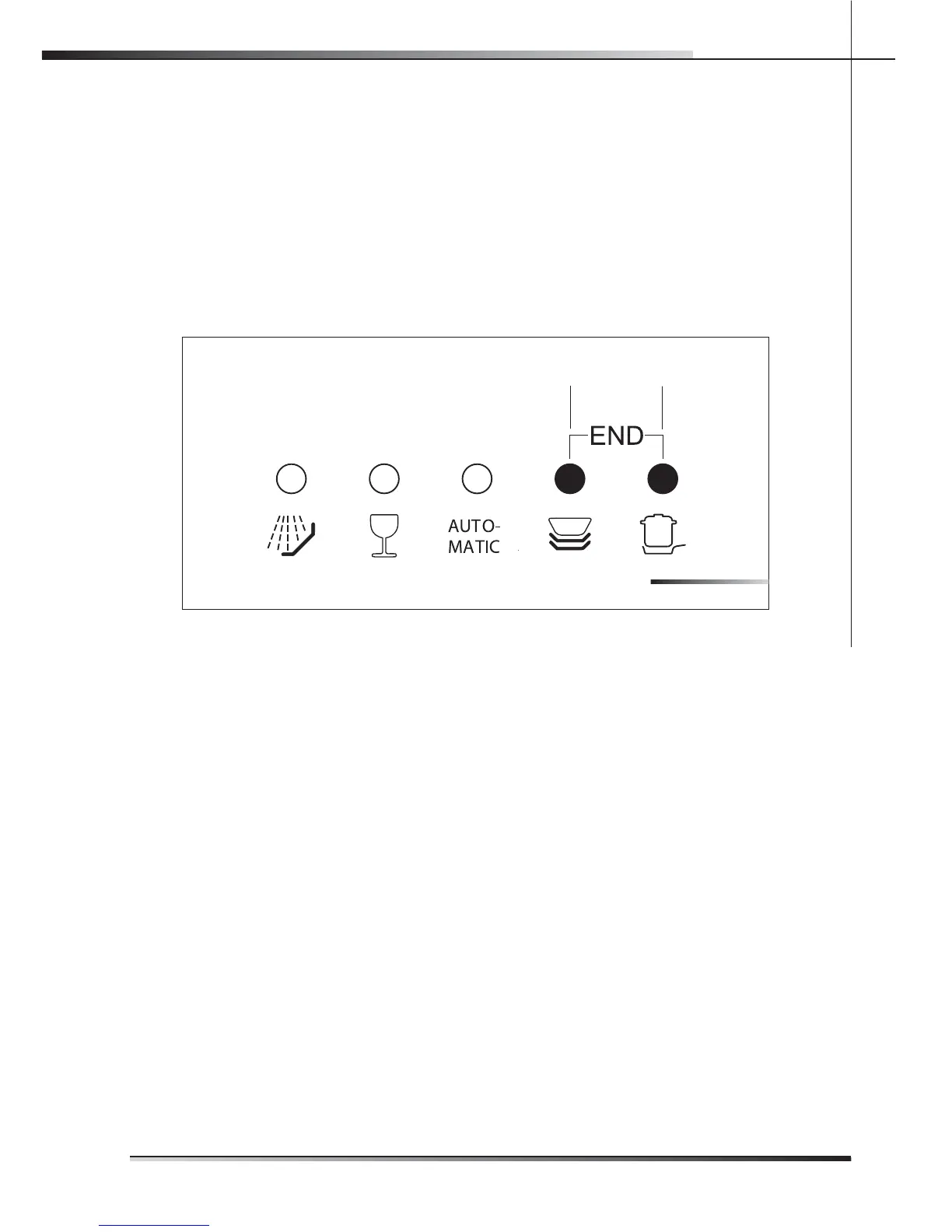
To cancel the current program, open the door and press and hold down the •
program selection button (ref. 3 g. 2-02) for a few seconds until the indicator
lights of the fourth and fth programs turn on (ref. pr. 4, pr. 5 g. 2-03).
Close the door again.•
After about 1 minute, the dishwasher terminates the cycle and the indicator •
lights of the fourth and fth programs (ref. pr. 4, pr. 5 g. 2-03) start ashing.
pr. 4
pr. 5
2.2.7 Options
HALF-LOAD
(available for all programs except soak)
This option is particularly suitable for reduced loads and saves on water and elec-
tricity.
Before selecting the half-load wash option, open the dishwasher door and choo-
se the required washing program (see para 2.2 “Setting the washing program and
switching on and o ”).
The half-load wash cycle can be selected in two di erent ways using the half-
load wash button (ref. 9 g. 2-02):
press the button • once to select washing in the upper rack. This is con rmed
by the relative indicator light (ref. 10a g. 2-02);
press the button • twice to select washing in the lower rack. This is con rmed
by the relative indicator light (ref. 10b g. 2-02);
press the button• three times to return to the standard full load condition (wa-
shing in both racks, both indicator lights o ).
When washing in just the lower rack is selected, the cutlery basket can be se-
parated and just half used.
FIG. 203


 To Next Page