Rev 0.0 15
USER INSTRUCTIONS
EN
2.2.8 Switching o
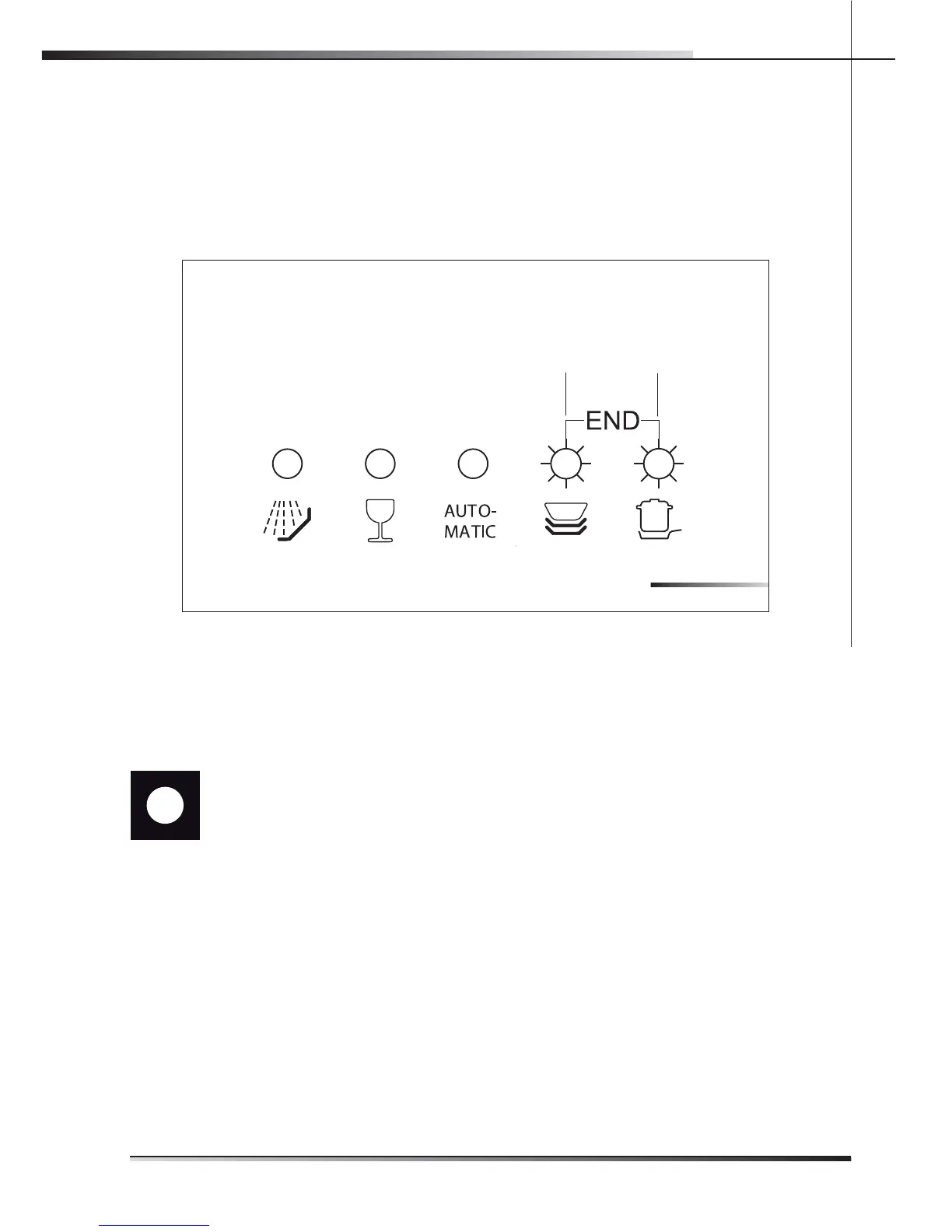
At the end of the program, the dishwasher emits a short beep and the indicator
lights of the fourth and fth program (ref. pr. 4, pr. 5 g. 2-04) ash.
Turn o the appliance by opening the door and pressing the on/o button (ref.
1 g. 2-02).
pr. 5
pr. 4
2.3 Additional functions
2.3.1 Adjusting the water softener
N.B.: a di erent washing program from soak must be used to make the
following adjustment.
Press and hold down the program delay button (ref. 12 g. 2-05) until the preset
value appears followed by a dot (normally 3.). Release the button and then press
it again and again until the required value is displayed, as indicated in the table
(see tab. 2-03).
The 6 possible adjustment levels will appear in this sequence:
3., 4., 5., 0., 1., 2..
When the required value appears on the display, release the button; after 5 secon-
ds the appliance automatically reverts to the program delay and the adjustment
is set to the chosen value.
FIG. 204


 To Next Page