14. QUICK GUIDE
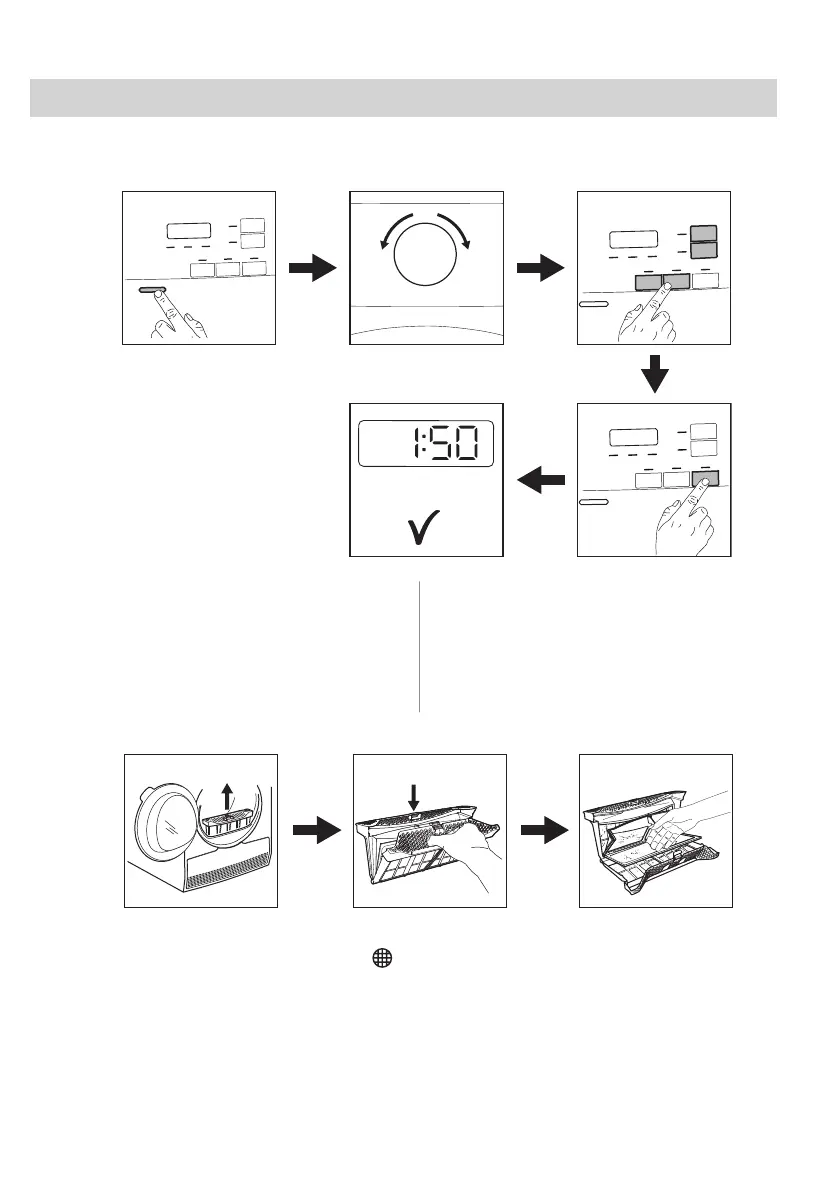
14.1 Daily use
1. Push the On/Off button to turn on the
appliance.
2. Use the programme dial to set the
programme.
3. Together with the programme you can set
1 or more special options. To activate or
deactivate an option touch the relevant
button.
4. To start the programme, Touch the Start/
Pause button.
5. The appliance starts.
14.2 Cleaning the filter
At the end of each cycle the filter symbol
appears on the display and you must clean
the filter.
24 ENGLISH



 To Next Page