Pairing the headphones
CAUTION
Danger of malfuction!
The transmitted radio waves of mobile phones can impair the
operation of sensitive and unprotected devices.
Only make calls with the headphones in loations where Bluetooth
wireless transmission is permitted.
To pair your headphones with a Bluetooth device, you have to use
the Bluetooth search function. In order to successfully establish a
connection between the headphones and a Bluetooth device,
Bluetooth on your device must be activated.
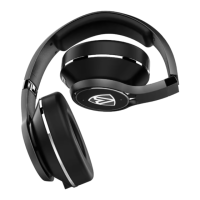
The AEGIS PRO headphones complies with the Bluetooth 4.0
standard. To transmit data wirelessly using Bluetooth technology,
you have to pair your headphones with compatible Bluetooth
devices that support the following profiles.
- Hands Free Profile (HFP)
- Headset Profile (HSP)
- Audio/ Video Remote Control Profile (AVRCP)
- Advanced Audio Distribution Profile (A2DP)
- Device ID Profile (DIP)
When you power on the headphones, the headphones will
automatically try to connect to the last two connected Bluetooth
devices. The headphones can save up to eight previously paired
Bluetooth devices connection profiles.
If you pair the headphones with a ninth Bluetooth device, the saved
connection profile of the least used Bluetooth device will be
overwritten. If you want to re-establish a connection with the
overwritten Bluetooth device, you have to pair it with the
headphones again.
AEGIS PRO
Getting Started
12


 To Next Page