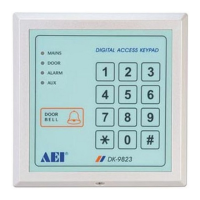
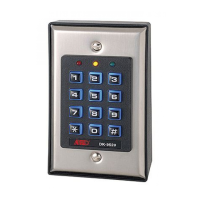
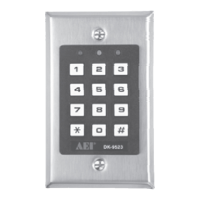
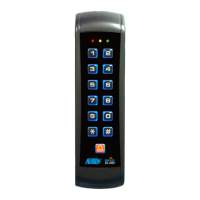
PROCEDURES OF PROGRAMMING
(1) Entry into programming
PRESS KEY
* → Enter the programming code (4-8 digits, default code is 1234) → # (The amber LED and green LED lighted,
signifying entry into the programming mode)
(2) Recording the new programming code (This procedure must be done)
Warning: For security purpose, the owner should change the default programming code (1234) to
owner’s private programming code (Master Code) before use of the new access control
keypad.
PRESS KEY
0 → Enter the new programming code (4-8 digits) → # → Repeat the new programming code → #
(3) Programming the Open–door mode
PRESS KEY
3 → 01 → # (Open door by User Code)
(4) Programming the door–open time
PRESS KEY
4 → (01-99 seconds) → # (Setting door-opening time 1- 99 seconds)
NOTE : Factory setting “door-opening time is 3 seconds”
(5) Recording the User Code (Use either A or B)
A.
Single User Code (Common User Code)
PRESS KEY
5 → 00 → Enter the User Code (4-8 digits) → #
*
**
* Deleting the common User Code
When enter new common User Code the old one will be deleted automatically
B.
Multi-User Codes
(Assign a number of any 3 digits as the User ID Number for each User Code, the User ID Number is not allowed to repeat use in
the programming, keep the User ID Number as a record of an user)
PRESS KEY
5 → 01 → Enter the User ID Number (3 digits)→Enter the User Code (4-8 digits) → # (Confirming the code
length) (Green LED flash) → # (Green LED stop flash) (confirmed entering is completed)
NOTE
If continue to record more User Codes, at the end of each recording, it is no necessary to press the key # per each time, to
repeat the above steps until all User Code recordings are finished. Finally to press the key # to confirm all recordings are
completed.
*
**
* Deleting the User Code recorded (Multi-User Codes)
PRESS KEY
5 → 02 → 0000 → # (Deleted all the User Codes)
PRESS KEY
5 → 02 → Enter the User Code to be deleted → # (Deleted the User Code)
PRESS KEY
5 → 02 → Enter the User ID Number of the User Code → # (Deleted the User Code of the User ID Number)
(6) Programming User Code entry mode
MANUAL code entry checking mode
PRESS KEY
70 → 0 → # (Manual entry mode, have to press the key # follow the User Code entered to confirm the code length
of the User Code entered. The User Code can be 4-8 digits)
AUTO code entry checking mode
PRESS KEY
70 → 1→ # (Auto entry mode, the User Code must be set in the same code length as the program code. No need to
PRESS KEY # to confirm the code length of the User Code entered. The User Code can be 4-8 digits)
Note : Factory setting “Manual code entry checking mode”
(7) End of programming
Exit programming mode in 60 seconds
PRESS KEY
*
**
* to exit programming mode and return to normal operation status (Standby mode)
2



 To Next Page
 Loading...