3
Operation
The PAGE button may be depressed to scroll through the available AEMnet channels;
an abbreviation of each channel name will be briefly displayed after each button press.
The inner numeric LEDs and outer ring LED display the currently selected channel
reading. Channels will only be present in the channel list if the corresponding AEMnet
device is presently connected to the bus, powered, and transmitting. Please
reference the AEMnet Channel description table further on in this document.
PAGE and PEAK buttons are located on the face of the gauge and are used to
perform various functions, described below.
Display or clear stored peak value
§ Press the PEAK button; the peak (highest) reading of the currently selected
channel will be displayed and the outer LED will flash.
§ The peak value will be retained across power cycles.
§ While the peak value is being displayed, depress and hold the PEAK button for
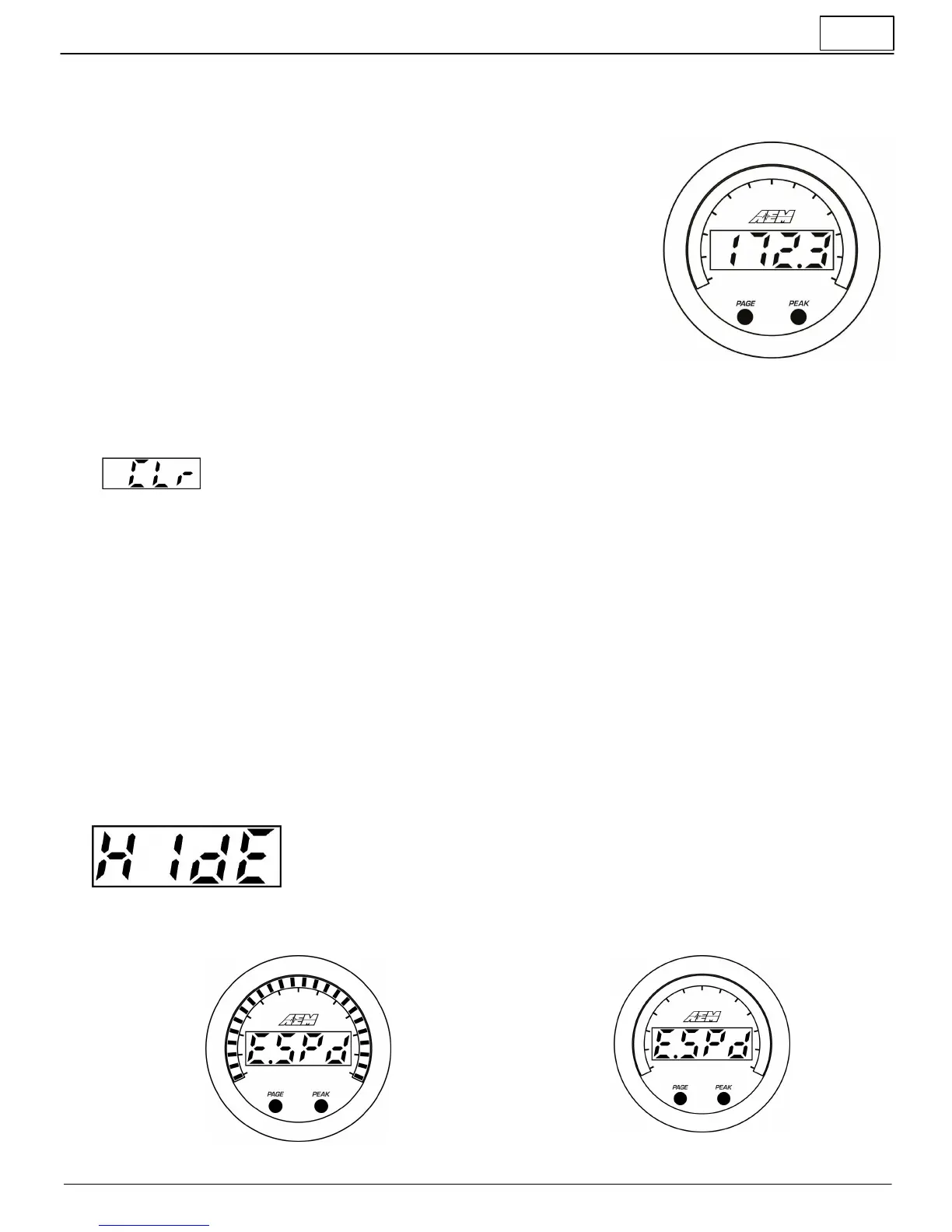
three seconds until "CLr" appears to clear the peak values.
§ This operation will clear the peak values of ALL channels.
Will be displayed to confirm the peak value has been reset
§ The gauge will return to normal display mode a few seconds after the last button
press
Change channel display units US / SI (metric)
§ The gauge should be in its normal display mode,
showing the current parameter reading.
§ Depress and hold the PAGE button for three
seconds until US or SI appears.
§ Press the PAGE button to toggle between US or SI
(metric) modes.
§ This setting will apply to all channels EXCEPT
wideband O2 channels.
§ The gauge will return to normal display mode a few
seconds after the last button press.
Change wideband O2 display units AFR / Lambda
§ The gauge should be in its normal display mode, showing a
wideband/oxygen sensor channel reading.
§ Depress and hold the PAGE button for three seconds until
US or SI appears.
§ Press the PAGE button to toggle between AFR or Lambda
modes.
§ This setting will apply to all wideband O2 channels.
§ The gauge will return to normal display mode a few seconds
after the last button press.
Hide or show channels
If multiple AEMnet devices are present on the bus, the channel list can grow to be quite long, up to 62 channels. This can
make it time consuming to scroll through and find a specific channel to display. A hide/show feature is available to
remove infrequently viewed channels from the channel list.
§ Depress both the PAGE and PEAK buttons to display "HidE" and begin selecting
which channels to hide/show in the channel list.
§ Use the PAGE button to scroll through the channel list and the depress the PEAK
button to toggle between hide and show.
§ The gauge will return to normal display mode a few seconds after the last button
press.
All outer LEDs illuminated = SHOW
All outer LEDs off = HIDE



 To Next Page
 Loading...