AM450e User Manual
AEMULUS 11
2.2 Soft Front Panel
The soft front panel provides a graphical interface for operating the module. It is intended for
testing and diagnosing, for demonstration and training, and for basic operation of the module.
It represents most of the functions available in the instrument driver. It is not however a
comprehensive application suitable for measurements; for this, remote programming the
module.
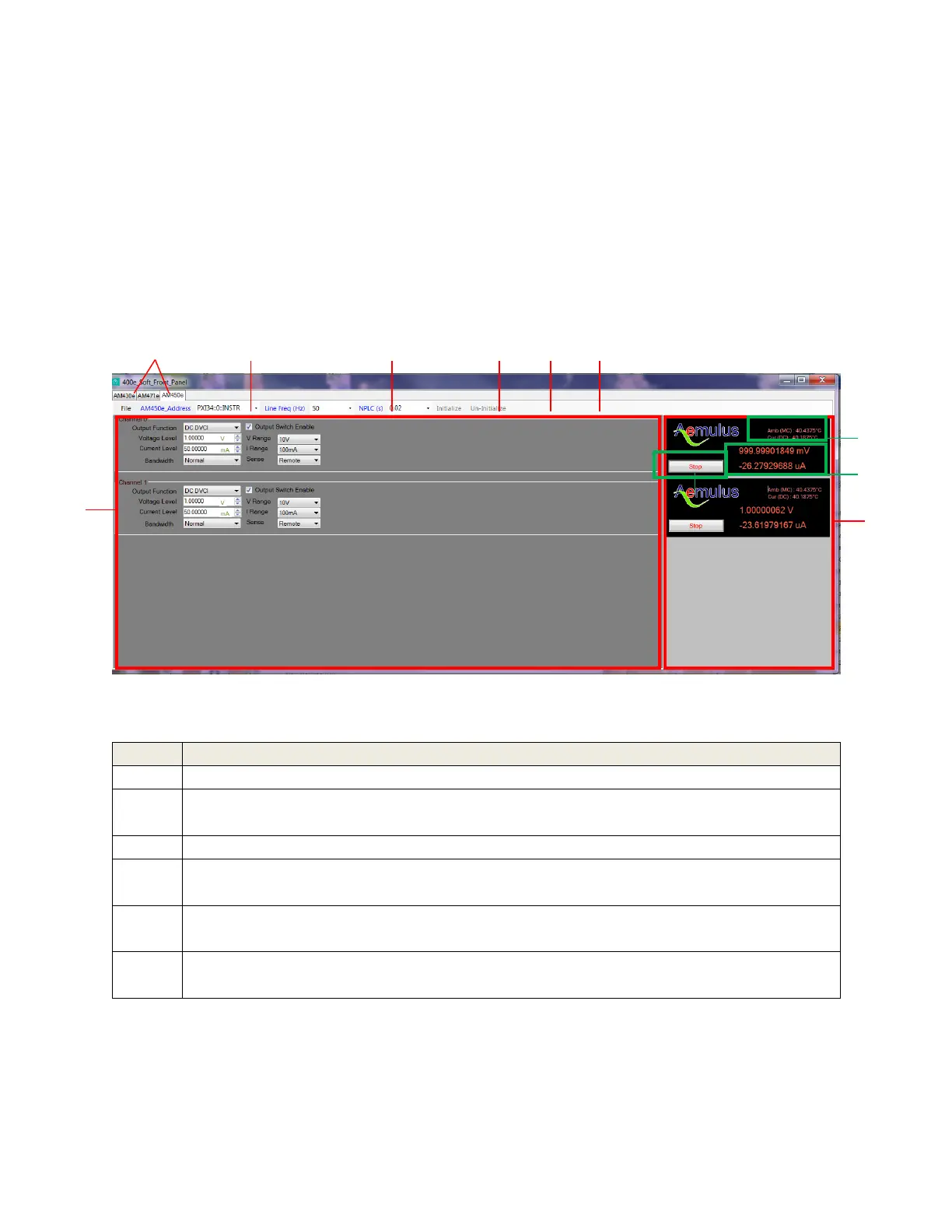
Figure 2: AM400e Soft Front Panel
Select the module of interest.
Select the PXI address of the module. A list of addresses is shown for all detected
modules in the chassis.
Select the power line frequency – 50Hz or 60Hz.
Set the number of power line cycle (PLC). 1 PLC equals to 20ms (50Hz) of
measurement time.
Initialize the selected module. This includes opening a session to communicate with
the module, and then reset the module in its default state
Un-initialize the selected module. This includes closing the current communication
session to the module.



 To Next Page