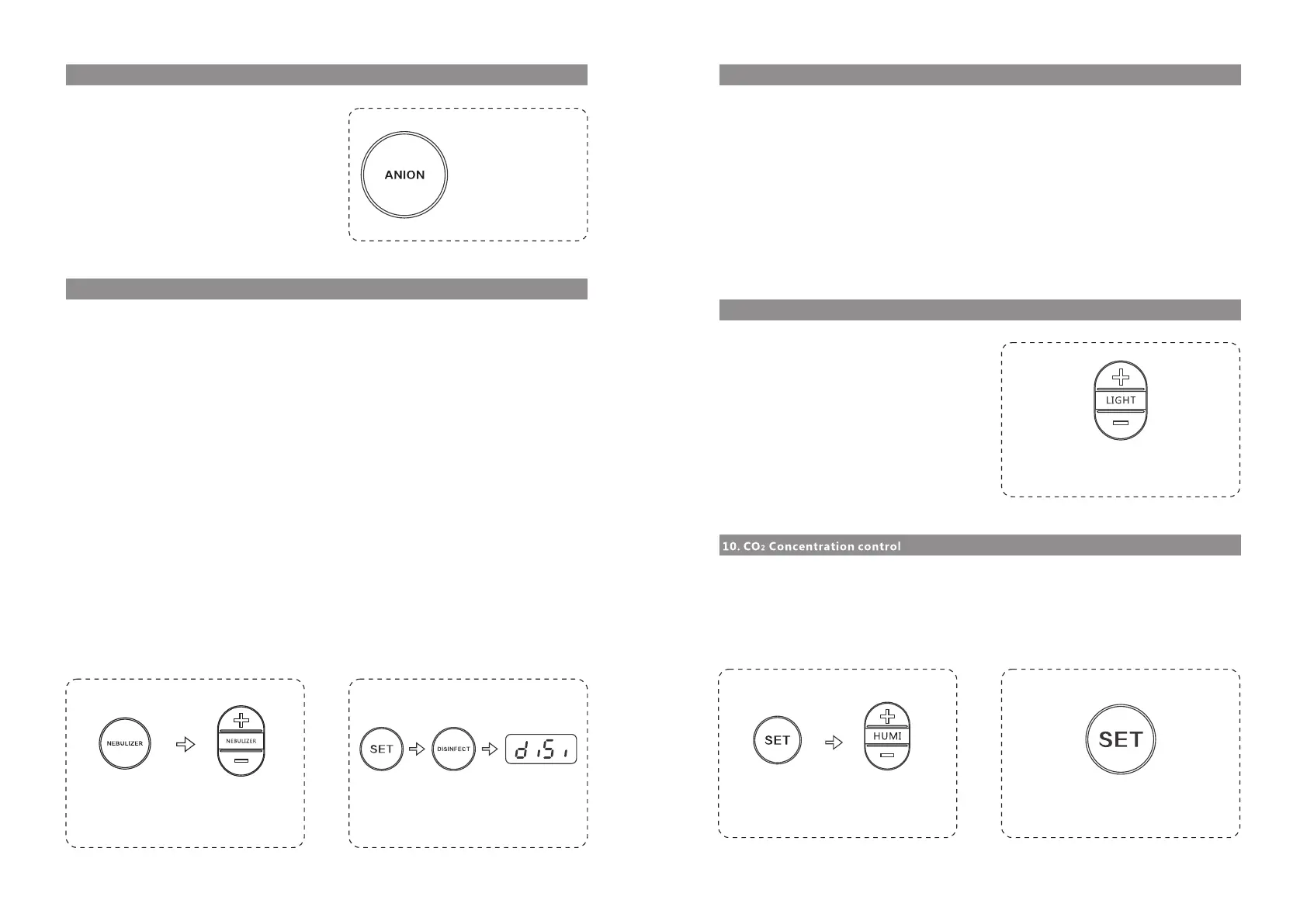
Press "anion" key to switch it ON; and press it
again to switch it OFF.
When the anion is open, the anion indicator lamp
is on; when the anion is closed, the anion indicator
lamp is off. See fig. 7.6.1.
The atomizing volume of the medical atomizer has two grades, measuring by time and quantity. Press
"medical atomization" key to start the atomizing function (it is the higher grade with the atomizing
volume of 0.5ml/min and the auto-timing of 20 minutes). Press "atomizing volume regulation" key to
switch between the higher grade and the lower grade of atomizing volume. The lower grade is
0.375ml/min with the auto-timing of 10 minutes. When the medical atomization is started, the atomiza-
tion indicator lamp is flashing quickly (correspondent to the higher grade). Press "regulation" key to
adjust it to the lower grade at the time of which the indicator lamp is slowly flashing. Press "medical
atomization" key again to stop atomization, and the atomization indicator lamp is off.
a) Press "atomization" key to start the higher grade; press atomizing volume regulation key "+". To
adjust it to the lower grade, press atomizing volume regulation key "-". See fig. 7.7.1.
b) Press "atomization" key and get into the medical atomization status (higher grade) during which the
humidity display and control are shielded. The humidity display shows accumulated atomization time
counting (in seconds). After atomization and 10 sec delay, it automatically exits the atomization mode
and reverts to the humidity control mode.
c) During atomization, press "atomization" key to manually stop the atomization mode and revert to the
humidity control mode.
d) In the atomization mode, the humidity control is not effective. Therefore, when the humidity exceeds
the maximum set point, there is no alarm. If the humidity still exceeds the maximum set point in three
minutes after it exits (closes) the medical atomization mode, the alarm is started.
Atomizer water shortage alarm: when the water tank or the medicine cup of the atomizer is short of
water, stop atomization. The humidity display shows "ELAC" and the atomization lamp is off with water
shortage alarm. Press "atomization" key again to enter the "atomizer off" status and recover humidity
display.
Figure 7.6.1
Figure 7.7.1 Figure 7.8.1
Press illumination adjustment key "+/-" to adjust
ten grades of illumination intensity. See fig. 7.9.1.
The highest is grade nine and the lowest is
closed. Under the Initial start-up status, it is
closed.
Key control: press "SET" key for five seconds to enter the parameters setting status. The humidity /
CO
2
display shows flashing digits of CO
2
concentration set value. When the indicator lamp "P" (CO
2
concentration) is flashing, it is able to adjust the set value of CO
2
concentration alarm. Now press
humidity "+/-" key to adjust CO
2
set value by ±10 stepping. The default factory setting is the alarm set
point of 800PPM which can be adjusted down to 500PPM and up to 1200PPM. See fig. 7.10.1.
a) On: before starting the sterilization function, make sure that there is no pet in the ICU and the ICU
door is closed. Meanwhile, press "SET" key plus "sterilization" key to enter the disinfection mode. See
fig. 7.8.1.
b) Operation: under this mode, all other function keys are void except "SET" key and "sterilization" key.
Both temperature display and humidity display show "DISI" (abbreviated disinfection); under the
disinfection mode, switch on the UV disinfection lamp. There is violet light inside the ICU (with weak
acrid scent). Meanwhile, start the left fan and the right fan to effect ventilation inside.
c) Off: press "SET" key plus "disinfection" key at the same time again to switch off the UV disinfection
lamp, the disinfection indication lamp and the left fan to exit the disinfection mode and recover the
normal work mode. At this time all function keys are valid except the disinfection key.
Note: when the ICU is under the normal work mode, it is invalid to press "disinfection" key individually.
Figure 7.9.1
Figure 7.10.1 Figure 7.11.1
Hold press once message come out
Hold for 5 seconds
valne for co
2 alarm
Press once for start
12 13


 To Next Page
 Loading...