EasyManua.ls Logo

Aeotec Nano Dimmer - User Manual

Aeotec Nano Dimmer
10 pages
Print Icon
To Next Page IconTo Next Page
Loading...
30-09-2020 12:35
Pagina 1 van 10http://manual.zwave.eu/backend/make.php?lang=en&sku=AEOEZW111
Aeotec
Nano Dimmer
SKU: AEOEZW111
Quickstart
This is a secure Light Dimmer for Europe. To run this device please connect it to your mains power supply. Turn the primary controller of Z-Wave network into
inclusion mode, short press the products Action button that you can find on the product"s housing.
Important safety information
Please read this manual carefully. Failure to follow the recommendations in this manual may be dangerous or may violate the law. The manufacturer, importer,
distributor and seller shall not be liable for any loss or damage resulting from failure to comply with the instructions in this manual or any other material. Use this
equipment only for its intended purpose. Follow the disposal instructions. Do not dispose of electronic equipment or batteries in a fire or near open heat sources.
What is Z-Wave?
Z-Wave is the international wireless protocol for communication in the Smart Home. This device is suited for use in the region mentioned in the Quickstart section.
Z-Wave ensures a reliable communication by reconfirming every message (two-way communication) and
every mains powered node can act as a repeater for other nodes (meshed network) in case the receiver is not
in direct wireless range of the transmitter.
This device and every other certified Z-Wave device can be used together with any other certified Z-Wave
device regardless of brand and origin as long as both are suited for the same frequency range.
If a device supports secure communication it will communicate with other devices secure as long as this
device provides the same or a higher level of security. Otherwise it will automatically turn into a lower level of
security to maintain backward compatibility.
For more information about Z-Wave technology, devices, white papers etc. please refer to www.z-wave.info.
Product Description
Aeotec Nano Dimmer is a Z-Wave Smart Dimmer specifically used to enable Z-Wave command and control (on/off/dim) of any wall switches. It can report immediate
wattage consumption or kWh energy usage over a period of time. In the event of power failure, non-volatile memory retains all programmed information relating to the
units operating status. It can connect to 2 external manual switches to control the load ON/OFF independently. Its surface has a pin socket, which can be used for
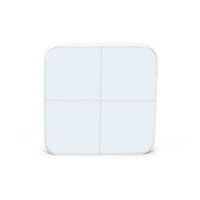
connecting to the touch panel, so you can also use the touch panel to control the Nano Dimmer. The Nano Dimmer is also a security Z-Wave plus device and supports
Over The Air (OTA) feature for the products firmware upgrade.
Prepare for Installation / Reset
Please read the user manual before installing the product.
In order to include (add) a Z-Wave device to a network it must be in factory default state. Please make sure to reset the device into factory default. You can do this
by performing an Exclusion operation as described below in the manual. Every Z-Wave controller is able to perform this operation however it is recommended to use
the primary controller of the previous network to make sure the very device is excluded properly from this network.
Reset to factory default
This device also allows to be reset without any involvement of a Z-Wave controller. This procedure should only be used when the primary controller is inoperable.
Press and hold the Action button that you can find on the product"s housing for 20 seconds and then release. This procedure should only be used when the primary
controller is missing or inoperable.
Safety Warning for Mains Powered Devices
ATTENTION: only authorized technicians under consideration of the country-specific installation guidelines/norms may do works with mains power. Prior to the
assembly of the product, the voltage network has to be switched off and ensured against re-switching.
Installation
1. Shut off the main circuit breaker of your home for safety during the installation and ensure the wires are not short circuited during the installation which will cause
damage to the Nano Dimmer
2. Preparing connection wires 14 AWG or 12 AWG power wires for Input/Output. 18 AWG copper wires for external manual switch. Use the wire stripper cut the
metallic part of the connection wire and make sure the length of the metallic part is about 5mm.
Note: All connection wires need to be flexible cable
Question and Answer IconNeed help?

Do you have a question about the Aeotec Nano Dimmer and is the answer not in the manual?

Summary

Quickstart

Important safety information

What is Z-Wave?

Product Description

Prepare for Installation; Reset

Reset to factory default

Procedure to reset the device to factory default without a Z-Wave controller.

Safety Warning for Mains Powered Devices

Installation

Inclusion;Exclusion

Inclusion

Steps to include the Nano Dimmer into a Z-Wave network.

Exclusion

Steps to exclude the Nano Dimmer from a Z-Wave network.

Quick trouble shooting

Association - one device controls an other device

Configuration Parameters

Parameter 3: Current Overload Protection

Configures automatic output shutdown after 30 seconds if current exceeds 1.5A.

Parameter 4: Overheat protection

Configures automatic output shutdown after 30 seconds if temperature exceeds 100°C.

Parameter 20: Configure the output status after re-power on it

Sets the output status (last, on, off) after the device is repowered.

Parameter 80: To set which notification would be sent to the associated devices (Group 1)

Defines notifications sent to Group 1 when load state changes.

Parameter 81: To set which notification would be sent to the associated nodes in association group 3

Defines notifications sent to Group 3 when external switch S1 is operated.

Parameter 82: To set which notification would be sent to the associated nodes in association group 4

Defines notifications sent to Group 4 when external switch S2 is operated.

Parameter 85: Set appointment 1

Sets the ON time of the output load, configurable by brightness, minutes, hours, days.

Technical Data

Supported Command Classes

Lists Z-Wave command classes supported by the device.

Controlled Command Classes

Lists Z-Wave command classes controlled by the device.

Explanation of Z-Wave specific terms

Defines key Z-Wave terms like Controller, Slave, Inclusion, and Association.

Overview

The Aeotec Nano Dimmer (SKU: AEOEZW111) is a Z-Wave Plus certified smart dimmer designed for Europe, enabling Z-Wave command and control of any wall switches. This device allows for immediate wattage consumption reporting and kWh energy usage tracking over time. It is a security-enabled Z-Wave Plus device that supports Over The Air (OTA) firmware upgrades.

Function Description

The Nano Dimmer integrates into an existing Z-Wave network to provide smart control over connected loads. It supports on/off and dimming functionalities for various lighting types. The device retains its programmed information, including operating status, in non-volatile memory in the event of a power failure. It can connect to two external manual switches (S1 and S2) for independent ON/OFF control of the load. Additionally, it features a pin socket for connecting to a touch panel, allowing for touch-based control of the dimmer.

Important Technical Specifications

  • Dimensions: 0.0420000 x 0.0395000 x 0.0200000 mm
  • Weight: 26.62 gr
  • Hardware Platform: ZM5101
  • EAN: 1220000013971
  • IP Class: IP 20
  • Voltage: 230 V
  • Load: 276W
  • Device Type: Light Dimmer Switch
  • Network Operation: Always On Slave
  • Z-Wave Version: 6.51.09
  • Certification ID: ZC10-17015388
  • Z-Wave Product Id: 0x0086.0x0003.0x006F
  • Frequency: Europe - 868.4 MHz
  • Maximum Transmission Power: 5 mW

Supported Command Classes:

Switch All, Association Grp Info, Association V2, Basic, Clock, Configuration, Device Reset Locally, Firmware Update Md V3, Manufacturer Specific V2, Meter V3, Notification V4, Powerlevel, Scene Activation, Scene Actuator Conf, Security, Switch Binary, Switch Multilevel V3, Version V2, Zwaveplus Info V2.

Controlled Command Classes:

Basic, Hail.

Usage Features

Inclusion/Exclusion:

To add the Nano Dimmer to a Z-Wave network (Inclusion), install the device and then press the Action button twice within 1 second. To remove it from a network (Exclusion), press the Action button once.

Wiring:

The device supports both 3-wire systems and SPDT (Single-Pole Double-Throw) switches as external manual switches. For small power loads (e.g., LED or compact fluorescent lamps) that may not provide enough power to the Nano Dimmer, a bypass can be added. This bypass acts as a dummy load, ensuring sufficient power supply and preventing light flickering during dimming. The S1 and S2 ports can control the load separately, allowing for flexible connection of SPDT switches.

Association Groups:

The Nano Dimmer supports multiple association groups for controlling other Z-Wave devices:

  • Group 1 (Z-Wave Plus Lifeline): When the load state changes (on/off/dim), the device can send Hail CC, Switch Multilevel Report, and Basic Report (configurable via parameter 80) to associated nodes.
  • Group 2: Forwards Basic Set, Switch Binary Set, Switch Multilevel Start Level Change, Switch Multilevel Stop Level Change, Switch Multilevel Set, and Switch All commands received from the main controller to associated nodes.
  • Group 3: Sends Basic Set (configurable via parameter 0x51) to associated nodes when external switch S1 is operated.
  • Group 4: Sends Basic Set (configurable via parameter 0x52) to associated nodes when external switch S2 is operated.

Configuration Parameters:

The Nano Dimmer offers extensive configuration options to adapt its functionality to user needs:

  • Parameter 3 (Current Overload Protection): Disables (0) or enables (1) automatic load turn-off after 30 seconds if current exceeds 1.5A. Default: 1 (Enable).
  • Parameter 4 (Overheat Protection): Disables (0) or enables (1) automatic load turn-off after 30 seconds if internal temperature exceeds 100°C. Default: 0 (Disable).
  • Parameter 20 (Output Status After Re-power On): Configures the output status after a power cycle: Last status (0), Always on (1), or Always off (2). Default: 0.
  • Parameter 80 (Notification to Associated Devices - Group 1): Sets the type of notification sent to Group 1 when the load state changes: Nothing (0), Hail CC (1), Basic CC report (2), Multilevel Switch report (3), or Hail CC when using manual switch (4). Default: 0.
  • Parameter 81 (Notification to Associated Nodes - Group 3): Sets the notification type for Group 3 when external switch S1 is operated: Nothing (0) or Basic Set CC (1). Default: 1.
  • Parameter 82 (Notification to Associated Nodes - Group 4): Sets the notification type for Group 4 when external switch S2 is operated: Nothing (0) or Basic Set CC (1). Default: 1.
  • Parameter 85 & 86 (Set Appointment 1 & 2): Configures ON times for the output load, including brightness level (0-99), minute value (256-316), hour value (65536-65560), and day value (16777215-16777222).
  • Parameter 90 (Enables/Disables Parameter 91 and 92): Disables (0) or enables (1) the threshold reporting for wattage. Default: 0.
  • Parameter 91 (Threshold Value of Wattage): Sets the wattage change threshold (0-60000) to induce an automatic report. Default: 25.
  • Parameter 92 (Threshold Value of Wattage - Percentage): Sets the percentage change threshold (0-100) to induce an automatic report. Default: 5.
  • Parameter 100 (Reset Parameter 101-103 to Default): Resets parameters 101-103 to their default values (0). Default: 0.
  • Parameter 101, 102, 103 (Reports for Report Groups 1, 2, 3): Configures which meter reports are sent for each group: Voltage (1), Current (2), Wattage (4), or Energy (8). Default: 0 for all.
  • Parameter 110 (Reset Parameter 111-113 to Default): Resets parameters 111-113 to their default values (0). Default: 0.
  • Parameter 111, 112, 113 (Automatic Report Interval for Report Groups 1, 2, 3): Sets the interval (1-2147483647 seconds) for automatic reports. Defaults: 3 (Group 1), 600 (Group 2), 600 (Group 3).
  • Parameter 120 (External Switch Mode for S1): Configures the mode for external switch S1: Automatic identification (0), 2-state switch (1), 3-way switch (2), or Momentary push button (3). Default: 0.
  • Parameter 121 (External Switch Mode for S2): Configures the mode for external switch S2: Automatic identification (0), 2-state switch (1), 3-way switch (2), or Momentary push button (3). Default: 0.
  • Parameter 122 (Get State of Touch Panel Port): Reports if the touch panel is not connected (0) or connected (5). Get-only parameter. Default: 0.
  • Parameter 123 (Control Destination for External Switch S1): Sets what external switch S1 controls: Output loads of itself (1), other nodes (2), or both (3). Default: 3.
  • Parameter 124 (Control Destination for External Switch S2): Sets what external switch S2 controls: Output loads of itself (1), other nodes (2), or both (3). Default: 3.
  • Parameter 125 (Default Dimming Rate): Sets the default dimming rate in seconds (1-255). Default: 3.
  • Parameter 128 (Get Current Working Mode): Reports the current working mode: Unknown (0), 2-wire (1), or 3-wire (2). Get-only parameter. Default: 0.
  • Parameter 129 (Dimming Principle): Sets the dimming principle: Trailing edge mode (0) or Leading edge mode (1). Default: 1.
  • Parameter 130 (Get Load Type): Reports the type of load connected: Unknown (0), Resistive (1), Capacitive (2), or Inductive (3). Get-only parameter. Default: 0.
  • Parameter 131 (Min Brightness Level): Sets the minimum brightness level the load can reach (0-99). Default: 0.
  • Parameter 132 (Max Brightness Level): Sets the maximum brightness level the load can reach (0-99). Default: 99.
  • Parameter 249 (Recognition Way of Load): Configures how the load is recognized: Never recognize (0), Only once on first power on (1), or Recognize once on power on (2). Default: 2.
  • Parameter 252 (Lock/Unlock Configuration Parameters): Locks (1) or unlocks (0) configuration parameters. Default: 0.

Maintenance Features

Reset to Factory Default:

The device can be reset to factory default settings without a Z-Wave controller. This is intended for situations where the primary controller is inoperable or missing. To perform a factory reset, press and hold the Action button on the product's housing for 20 seconds, then release.

Firmware Updates:

The Nano Dimmer supports Over The Air (OTA) firmware upgrades, allowing for future enhancements and bug fixes.

Wiring Preparation:

For installation, ensure the main circuit breaker is off. Prepare connection wires: 14 AWG or 12 AWG for Input/Output power wires, and 18 AWG copper wires for external manual switches. Strip approximately 5mm of the metallic part of the connection wires. All connection wires should be flexible cables.

Aeotec Nano Dimmer Specifications

General IconGeneral
BrandAeotec
ModelNano Dimmer
CategoryController
LanguageEnglish

Related product manuals