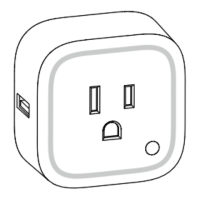
Parameter 20 - Power restored state.
Sets which state Smart Switch 7 switches to when power is lost then restored (power outage).
Size = 1 Byte
Default Setting = 0
Value Description
0
Last known state. (restore
state before power loss)
1 Power restored to ON.
2 Power restored to OFF.
Parameter 80 - Status Update.
Keeps the status of Smart Switch 7 in sync with your Z-Wave gateway. Determine which reports are sent to your gateway
upon a state change (ie. If switch turns ON, then the switch will forward state update to Z-Wave gateway).
Size = 1 Byte
Default Setting = 2
Value Description
0 No report sent.
1 Report Basic Report.
2 Report Binary Switch.
Parameter 81 - LED indicator mode.
Allows you to configure how the LED indicator works.
Size = 1 Byte
Default Setting = 2
Value Description
0 LED Disabled.
1
Night Light Mode.
Use Parameter 82 to configure Night
Light timing.
Brightness can be controlled via
Multilevel Switch CC.
Colour can be controlled via Color
Switch CC.
2
On/Off Mode.
Default use
ON = 50% white light
OFF = 10% green light
Brightness can be controlled via
Multilevel Switch CC.
Colour can be controlled via Color
Switch CC.
Parameter 82 - Night Light Mode
Enable or disable Night Light Mode during specific times.
Size = 4 Byte
Default Setting = 0x12000800 (ON at 12pm and OFF at 8am)
Value 1 ON Hour (0 - 23)
Value 2 ON Minute (0 - 59)
Value 3 OFF Hour (0 - 23)
Value 4 OFF Minute (0 - 59)



 To Next Page