8
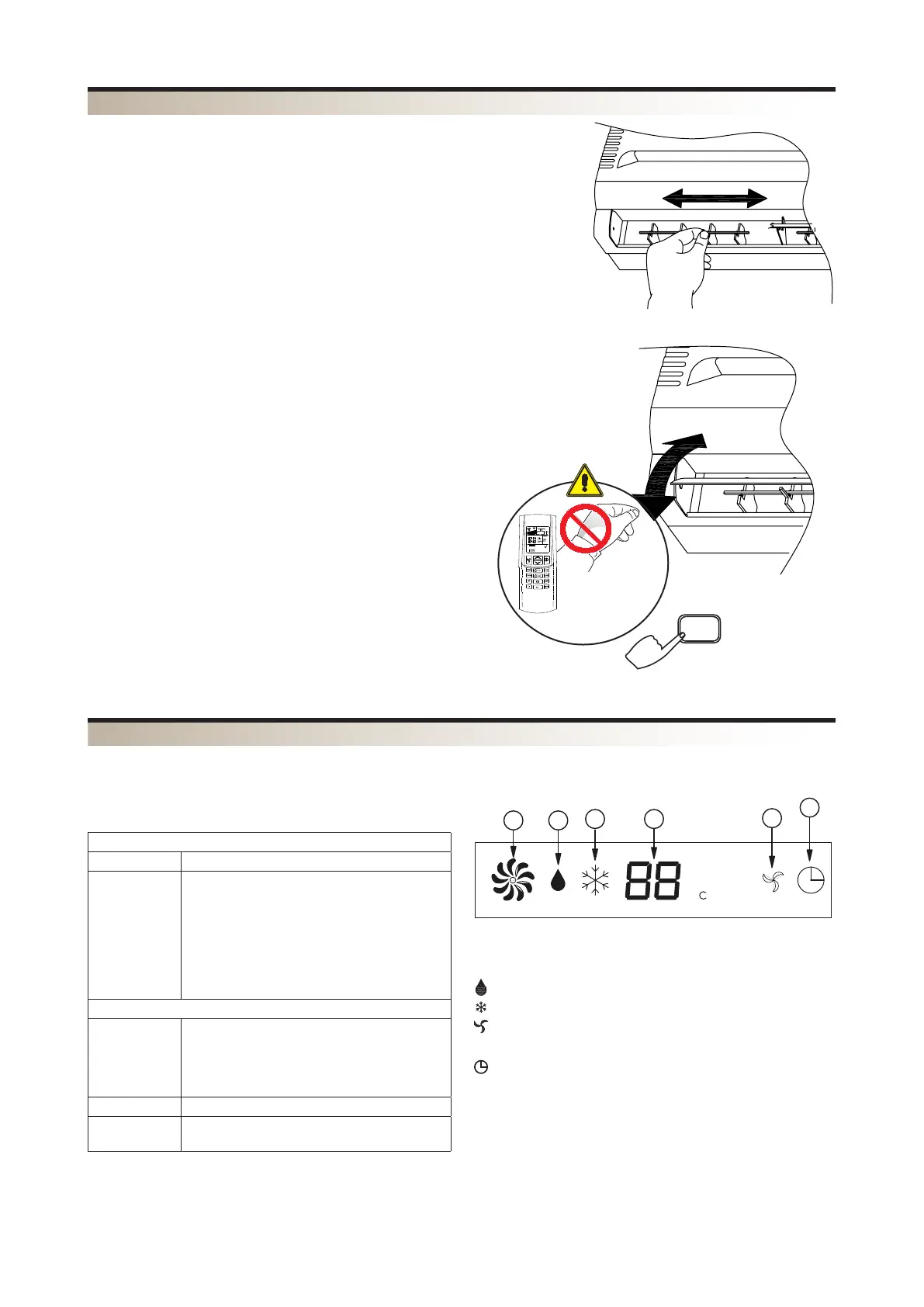
The blades on the air discharge are arranged to direct the air in
two directions:
– vertical blades, to be adjusted manually
– motorised horizontal blades, to be adjusted only by means of
the remote control.
ADJUSTING THE VERTICAL BLADES
– turn the vertical blades as indicated in the diagram
– both in heating or cooling mode it is advisable for the air flow
not to hit people directly.
MOTORISED HORIZONTAL BLADES
Never adjust the motorised horizontal blades manually. Any
manual operation on the blades may damage the system and
cause a malfunction.
When the unit is off the blades close and cover the air flow outlet.
IMPORTANT
Under particular external conditions condensate might occur on
and drip onto the surfaces below.
DIRECTION OF THE AIR FLOW
LOUVER
TLW2
The direction of air flow as shown in the
diagram
2 - FAN SPEED
3 - OPERATING MODE
Dehumidification
Cooling
Fan only
4 - TIMER
The icon shows the timer is active
CWX_W WITH MICROPROCESSOR CONTROLLER - FRONT PANEL DISPLAY
When the fan coil unit is powered up it emits a beep. When the fan coil unit is powered but not on, all the LEDs are
off.
Display
Temperature Description
°C
Set temperature
- Water temperature in battery
- Water inlet temperature
Error code
alternately with
the ambient
temperature
Error description
E1
E2
fault
1 - TEMPERATURE DISPLAY / ERROR CODES
1
2
4
3
3
3


 To Next Page