EasyManua.ls Logo

AERMEC NRL 0650 - User Operating Procedures

AERMEC NRL 0650
56 pages
Print Icon
To Next Page IconTo Next Page
To Previous Page IconTo Previous Page
Loading...
4518.01._5280107_02
NRL 0280-0750 °-L / A-E
EN
2
1

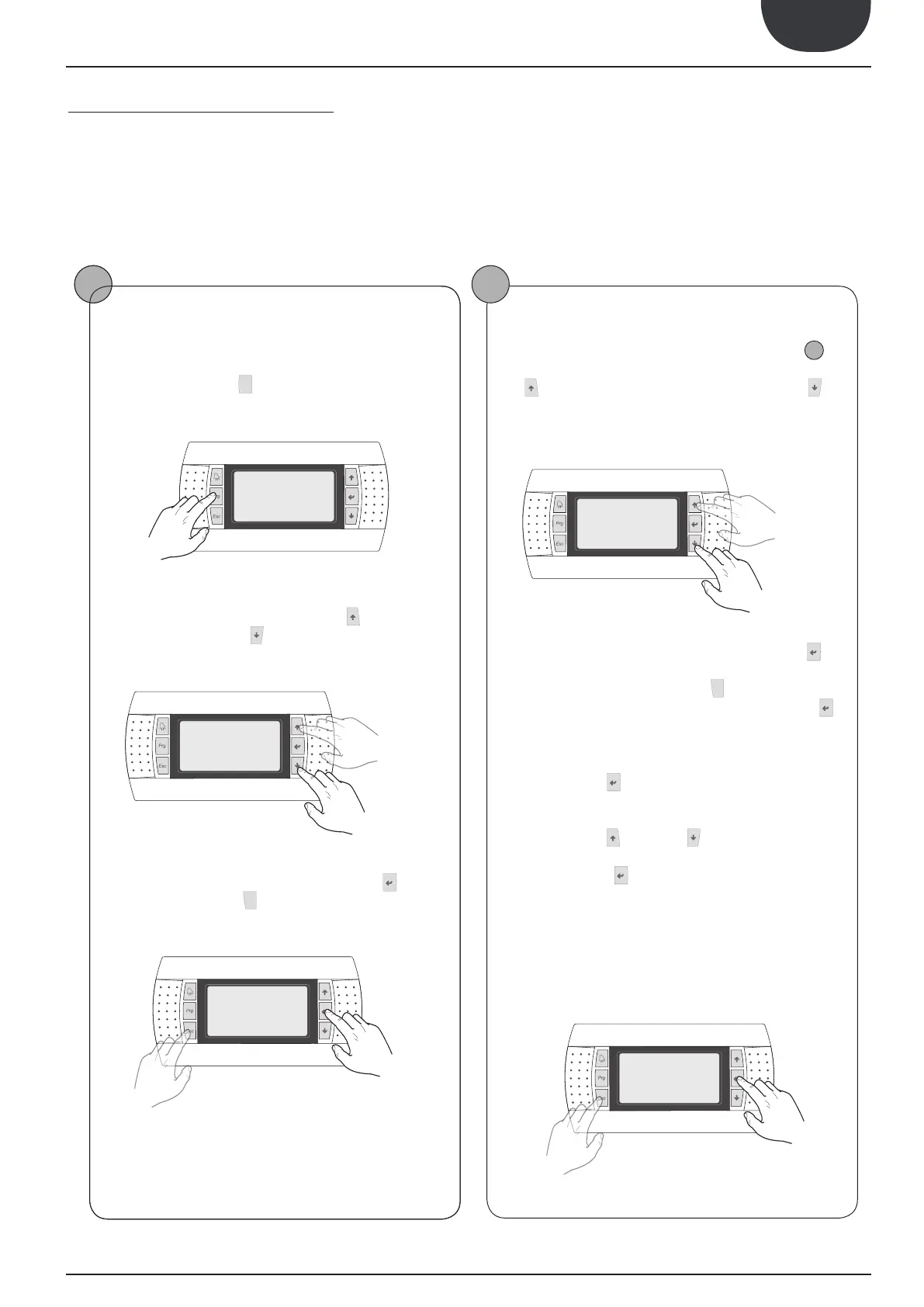
capable of, for the correct use of the unit, are:


User operating procedures
Moving between menus

played is shown in the previous page, enter the menu selection




       








    



  


   
mode.
Selecting and modifying a menu

1

is possible to move between the screens using the arrow keys: the
 


   



move to the next parameter.
    


 
enter the parameter. To exit the parameter and return to the








the parameter selection mode is automatically accessed and in this
mode the desired parameter values can be set with the following
procedure:




first modifiable field of the parameter. If no modifiable fields are
displayed then the cursor will not appear.







be increased or decreased.
 


  
value, saving it in memory. On the basis of the type of parameter
selected the number of modifiable fields can change.
previous menu
next
menu
exiting a menu
entering a
menu
previous para-
meter
next
parameter
exiting a
parameter
entering a para-
meter
15. 

Related product manuals