EasyManua.ls Logo

AERMEC NRL 0750 - Page 46

AERMEC NRL 0750
56 pages
Print Icon
To Next Page IconTo Next Page
To Previous Page IconTo Previous Page
Loading...
46 18.01._5280107_02
NRL 0280-0750 °-L / A-E
EN
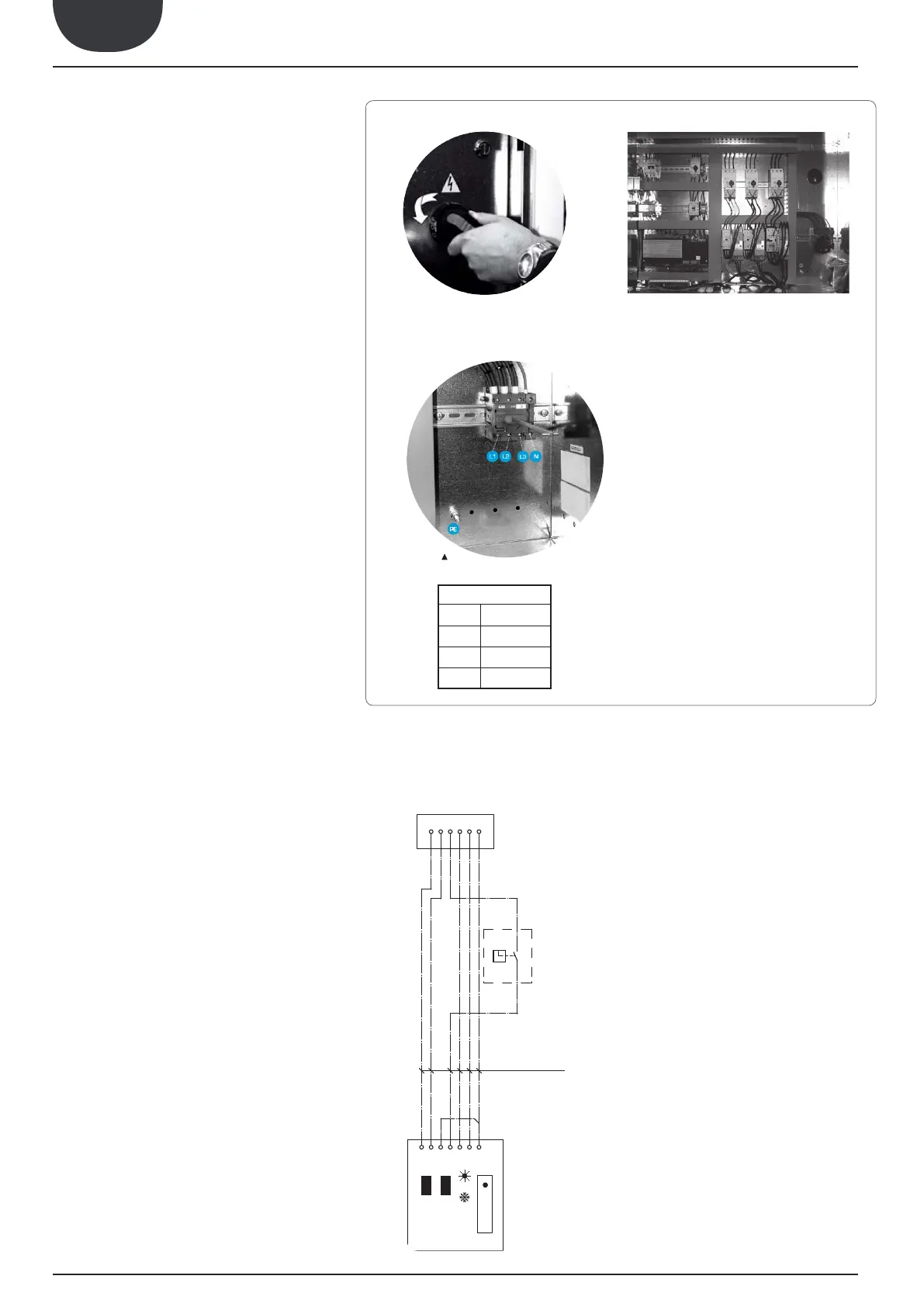
Fig. 1

PR
0
1
M7 SC
6 x 0,5 MAX 50m
7
6
6
5
5
4
4
3
3
2
2
1
1
IAD
ALARM

Accertarsi che non ci sia presenza di tensione sulla linea elet-
trica a cui vi allaccerete.

Turn ¼ the screws of the electrical panel in counter-clockwise



In this way, the electrical panel can be accessed

  
power cable to the electrical panel inside the unit in

switch terminals observing the phase, and the earth.



     
the wiring diagram supplied with the unit.
The wiring diagram together with the manuals must be kept



To prepare the auxiliary switch, connect the device
to the clamp 4 of the control board M7 SC and to the
clamp 4 of the remote panel.

To prepare the pump contactor, connect the device
CP01 to the clamp 2 of the control board M16 SC and
the device CP02 to the clamp 4 and 6 of the control
board M1 SE2.

To prepare an external alarm device, connect the
device contact to the clamp 1 and 2 of the control
board M17.

Connect the remote panel PR3 to the control board M7

remember that the maximum allowed distance is 50 m.

See next procedure.


To enable the remote panel PR3:





enabled by the remote panel.
CONNECTION


 
 
 
PE Earth

Related product manuals