MEMORY
4-37
Memory sequencing
You can step the memory up in a sequence from a start location using a TTL input connected to
the rear-panel TRIGGER socket. Note that the triggering order of priority is as follows:
FSK logic input
Memory recall
Sweep trigger.
Therefore ensure that FSK is not enabled, otherwise selecting memory recall triggering has no
effect. The memory sequencing operation is as follows:
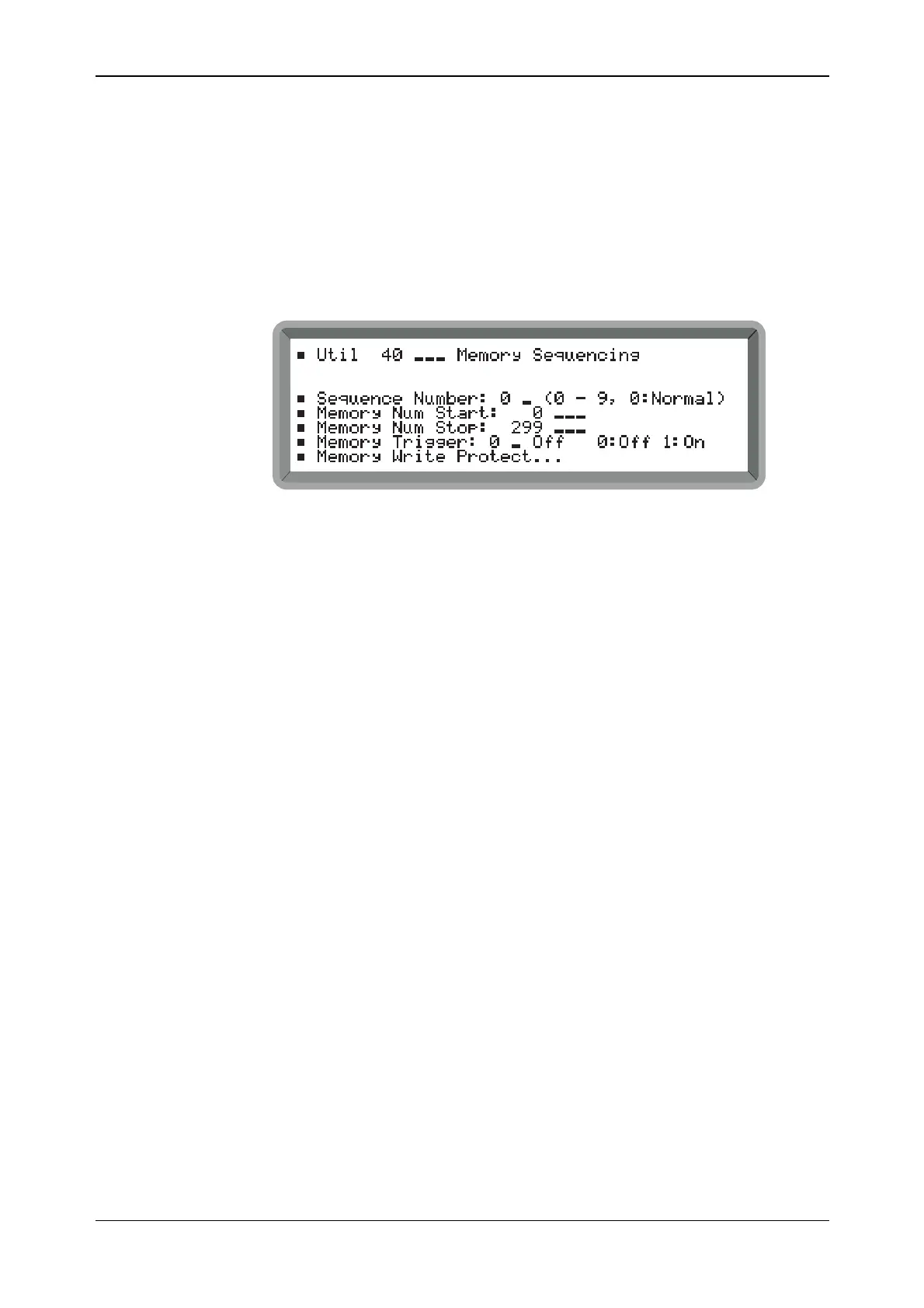
(1) Select Util 40: Memory Sequencing to display the menu shown in Fig. 4-31.
B2066UT040
Fig. 4-31 Memory sequencing menu
(2) Select one of up to 9 sequences by entering a number in the range 1 to 9. Select 0 to turn
sequence off (normal mode).
(3) Enter the Memory Num Start and Mem Num Stop store numbers for the selected sequence
within the ranges:
0 −99 Carrier store
100−199 Full store
200−299 RAM store.
(4) To enable memory recall sequencing set Memory Trigger to 1. Each trigger then recalls the
next memory store. When the end of the sequence is reached the carrier and full stores
wrap around to the start.
(5) To protect your selected memory sequence against accidental overwriting, highlight
Memory Write Protect... and press [SELECT]. This gives immediate access to the Util 41:
Memory Write Protect menu shown below.



 To Next Page