Subject to Export Control, see Cover Page for details. 2-97
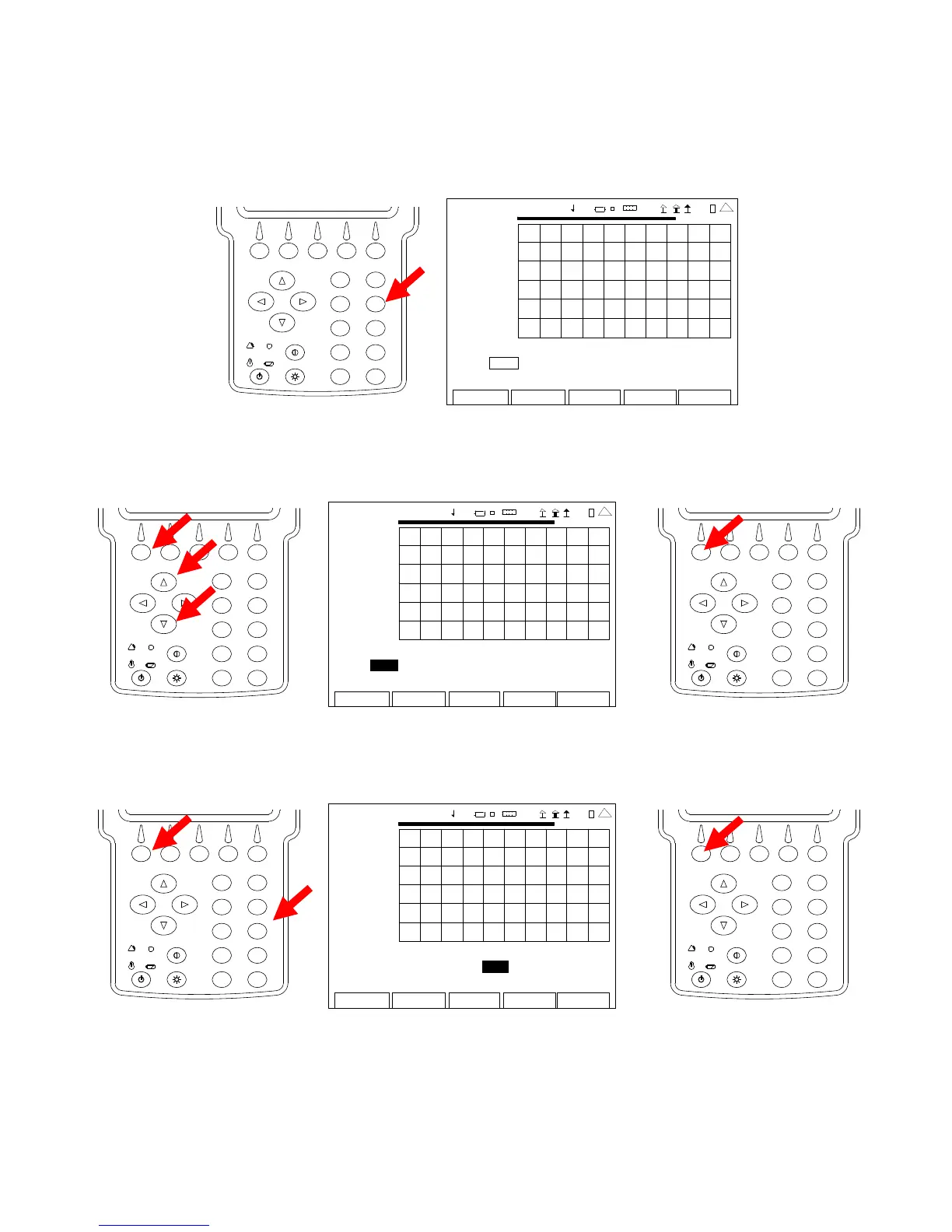
2-5-4. MEASURING SWR
1. With the System Menu displayed, press the 4 Key to display the ANT-Cable Test Screen.
2
4
6
8
0
1
9
7
5
3
ANT-CABLE TEST
7.00
2009-01-06
11:35:30
SWR
1.00
35.0 MHz 45.0
Type: SWR Freq (MHz): 40.0 Span (MHz): 10.0
Sta rt (MHz): 35.0 Sto p (MHz): 45.0
Edit
Return
Ho l d
Cal
Ma rke r
4 1 20 29
2. With the cursor on the Type Field, press the F1 “Edit” Key and use the UP Key or
DOWN Key to select SWR. Press the F1 “Done” Key to save the setting.
2
4
6
8
0
1
9
7
5
3
ANT-CA BLE TEST
7.00
200 9-01 -06
11 :35 : 30
SWR
1.00
35.0 MHz
4 5.0
Type: SWR Freq ( MHz): 40 .0 Span (MHz): 10 .0
Sta rt (MHz): 35.0 Sto p (MHz): 45.0
Edit Return Ho l d Cal Ma r ke r
41 20 29
2
4
6
8
0
1
9
7
5
3
3. With the cursor on the Freq Field, press the F1 “Edit” Key and use the Number Keys to
select the desired center frequency. Press the F1 “Done” Key to save the setting.
2
4
6
8
0
1
9
7
5
3
ANT-CA BLE TEST
7.00
200 9-01 -06
11 :35 : 30
SWR
1.00
35.0 MHz
4 5.0
Type: SWR Freq (MHz): 40 .0 Span (MHz): 10.0
Sta rt (MHz): 35.0 Sto p (MHz): 45.0
Edit Return Ho l d Cal Ma r ke r
41 20 29
2
4
6
8
0
1
9
7
5
3













 To Next Page