2-6 Subject to Export Control, see Cover Page for details.
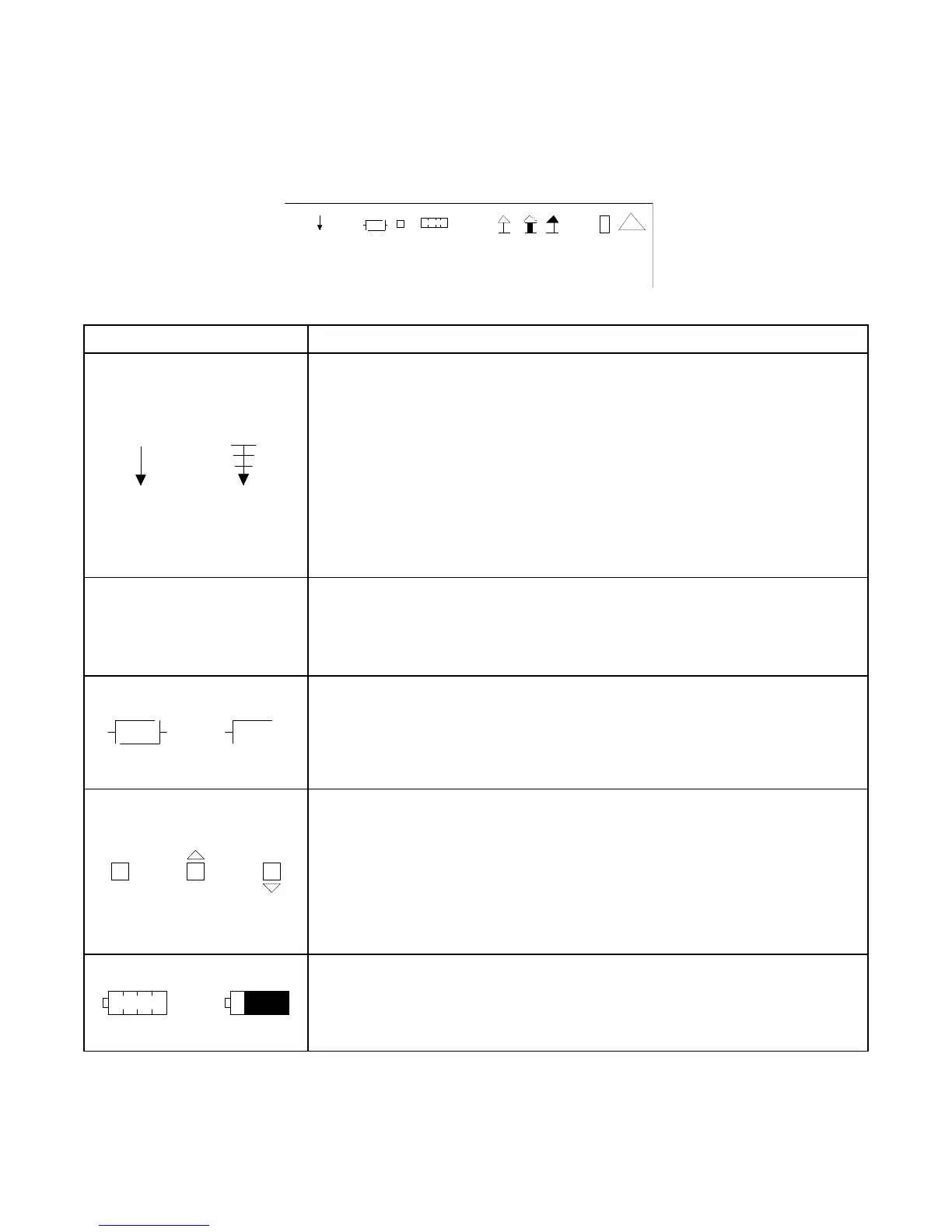
2-2-1. SCREEN ICONS
The screen icons are displayed at the top left of the test screens.
41 20 29
SCREEN FEATURE FUNCTION
PPC CPU Usage
Displays the level of PPC usage.
When the PPC usage is 20% to 39%, the icon is displayed as vertical
bar.
When the PPC usage is 40% to 59%, the icon is displayed as two
vertical bars.
When the PPC usage is 60% to 79%, the icon is displayed as three
vertical bars.
When the PPC usage is 80% to 100%, the icon is displayed as four
vertical bars. The icon blinks when the PPC usage is >90%.
NUMBER
Internal Temperature
Displays the current FPGA temperature in °C. (Example: 41)
When the internal temperature is <-20°C or >85°C, a warning message
is displayed.
Flash Save Status
Displays the status of a save operation.
When the icon is fully drawn, all settings are currently saved to Flash.
Afer editing, the lower right half of the icon disappears until the
settings are saved to Flash.
Phase Loop Lock (PLL)
Displays the status of the Generator and Receiver Synthesizer Lock.
Under normal conditions, the icon is displayed as a square.
If the Generator becomes unlocked, a warning message is displayed
and a triangle shape is displayed (blinking) above the square icon.
If the Receiver becomes unlocked, a warning message is displayed
and a triangle shape is displayed (blinking) below the square icon.
Battery Level Indicator
Displays the percentage of the battery life remaining.
When the battery level is<20 (on a 0 to 100 scale) the battery level
icon blinks.













 To Next Page