Subject to Export Control, see Cover Page for details. 2-7
2-2-1. SCREEN ICONS (cont)
SCREEN FEATURE FUNCTION
NUMBER
Battery Temperature
Displays the Battery temperature in °C. (Example: 20)
If the battery temperature is >53°C a warning message is displayed
and the battery level icon blinks.
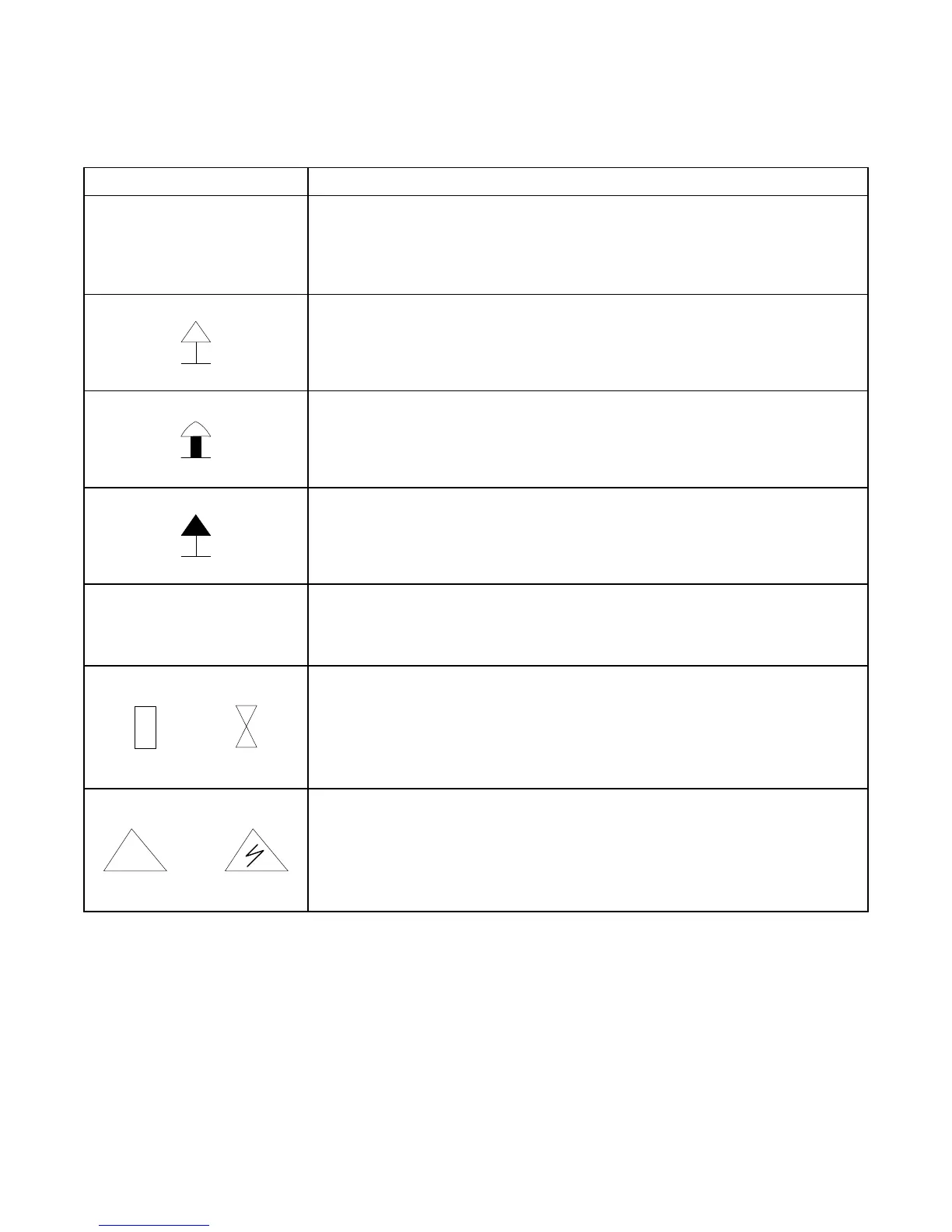
ANT Connector Overload
Indicates if the ANT Connector is in overload mode.
If the ANT Connector is in overload mode, a warning message is
displayed and the lower half of the icon blinks.
T/R Connector Overload
Indicates if the T/R Connector is in overload mode.
If the T/R Connector is in overload mode, a warning message is
displayed and the lower half of the icon blinks.
SWR Connector Overload
Indicates if the SWR Connector is in overload mode.
If the SWR Connector is in overload mode, a warning message is
displayed and the lower half of the icon blinks.
NUMBER
RF Temperature
Displays the T/R Connector temperature in °C. (Example: 29)
The RF temperature increases when more RF power is dissipated.
AGC Compression
Displays the level of Receiver compression.
With no AGC compression the icon is displayed as a box.
When AGC is in compression, a message is displayed and the icon is
displayed as an hourglass.
DVM Overload
Displays the DVM Overload status.
When conditions are normal the icon is displayed as a triangle.
When an overload occurs, a message is displayed, the icon is
displayed as a lightening bolt inside a triangle and the icon blinks.













 To Next Page