5
OPERATION
It is highly recommended that gloves and a filtered dust
mask be worn during filter replacement to avoid breathing
particulates (dust, mold, pollen, etc.) captured on the filter
that become airborne during the filter(s) changeout.
The old filters should be wrapped and sealed in plastic
bags immediately upon removal from the unit to avoid
distributing particles throughout the house during the
process of disposal.
1. Accessing the Filters
a. Turn the power switch to the off ‘ O ‘ position before
opening the access panel.
b. Remove the one (1) screw securing the filter access
panel, located at the top center of the access panel.
A Phillips head screwdriver will be required.
c. Remove the two (2) thumbscrew knobs securing the
access panel, located at the top left and right corners of
the access panel.
d. The access panel is hinge mounted on its bottom side.
Pull the access panel at the top left and right sides and
allow it to fold down.
IMPORTANT NOTE: Our filters are sealed in protective
poly bags to ensure they are fresh and new when ready
for use. Be sure to open each filter bag and discard the
plastic coverings prior to installation. Do not operate the
G4 without removing the filters from their poly bags.
1. Make sure that the G4 unit is plugged into a
continuously powered, grounded outlet (120V, 60Hz).
2. For optimum performance, the G4 Whole Home
Filtration system is designed to run continuously.
3. Turn the unit on by pressing the power switch to the
‘ l ’ position.
4. To turn the unit off, press the power switch to the
‘ O ’ position.
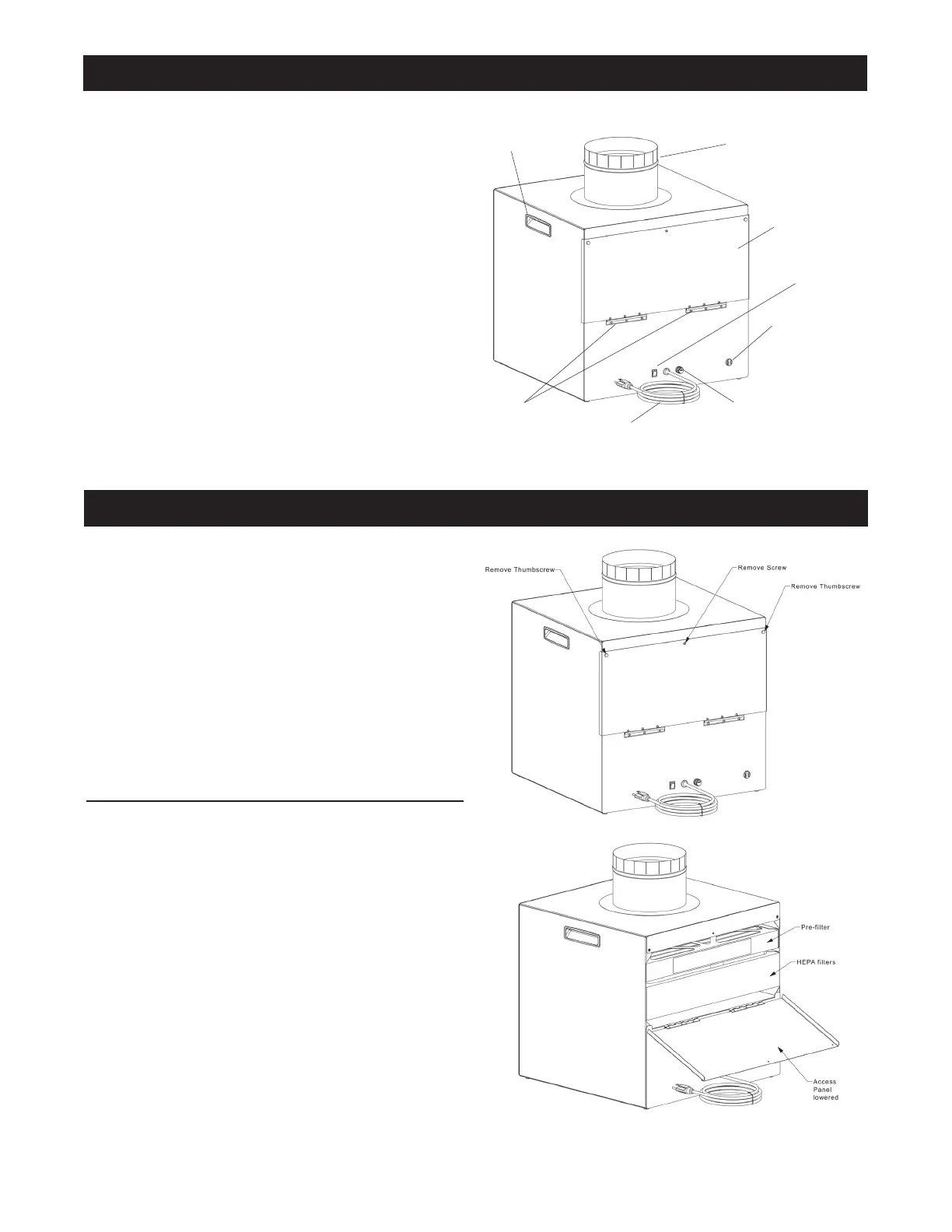
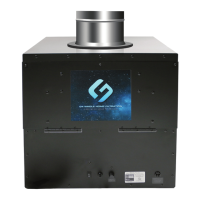
Fuse
Hinges
Power Cord
Filter Access Panel
24Volt Power jack
for optional use
with 24Volt Aerus
compatible products.
NOTE: Remove
insulator caps before
attaching unit.
Power Switch
Handle
Duct
FILTER CHANGE INSTRUCTIONS




 To Next Page