8 9
1. Adjust the fan speed to your preference, keeping in mind that higher fan speeds will give better results.
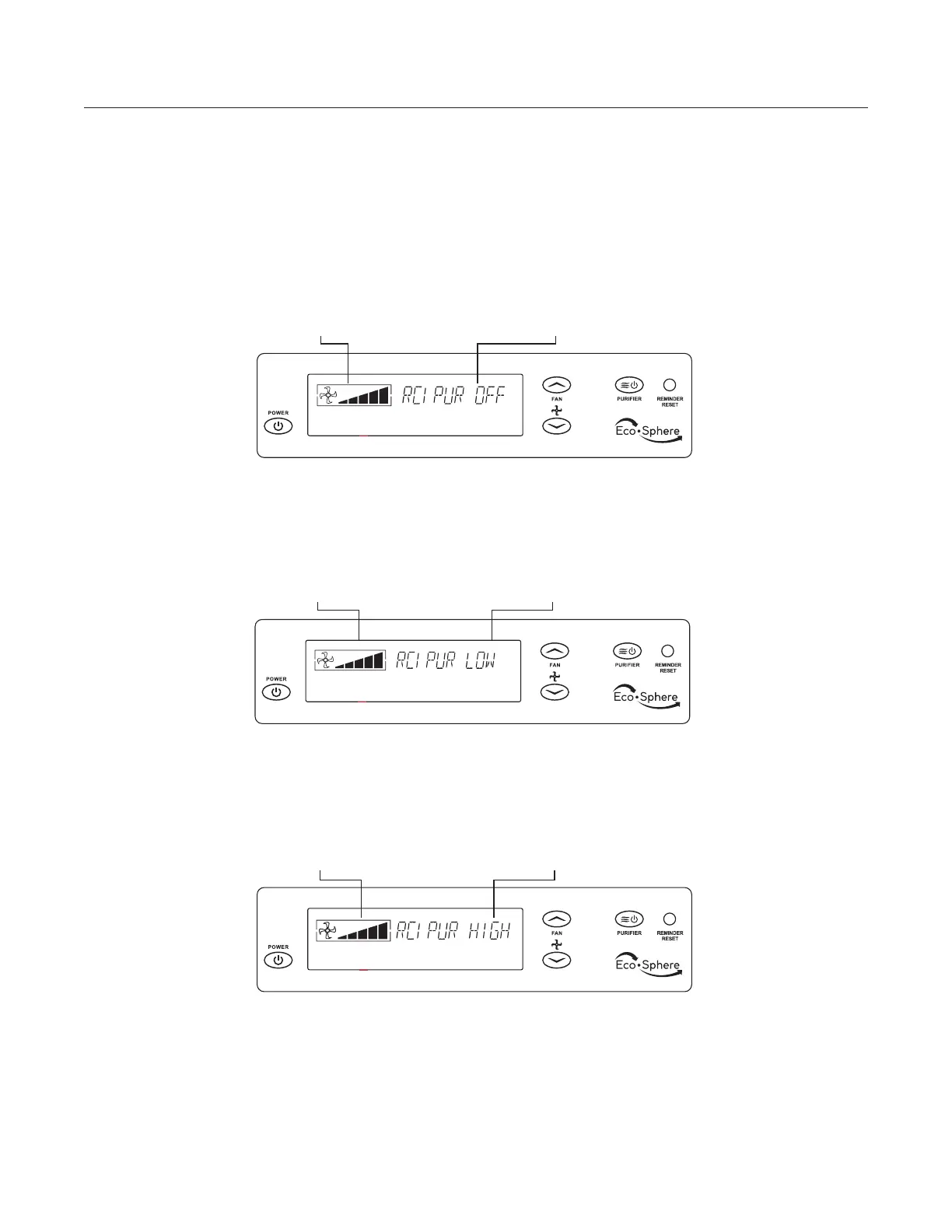
2. Using the PURIFIER button, set the unit to RCI PUR. LOW for increased effectiveness.
NOTE: When unit displays RCI PUR. LOW, cell 1 is on. When unit displays RCI PUR. HIGH, both cells are on.
ActivePure Cell Setting
Fan Speed
RCI PUR. LOW: Fan, ionization, and ActivePure® cell is on.
Use this setting for general usage.
RCI PUR. OFF: Fan and ionization are on. The ActivePure®
cell is turned off.
Fan Speed
ActivePure Cell Setting
ActivePure Cell Setting
Fan Speed
RCI PUR. HIGH: Fan, ionization, and both ActivePure®
cells are on.
OPERATION






 To Next Page