4
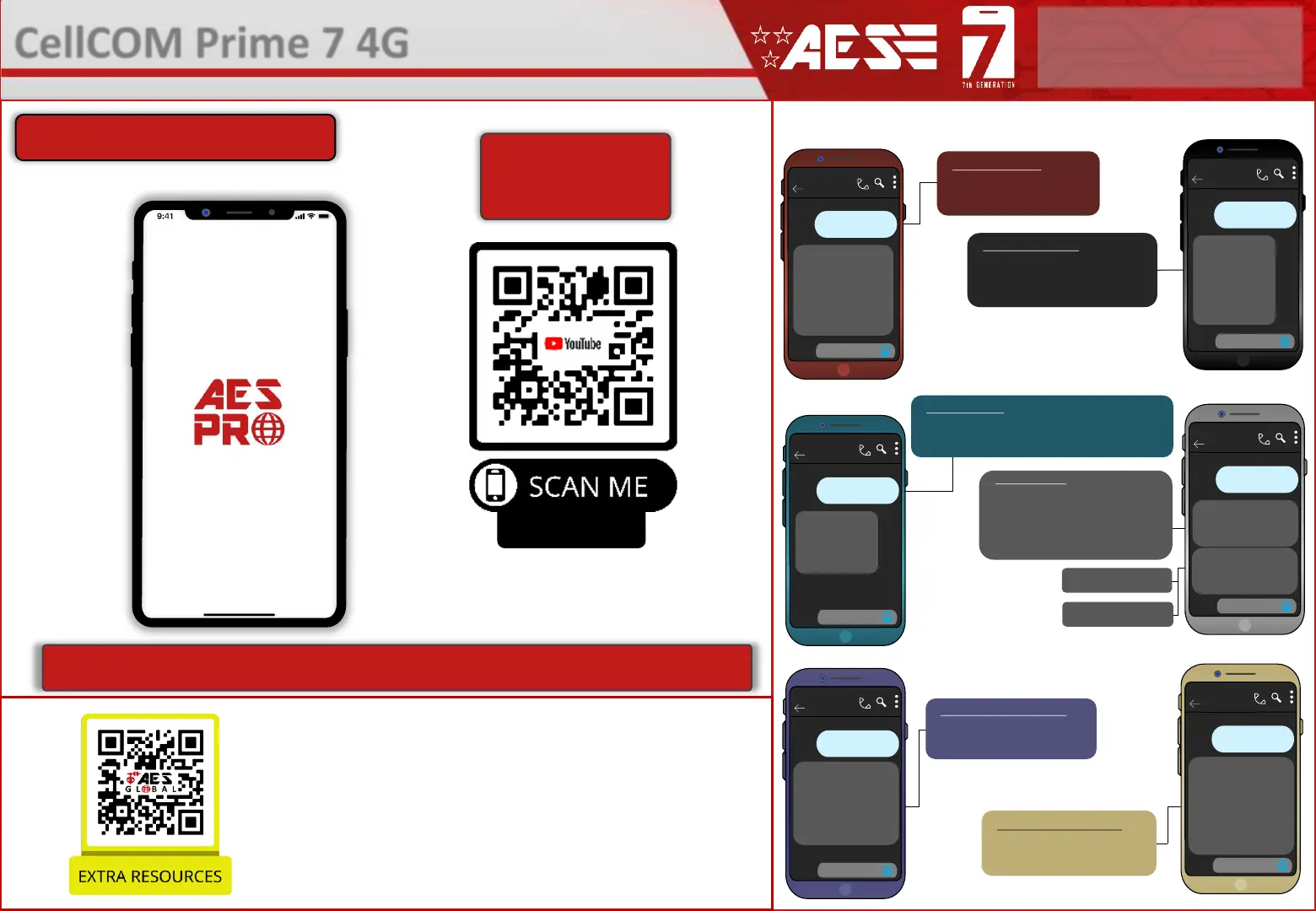
INFORMATION (SMS Reply Examples)
STORED NUMBERS
O=Dial out number.
I=Dial IN Caller ID number.
N = Another message to follow
E = End of messages
STORED KEYPAD CODES
NORM=Permanent codes.
TEMP=Temporary codes.
PLAN=Time restricted codes.
RELAY STATUS
OPEN – Shows status of the input terminals called
DETECT - Can be used with a limit switch. Relay
status shown to check if any relay is latched.
Last 6 digits of caller
ID user phone number
Last 2 digits of
keypad code used
ACTIVITY LOG
Use this to see who used the
intercom and when. Which pin
codes were used, who used caller
ID, who answered the call.
TIP: Time and date is in
international military format.
SIGNAL STRENTH
Will reply with signal range
1-31. Min signal level should
be 10 on 4G systems
Advanced Programming Setup
STORED PROX ID CODES
NORM=Permanent codes.
TEMP=Temporary codes.
PLAN=Time restricted codes.
Intercom
*23#
0930-05/06/21-code-XX34-R1
1345-05/06/21-CID-543210
2034-04/06/21-user-55987
1632-04/06/21-code-XX89-R2
1244-04/06/21-code-XX98-R2
0840-04/06/21-CID-995555
2109-03/06/21-code-XX34
2101-03/06/21-code-XX89-R2
CellCOM Prime 7 4G
- Advanced GSM Intercom
STILL HAVING TROUBLE?
Find all of our support options such as Web Chat,
Full Manuals, Customer Helpline and more on
our website:
WWW.AESGLOBALUS.COM
* ALWAYS TEST THE UNIT ON SITE BEFORE INSTALLATION TO AVOID RE-STOCKING FEE * See full T&C’s on our website
Note: You need to send the SMS message created by the app to the intercom SIM number
and receive the ‘OK’ reply for correct programming.
Advanced Programming Setup
See our YouTube
Channel for full app
walkthrough
or search
“AES Global”
on Youtube
Hold phone camera
over the QR code
(
)
This QR code will take you to our
resource page where you can find
the datasheet for your intercom.



 To Next Page