Need help?
Do you have a question about the AES global CellCOM PRIME and is the answer not in the manual?
Key points and warnings for installation, including signal, SIM, professional install, and warranty exclusions.
Details and visual guide to the GSM switch unit featuring an integrated antenna.
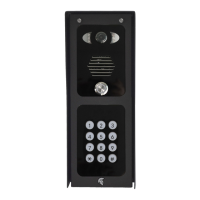
Visual guide showcasing the different models within the Architectural design range.
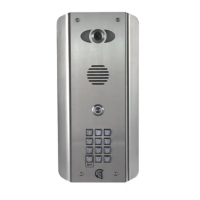
Visual guide showcasing the different models within the Imperial design range.
Visual guide showcasing the different models within the Pedestal design range.
Visual guide showcasing the different models within the Flush design range.
Visual guide showcasing the different models within the ARC design range.
In-depth look at the GSM switch components, including the main PCB and mounting plate.
Detailed breakdown of the Architectural model's features, ports, and internal components.
Detailed breakdown of the No Touch Architectural model's features and components.
Detailed breakdown of the Imperial model's features, ports, and internal components.
Detailed breakdown of the multi-button Imperial model's features and components.
Detailed breakdown of the Pedestal model's features, ports, and internal components.
In-depth explanation of the main GSM module and the Keypad/PROX modules.
Explanation of the optional surge protection PCB and the multibutton PCB.
List of all intercom components and their corresponding sellable codes.
Ensuring adequate GSM coverage and specifying the correct SIM card for system operation.
Steps to configure the Access Point Name (APN) for optimal 4G network connectivity.
Instructions for correctly inserting the SIM card and making power connections.
Guide to interpreting the different LED status lights on the unit for diagnostics.
Procedure to test and verify the GSM signal strength using the intercom system.
Methods for setting the APN and rebooting the intercom for configuration updates.
Guidance on selecting appropriate cable types and gauges for powering the intercom unit.
Steps to ensure the intercom unit achieves and maintains its IP55 weatherproofing.
Details on the 24V DC power supply requirements and solar power integration.
Instructions for setting up a battery backup system to ensure continuous power.
Steps for powering on the unit and understanding the Push to Exit button's operation.
Diagrams illustrating how to wire relays for controlling gates, doors, and locks.
Guide on connecting additional slave devices like keypads and prox readers.
Configuring dip switches for auxiliary devices and assigning relay numbers.
Wiring instructions for slave devices specifically for the 6th generation system.
Procedure to configure the APN for 4G service, via app or manually.
Steps to properly reboot the intercom after making APN or other configuration changes.
Guidance on using the AES PRO app for intercom setup, features, and operation.
Instructions on how residents can make calls to individuals or apartments.
Methods for gaining access using keypad entry or proximity card/fob.
How to answer incoming calls and remotely open gates or doors.
Using CallerID to grant access without initiating a call.
App interface for managers to remotely trigger, hold, or close gates/doors.
Solutions for common problems including power, reception, audio, and trigger failures.
Methods for updating the intercom firmware via FOTA (Over-the-Air) or USB.
Information on app updates and general maintenance for the mobile application.
Links to support resources, QR codes, and feedback channels for the manual.
Best practices for maintaining the intercom's physical condition and weatherproofing.
Information regarding the environmental impact and proper disposal of the equipment.
Instructions on how to submit comments and suggestions for the user manual.
Details of the 2-year return-to-base warranty, coverage, and exclusions.
Information on how to register for an additional year of warranty by providing proof of purchase.
Manufacturer's statement confirming compliance with European Radio Equipment Directive.
Contact information for technical support and assistance with installation.
 General
| Category | Intercom System |
|---|---|
| Wireless | Yes |
| Frequency | 868 MHz |
| Power Supply | 12-24V AC/DC |
| Operating Temperature | -20°C to 50°C |

 To Next Page