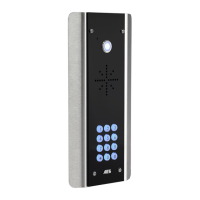
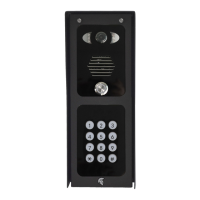
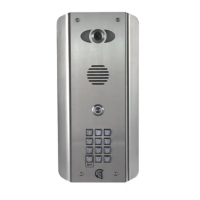
The CellCOM Prime 7 4G is an advanced GSM intercom system designed for secure and convenient access control. It operates on 4G networks, with fallback to 3G service in areas where 4G is unavailable, ensuring reliable communication. The system requires a regular voice and SMS SIM card, and for optimal performance on 4G, the SIM and provider must support VoLTE (Voice over LTE). Data-only SIMs are not compatible.
Function Description
The primary function of the CellCOM Prime 7 4G is to allow visitors to initiate a call to pre-programmed phone numbers by pressing a call button on the intercom unit. When a visitor presses the call button, the intercom will dial up to four designated phone numbers in sequence. The recipient can then answer the call, speak to the visitor, and grant access by using the phone keypad to trigger the gate or door. The system supports two independent relay outputs, typically used for a main gate/door and a pedestrian gate or other controlled access point like lights.
The intercom can be managed remotely via SMS commands or through a dedicated mobile application, "AES PRO App." This app allows end-users to open, hold open, or unlatch gates/doors with a simple tap. It also provides a comprehensive interface for device setup, including selecting the device type, entering phone numbers, and configuring various advanced features such as 4G network settings, auto-opening, notifications, time synchronization, volume, and MMS settings.
For installers, the system offers advanced programming capabilities, accessible through the AES PRO App. This includes managing stored numbers (dial-out and caller ID), keypad codes (permanent, temporary, and time-restricted), and Prox ID cards/tags (permanent, temporary, and time-restricted). SMS commands provide an alternative method for managing these settings, allowing for remote configuration and status checks. For instance, installers can check signal strength, relay status, and review an activity log that records who used the intercom, when, and how (e.g., via pin code, caller ID, or prox card).
The device also supports an optional exit button and can integrate with a magnetic lock, requiring separate power supplies for the locks. It features a "DETECT" input for a gate position limit switch, allowing for monitoring of the gate's status.
Usage Features
The CellCOM Prime 7 4G is designed for ease of use for both end-users and installers.
For end-users, the AES PRO App provides a user-friendly interface to manage gate access. After downloading the app and accepting permissions, users can select their device, register their details, and sign in. The app allows for quick actions like "Open," "Hold Open," and "Unlatch" for both Output 1 (main gate/door) and Output 2 (pedestrian gate/other). The app also includes a "Help" section with troubleshooting guides and "How-to Videos" to assist with common issues.
For installers, the initial setup involves ensuring proper SIM card activation and orientation. It is recommended to set up and program the unit on a workbench before going to the site, allowing for thorough testing and technical support if needed. The system requires a 24V DC power input, and specific cable gauges are recommended based on cable length to ensure adequate power delivery. Surge protection is advised for lightning-prone areas. Earthing the product is mandatory in certain states to qualify for the manufacturer's warranty.
The device's PCB status LEDs provide visual feedback on its operational status: solid red for power on, solid red with blue flashing for searching, and solid red with blue and green flashing for a successful network connection. This helps installers quickly diagnose network connectivity issues.
APN (Access Point Name) configuration is crucial for VoLTE/4G services. While the system is pre-programmed for the Tracfone network, installers can change the APN via SMS commands or directly through the keypad if there is no 3G signal. This flexibility ensures compatibility with various network providers.
Maintenance Features
The CellCOM Prime 7 4G incorporates several features to facilitate maintenance and ensure longevity.
Regular maintenance includes ensuring all entry holes are sealed to prevent insect ingress, which can cause shorting out of components. This is vital to maintain the IP55 rating. The manual emphasizes the importance of not opening the panel in rain or snow unless properly equipped to keep the internals dry, and to ensure the unit is securely closed after any maintenance.
For SIM card maintenance, especially with pre-pay casual SIM cards, occasional top-ups are necessary. It is recommended to advise homeowners to register their SIM card on the provider's website, if available, to utilize auto top-up features or low balance reminders.
Troubleshooting common issues is supported by a dedicated section in the manual and within the AES PRO App's help section. Symptoms like "No LEDs on," "No green CPU light," "Call going to voicemail," or "No caller ID function" are addressed with clear solutions, ranging from checking power supply voltage and SIM card integrity to verifying network reception and antenna connections. The manual also provides guidance for audio quality issues and trigger key malfunctions.
In cases of severe issues or to reset all programming, a "Reset / Default Unit" procedure is available. This involves powering off the unit, linking specific terminals, powering it back on, waiting for a relay click, and then removing the link. This process clears all memory, including saved users and access codes, effectively restoring the unit to its factory default settings.
The product is designed as a component of an overall system, and installers are responsible for ensuring the end installation complies with local regulatory requirements, as it forms part of a "fixed installation." The manufacturer provides a 2-year "return to base" warranty from the date of manufacture, covering defective components. However, the warranty does not cover damage from environmental factors (storm, lightning, flooding), accidental damage, vandalism, or issues arising from inaccurate installation or network changes outside the manufacturer's control. Items with physical signs of surge damage are only covered if photographic evidence of surge protection installation is provided.



 To Next Page
 General