P a g e | 25
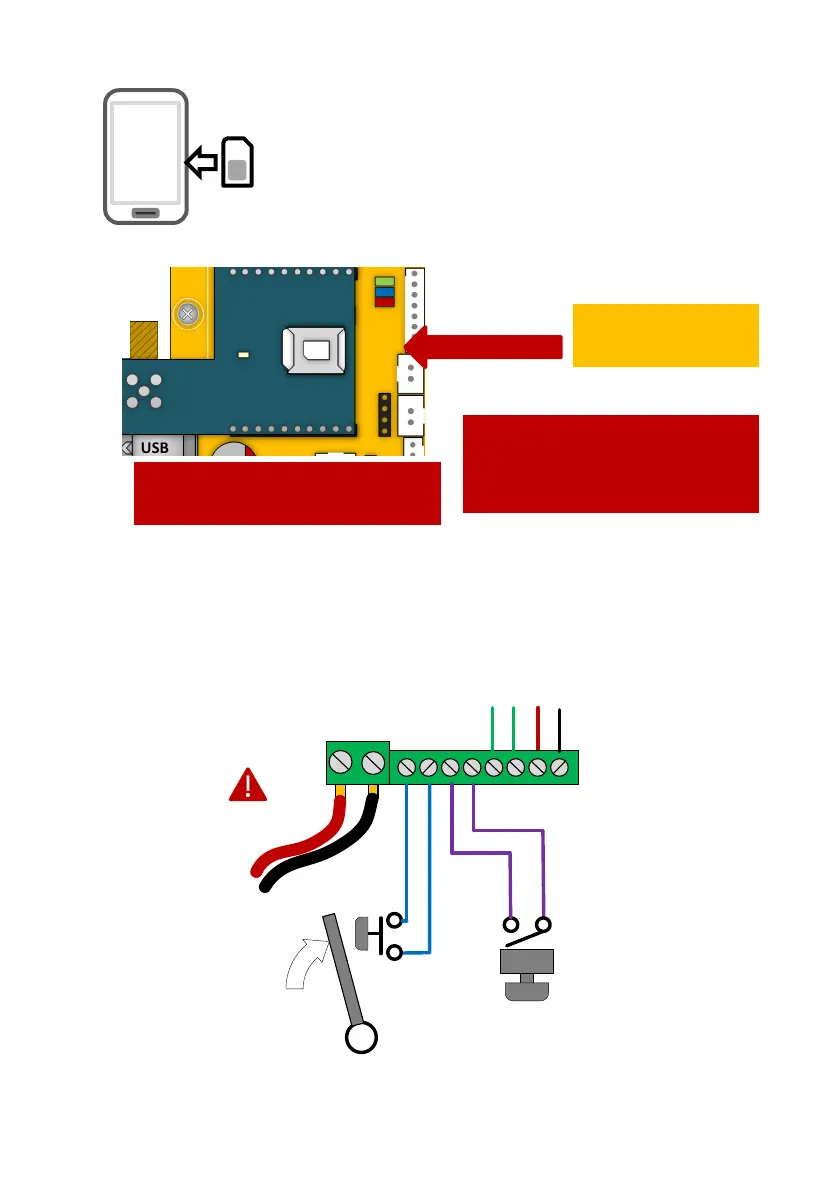
Inserting the SIM card
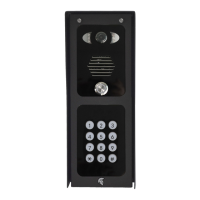
Power Connections
Perform a final check of wiring and ensure the antenna is connected before switching on the
power. Once the power is switched on, the power LED should illuminate.
Please ensure the SIM card is a 4G NANO SIM card. Do not
use a SIM card for a tablet, as these only support data, and do
not support voice and SMS. You simply require a mobile phone
type SIM card.
It is always good practice to check if the SIM is active by
putting it into a phone and making a call.
24V dc
preferred
28V ac
absolute max!
Door/gate limit switch
(to allow remote checking
of door position)
Push to exit
button
(triggers relay 1)
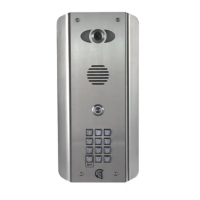
Pre-wired to internal call
button *Not on iGate
WARNING
Ensure power is OFF. Do not hot
insert or remove while power on.
Insert chamfered
edge first.
Ensure SIM is activated.
Pre-pay SIM will need credit first.


 To Next Page